








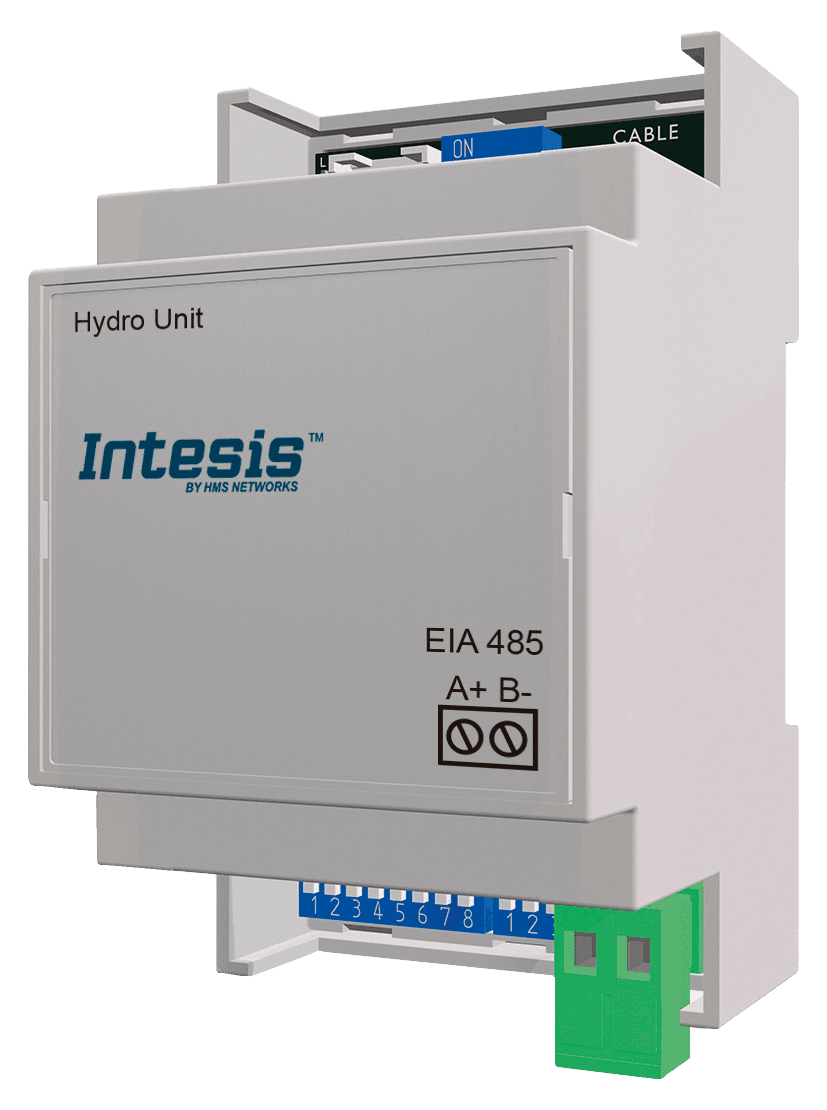
Intesis PAW-AW-MBS-H Panasonic Aquarea
Controls Panasonic Aquarea heat pumps via Intesis Modbus RTU gateway.
This template integrates Panasonic Aquarea heat pumps via the Intesis PAW-AW-MBS-H (INMBSPAN001A000) Modbus RTU gateway. It reads temperatures, energy consumption, and error codes, and allows control of system on/off, operating modes, and setpoint temperatures.
- Protocol
- Modbus RTU
- Connection
- RS485, 9600 baud
- Registers
- 38, read and write
- Brand
- Panasonic
- Key readings
- Outdoor temperature · Outlet/Inlet water temperature · Zone 1/Zone 2 current temperature · Tank current water temperature · Energy consumption (tank, heat, cool) · Error code and device status
- Available commands
- System On/Off and operating mode · Zone 1/Zone 2 setpoint temperature · Tank On/Off and setpoint temperature
- Compatible models
- PAW-AW-MBS-H · INMBSPAN001A000 · Aquarea H · Aquarea J · Aquarea K · Aquarea L
- Last updated
Registers (38)
38 read, 9 write
| Name | Unit | Access | Address (Hidden until you enter your email) | Function (hidden) | Type (hidden) |
|---|---|---|---|---|---|
| 0_System On/Off | Read and write | ||||
| 1_Outdoor temperature | °C | Read | |||
| 2_Outlet water temperature | °C | Read | |||
| 3_Inlet water temperature | °C | Read | |||
| 4_Operating mode | Read and write | ||||
| 5_Heat mode water temp. setting method | Read and write | ||||
| 6_Cool mode water temp. setting method | Read and write | ||||
| 9_Zone 1/Zone 2 On/Off | Read and write | ||||
| 10_Zone 1 sensors | Read | ||||
| 11_Zone 2 sensors | Read | ||||
| 12_Zone 1 setpoint temperature | °C | Read and write | |||
| 13_Zone 2 setpoint temperature | °C | Read and write | |||
| 14_Zone 1 current temperature | °C | Read | |||
| 15_Zone 2 current temperature | °C | Read | |||
| 16_Zone 1 temperature setting mode | Read | ||||
| 17_Zone 2 temperature setting mode | Read | ||||
| 18_Zone 1 min Setpoint temperature | °C | Read | |||
| 19_Zone 1 max Setpoint temperature | °C | Read | |||
| 20_Zone 2 min Setpoint temperature | °C | Read | |||
| 21_Zone 2 max Setpoint temperature | °C | Read | |||
| 30_Tank On/Of | Read and write | ||||
| 32_Tank current water temperature | °C | Read | |||
| 33_Tank water setpoint temperature | °C | Read and write | |||
| 34_Tank heater | Read | ||||
| 35_Tank min water setpoint temperature | °C | Read | |||
| 36_Tank max water setpoint temperature | °C | Read | |||
| 45_Tank mode energy consumption | kW | Read | |||
| 46_Heat mode energy consumption | kW | Read | |||
| 47_Cool mode energy consumption | W | Read | |||
| 52_Error Code | Read | ||||
| 64_Device Status | Read | ||||
| 70_Current error status | Read | ||||
| 81_Tank connection | Read | ||||
| 82_Number of zones | Read | ||||
| 83_Zone 1 setup | Read | ||||
| 84_Zone 2 setup | Read | ||||
| 85_Direction | Read | ||||
| 86_Outdoor type | Read |
Loading registers…
Send your device list
If a device is not in the library yet, we build the template for free as soon as we have the register data.
Use cases
- Monitor outdoor, water, and zone temperatures on a live cloud dashboard for each Aquarea installation.
- Create an alert when an error code appears so you can respond before the customer calls.
- Adjust zone 1 and zone 2 setpoint temperatures remotely without scheduling a site visit.
- Track heating, cooling, and tank energy consumption over time to verify system efficiency.
- Switch the heat pump or tank heating on and off remotely during commissioning or maintenance.
- Compare tank water temperature against setpoint to detect performance degradation early.
Installation
Connect the Intesis PAW-AW-MBS-H gateway to the Panasonic Aquarea heat pump using the dedicated communication cable as described in the Intesis installation manual.
Wire the RS-485 A and B terminals of the Intesis gateway to the corresponding RS-485 terminals on the ModbusCloud Gateway.
Set the Modbus slave address on the Intesis gateway using its DIP switches or configuration software, and note the address for template configuration.
Confirm the baud rate is set to 9600 on both the Intesis gateway and the ModbusCloud gateway.
Import the Panasonic Aquarea Intesis template in the ModbusCloud platform, enter the correct slave address, and verify that register values appear on the dashboard.
Things to watch for
Do I need the Intesis PAW-AW-MBS-H gateway, or can I connect directly to the Aquarea heat pump?
The Intesis gateway is required. Panasonic Aquarea heat pumps do not have a native Modbus interface. The Intesis INMBSPAN001A000 translates the internal protocol to Modbus RTU.
Why do cooling energy values look much larger than heating values?
Cool mode energy consumption is reported in watts, while heat and tank energy values are reported in kilowatts. Apply appropriate scaling or unit conversion in your dashboard to avoid confusion.
Which Aquarea generations does this template support?
The template and Intesis gateway support Aquarea H, J, K, and L generations. Check the Intesis compatibility list if you have a different or newer generation.
What baud rate and serial settings should I use?
Use 9600 baud. The default serial configuration for the Intesis gateway is 9600, 8N1. Make sure the ModbusCloud gateway matches these settings exactly.






Want to see how it works?
