








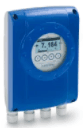
Krohne IFC 050
Measures flow and totalized volume for water and wastewater applications.
Modbus RTU template for the Krohne IFC 050 electromagnetic flowmeter. Reads volumetric flow rate, two totalizer counters, and conductivity limit status. Supports counter resets via Modbus write commands.
- Protocol
- Modbus RTU
- Connection
- RS485, 19200 baud
- Registers
- 8, read and write
- Brand
- Krohne
- Key readings
- Counter 1 (m3) · Counter 2 (m3) · Flow rate Q (m3/s) · Counter 1 status · Counter 2 status · Conductivity limit status
- Available commands
- Counter 1 RESET · Counter 2 RESET · Counter 1 status · Counter 2 status
- Compatible models
- IFC 050
- Last updated
Registers (8)
6 read, 5 write
| Name | Unit | Access | Address (Hidden until you enter your email) | Function (hidden) | Type (hidden) |
|---|---|---|---|---|---|
| Counter 1 | m³ | Read | |||
| Counter 1 status | Read and write | ||||
| Q m3s | m3/s | Read | |||
| Counter 2 status | Read and write | ||||
| Counter 2 | m³ | Read | |||
| Limit cond-Stat | S/m | Read and write | |||
| Counter 1 RESET | Write | ||||
| Counter 2 RESET | Write |
Loading registers…
Send your device list
If a device is not in the library yet, we build the template for free as soon as we have the register data.
Use cases
- Monitor real-time volumetric flow rate on a live dashboard for water distribution systems.
- Track totalized volume from Counter 1 and Counter 2 to verify daily or monthly water consumption.
- Create an alert when the conductivity limit status indicates the process fluid is outside acceptable range.
- Reset totalizer counters remotely from the ModbusCloud platform at the start of a billing period.
- Log historical flow data to identify usage patterns and detect leaks in wastewater networks.
- Compare flow readings across multiple Krohne IFC 050 meters installed at different pipeline locations.
Installation
Connect the Modbus RTU wiring (A, B, GND) from the Krohne IFC 050 to the RS485 port on your ModbusCloud Gateway.
Set the baud rate on the gateway to 19200 and parity to odd to match the IFC 050 default serial settings.
Verify the Modbus slave address configured on the IFC 050 and enter it in the ModbusCloud device settings.
Import the Krohne IFC 050 template from the ModbusCloud template library and assign it to the connected device.
Confirm that float32 register values for flow rate and counters display correctly by checking byte order settings in the gateway configuration.
Add a 120 ohm termination resistor at the end of the RS485 bus if the IFC 050 is the last device on the line.
Things to watch for
Flow rate and counter values show incorrect or very large numbers. What is wrong?
The IFC 050 uses float32 encoding for flow rate and counter registers. Verify that the byte order (word swap) setting in the gateway matches the Krohne device. Try toggling between big-endian and little-endian word order.
The gateway cannot communicate with the IFC 050 at all.
Check that the baud rate is set to 19200 and parity is set to odd (1 stop bit) on both the gateway and the flowmeter. Also confirm the correct Modbus slave address and verify RS485 wiring polarity (A and B terminals).
Can I reset the totalizer counters remotely?
Yes. The template includes write registers for Counter 1 RESET and Counter 2 RESET. Trigger these from the ModbusCloud dashboard to zero out the respective counters.
What does the conductivity limit status indicate?
This register reports whether the fluid conductivity is sufficient for accurate electromagnetic flow measurement. If the status flags an issue, the medium may have conductivity below the minimum threshold required by the IFC 050.






Want to see how it works?
