








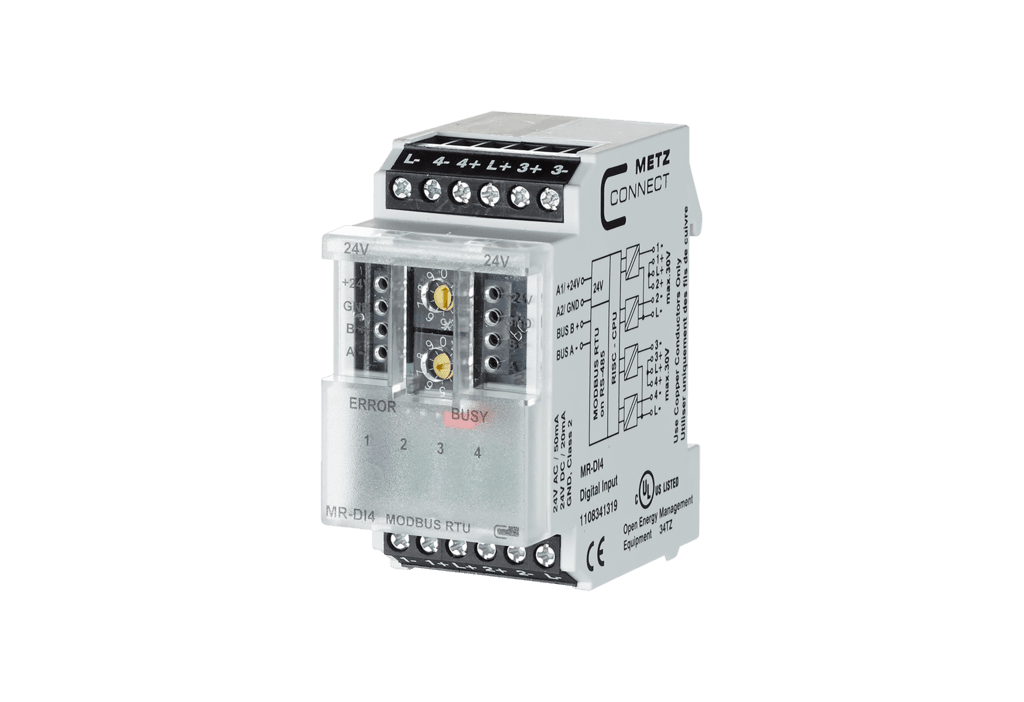
Metz Connect MR-DI4 Modbus RTU
Reads 4 digital inputs via Modbus RTU for decentralized switching tasks
The Metz Connect MR-DI4 is a Modbus RTU module with 4 digital inputs for detecting potential-free switch states such as limit switches or auxiliary contacts. This ModbusCloud template reads all four digital input states for remote monitoring on a cloud dashboard.
- Protocol
- Modbus RTU
- Connection
- RS485, 9600 baud
- Registers
- 4, read only
- Brand
- Metz Connect
- Key readings
- Digital input 1 · Digital input 2 · Digital input 3 · Digital input 4
- Compatible models
- MR-DI4 · MR-F-DI4
- Last updated
Registers (4)
4 read, 0 write
| Name | Unit | Access | Address (Hidden until you enter your email) | Function (hidden) | Type (hidden) |
|---|---|---|---|---|---|
| Digital input 1 | Read | ||||
| Digital input 2 | Read | ||||
| Digital input 4 | Read | ||||
| Digital input 3 | Read |
Loading registers…
Send your device list
If a device is not in the library yet, we build the template for free as soon as we have the register data.
Use cases
- Monitor the state of limit switches on vent valves remotely via a cloud dashboard.
- Create an alert when an auxiliary contact of a power contactor changes state unexpectedly.
- Track potential-free door or window contact states across multiple sites from one overview.
- Log digital input changes over time to identify patterns in equipment switching behavior.
- Verify correct operation of connected switches after commissioning without returning to site.
Installation
Mount the Metz Connect MR-DI4 on a DIN TH35 rail inside the electrical distribution cabinet.
Wire the potential-free contacts or voltage inputs to the four digital input terminals of the module.
Set the Modbus address and baud rate (default 9600) using the two rotary switches on the front panel, or configure them via the Mbus configuration tool.
Connect the RS-485 A and B lines from the MR-DI4 to the Modbus RTU port on your ModbusCloud Gateway.
Import the Metz Connect MR-DI4 template in the ModbusCloud platform and assign the correct Modbus slave address.
Verify that all four digital input states appear correctly on the ModbusCloud dashboard before completing the installation.
Things to watch for
The gateway cannot communicate with the MR-DI4. What should I check?
Verify that the baud rate on the MR-DI4 matches the gateway setting, which should be 9600 by default. Also confirm the RS-485 A and B wiring is not swapped and that the configured Modbus slave address matches the template.
Can I use the MR-F-DI4 variant with this template?
Yes. Both the MR-DI4 and MR-F-DI4 are supported. The register map is identical, so the same template works for both models.
How do I change the Modbus address if the rotary switches are not sufficient?
Use the Mbus configuration tool provided by Metz Connect. This software allows you to set the module address, baud rate, parity, and sensor types via the Modbus connection itself.
Do I need a termination resistor on the RS-485 bus?
If the MR-DI4 is the last device on the RS-485 bus, a 120 ohm termination resistor should be placed across the A and B lines to prevent signal reflections.
More Metz Connect templates
Want to see how it works?
