

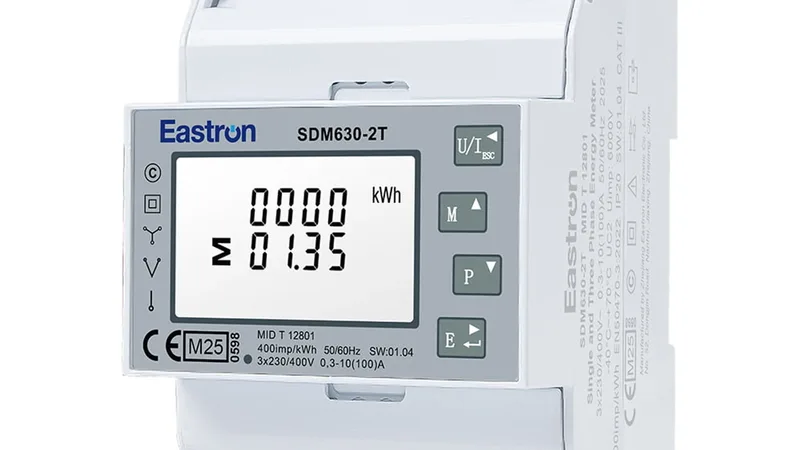
Saia Burgess ALD1
Single-phase 32 A energy meter that measures energy, voltage, current and power over Modbus RTU.
The Saia Burgess ALD1 is a single-phase energy meter that measures energy, voltage, current and power of circuits up to 32 A on a DIN rail. This Modbus RTU template reads the energy counters, voltage, current, active and reactive power and power factor, and lets you reset the partial counter and set the Modbus address from ModbusCloud.
- Protocol
- Modbus RTU
- Connection
- RS485, 9600 baud
- Registers
- 19, read and write
- Brand
- Saia Burgess
- Key readings
- Total energy · Partial energy · Voltage · Current · Active power · Reactive power · Power factor
- Available commands
- Partial energy reset · Modbus address
- Compatible models
- ALD1D5FD00A2A00 · ALD1D5FD00A3A00
- Last updated
Registers (19)
19 read, 2 write
| Name | Unit | Access | Address (Hidden until you enter your email) | Function (hidden) | Type (hidden) |
|---|---|---|---|---|---|
| Voltage | V | Read | 35 | FC03 | uint16 |
| Current | A | Read | 36 | FC03 | uint16 |
| Active Power | kW | Read | 37 | FC03 | int16 |
| Reactive Power | kvar | Read | 38 | FC03 | int16 |
| Power Factor | Read | 39 | FC03 | uint16 | |
| Total Energy | kWh | Read | |||
| Partial Energy | kWh | Read and write | |||
| Error Register | Read | ||||
| Status | Read | ||||
| Modbus Address | Read and write | ||||
| Baudrate | Read | ||||
| Response Timeout | ms | Read | |||
| Firmware Version | Read | ||||
| Hardware Version | Read | ||||
| Type Designation | Read | ||||
| Serial Number | Read | ||||
| Serial Number Register 18 | Read | ||||
| Number of Supported Registers | Read | ||||
| Number of Supported Flags | Read |
Loading registers…
Send your device list
If a device is not in the library yet, we build the template for free as soon as we have the register data.
Use cases
- Track the energy use of a single-phase group, such as a heat pump, a tenant unit or a machine, in a dashboard.
- Set an alarm when the error register is not 0, so you know when the meter reports a problem.
- Compare monthly consumption per circuit from the 365 days of history.
- Reset the partial counter remotely at the start of a billing period and follow the use since then.
- Get an alert when the power of a group stays above a threshold, for example a heater that does not switch off.
Installation
Connect the RS485 terminals of the meter to the RS485 port of the ModbusCloud Gateway, A to A and B to B, with a twisted shielded pair.
Fit a termination resistor at both ends of the bus, because the meter has none of its own.
Set a unique Modbus address on the meter: hold the button on the voltage screen for 3 seconds until Adr appears, then step through the addresses.
In ModbusCloud, add a Modbus device with the same address, 9600 baud and 8E1, and import this template. The meter adapts to the baud rate and parity of the bus.
Wait 30 seconds after power-up and check that voltage and total energy come in.
Things to watch for
The meter does not respond. What should I check?
Wait 30 seconds after power-up. Check A and B, the termination at both bus ends and that the address in ModbusCloud matches the address on the display. The meter takes over the baud rate and parity it sees on the bus, so keep all devices on the bus at the same settings.
Why is the energy value 100 times too high?
The energy counters count in hundredths of a kWh over two registers, high word first. The template applies the 0.01 factor. If you built your own registers, check the word order and the scale.
Some registers return an error when I read many at once.
The meter answers at most 20 registers per request and replies with an illegal data address error above that. Read the registers of this meter in blocks of up to 20.
How do I reset the partial counter?
Write 0 to the partial energy register. The meter only accepts the write multiple registers command, and both registers of the counter must be written in one message. The total counter cannot be reset. A new Modbus address takes effect at once, so change the address in ModbusCloud right after.
More Saia Burgess templates
Want to see how it works?