









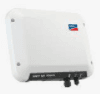
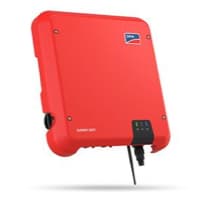
SMA Data Manager (battery)
The SMA Data Manager (battery) is an energy management gateway that aggregates battery storage data from SMA PV systems over Modbus TCP. This template reads four system-level registers: charge power (31393), discharge power (31395), cumulative energy throughput (31401), and battery state of charge (30845). All values are exposed via the Data Manager's built-in Modbus TCP server under unit ID 2, which represents the system view. Connecting the ModbusCloud Gateway to the same LAN as the Data Manager gives installers and asset managers continuous visibility into battery charging cycles and storage utilisation without additional hardware.
- Protocol
- Modbus TCP
- Connection
- Ethernet, Modbus TCP
- Registers
- 4, read only
- Brand
- SMA
- Last updated
Registers (4)
4 read, 0 write
| Name | Unit | Access | Address (Hidden until you enter your email) | Function (hidden) | Type (hidden) |
|---|---|---|---|---|---|
| power_a | W | Read | |||
| power_b | W | Read | |||
| energy | Read | ||||
| soc | % | Read |
Loading registers…
Send your device list
If a device is not in the library yet, we build the template for free as soon as we have the register data.
Use cases
- Monitor battery state of charge in real time to verify that storage cycles align with expected daily charge and discharge patterns.
- Track charge power and discharge power registers separately to confirm that the battery responds correctly to grid or PV demand signals.
- Alert on a sustained discharge power reading near zero during evening hours to detect a stalled battery or inverter communication fault.
- Compare cumulative energy throughput over weeks to measure storage round-trip losses and flag unexpected degradation.
- Report daily charge and discharge totals from the portal to building owners as part of monthly energy performance summaries.
Installation
Enable the Modbus TCP server in the SMA Data Manager web interface: log in, navigate to the communication or Modbus section, and activate the Modbus server on port 502.
Assign a static IP address or static DHCP lease to the Data Manager on your LAN so the address does not change between polling cycles.
Connect the ModbusCloud Gateway to the same LAN as the Data Manager, then open the ModbusCloud portal, add the Gateway, import this template, enter the Data Manager's IP address, and set the unit ID to 2.
Verify the connection by spot-checking the soc register (address 30845) in the portal live view: the value should match the battery percentage shown in the Data Manager's own web interface.
Things to watch for
Why do I see NaN instead of values for some registers?
The SMA Data Manager returns NaN for registers whose source data is unavailable. Battery registers can return NaN at night if the connected inverter's CPU is powered only by PV and has shut down. Wait until the system is active or check whether the battery inverter is online in the Data Manager device overview.
The gateway connects but charge and discharge power both read zero. Why?
Registers 31393 and 31395 report charge and discharge as separate unsigned values, not a signed bidirectional value. If the battery is idle, both legitimately read zero. Confirm the battery is actively charging or discharging at the time of polling, then re-check the readings.
The Modbus connection drops every day or two. How do I fix this?
The SMA Data Manager Modbus TCP server can stop responding under sustained high-frequency polling. Increase your polling interval to at least 30 seconds per cycle. If the server freezes, it can be reset by disabling and re-enabling the Modbus server in the Data Manager web interface under the communication or Modbus section.
Values look correct but byte order seems wrong. What setting applies?
SMA uses Motorola Big Endian byte order: the high byte is transmitted first. Ensure your Modbus client is configured for Big Endian 32-bit and 64-bit register decoding. For the 64-bit energy register (31401), all four 16-bit words must be read in a single contiguous request; partial reads return inconsistent data.

Knowledge base articles for this device

Want to see how it works?
