









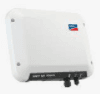
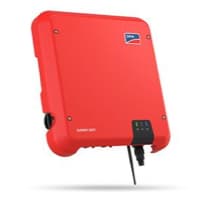
SMA Data Manager (grid)
The SMA Data Manager (grid) is a PV system energy management controller that acts as the central Modbus TCP gateway between a solar installation and external monitoring systems or grid operators. This template reads the four core grid-connection registers: total active power at the point of common coupling (PCC) and per-phase AC currents on lines L1, L2, and L3. Connecting the SMA Data Manager (grid) to ModbusCloud gives installers and asset managers a continuous, cloud-hosted view of grid exchange and phase-load balance without requiring a separate energy meter.
- Protocol
- Modbus TCP
- Connection
- Ethernet, Modbus TCP
- Registers
- 4, read only
- Brand
- SMA
- Last updated
Registers (4)
4 read, 0 write
| Name | Unit | Access | Address (Hidden until you enter your email) | Function (hidden) | Type (hidden) |
|---|---|---|---|---|---|
| power | W | Read | |||
| currents_a | A | Read | |||
| currents_b | A | Read | |||
| currents_c | A | Read |
Loading registers…
Send your device list
If a device is not in the library yet, we build the template for free as soon as we have the register data.
Use cases
- Monitor total active power at the PCC to verify that feed-in stays within grid operator limits at all times.
- Track per-phase currents on L1, L2, and L3 to detect persistent phase imbalances across the installation.
- Alert on active power values that exceed contracted feed-in thresholds and trigger an operator notification.
- Compare historical power readings over time to identify degradation trends in overall system output.
- Verify that phase currents remain within safe operating limits after adding new loads or inverters to the site.
Installation
Enable the Modbus TCP server on the SMA Data Manager (grid) by logging into its web interface and activating the Modbus interface under the communication or Modbus settings section.
Assign a static IP address to the SMA Data Manager (grid) on your local network, and connect it to the same LAN segment as the ModbusCloud Gateway.
In the ModbusCloud portal, add a new device, import the SMA Data Manager (grid) template, and set the correct IP address and unit ID matching the device configuration.
Spot-check register 31249 in the portal live view to confirm a valid watt reading; if NaN is returned, verify that the Modbus interface is still enabled after any recent factory reset.
Things to watch for
Why do I see NaN instead of a value for register 31249?
The SMA Modbus interface returns NaN when a register has no valid data. For the active power register at 31249, this typically means the Modbus server is not enabled, or the unit ID in the ModbusCloud portal does not match the one configured on the device. Confirm the Modbus interface is active and the unit IDs match, then retry.
Why do the current registers show implausible values or all zeros?
Registers 31535, 31537, and 31539 use a FIX3 scaling format, meaning the raw int32 value must be divided by 1000 to get amperes. If your client is not applying this scaling, readings will appear as very large integers. Check that the ModbusCloud template is applying the correct scale factor before displaying values.
The gateway connects but no register values appear. What should I check?
The SMA Data Manager (grid) requires a static IP address. If the device obtains a new IP via DHCP after a restart, the address configured in the ModbusCloud portal becomes stale. Assign a static IP or a static DHCP lease to the device, update the portal accordingly, and restart the Gateway poll.
I receive Modbus error code 11 on every request. What causes this?
Error code 11 is returned when the unit ID in the Modbus request does not match the unit ID set on the device. Log into the SMA Data Manager (grid) web interface to find the configured unit ID, then update the ModbusCloud portal device settings to match that value exactly.

Knowledge base articles for this device

Want to see how it works?
