









SMA Smart Energy Hybrid Inverter (pv)
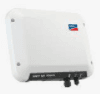
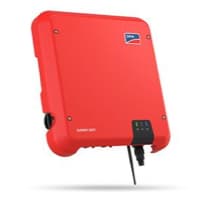
The SMA Sunny Boy Smart Energy is a single-phase hybrid inverter that combines PV generation and battery storage in one unit, suited for residential solar installations. This Modbus TCP template reads three per-string DC power registers, power_a (30773), power_b (30961), and power_c (30967), corresponding to the SMA Modbus profile identifiers DcMs.Watt for each tracker input. Monitoring each string independently lets installers detect shading losses, mismatched string output, or underperforming panels without additional measurement hardware.
- Protocol
- Modbus TCP
- Connection
- Ethernet, Modbus TCP
- Registers
- 3, read only
- Brand
- SMA
- Last updated
Registers (3)
3 read, 0 write
| Name | Unit | Access | Address (Hidden until you enter your email) | Function (hidden) | Type (hidden) |
|---|---|---|---|---|---|
| power_a | W | Read | |||
| power_b | W | Read | |||
| power_c | W | Read |
Loading registers…
Send your device list
If a device is not in the library yet, we build the template for free as soon as we have the register data.
Use cases
- Monitor DC power per string to identify shading or soiling reducing yield on one roof section.
- Compare string power_a, power_b, and power_c over time to detect gradual panel degradation.
- Alert on unexpected zero-watt readings from a single string during daylight hours to catch wiring faults early.
- Track combined three-string DC output to verify that total PV production matches expected system design figures.
- Report per-string power trends across seasons to support maintenance scheduling and warranty claims.
Installation
Log into the Sunny Boy Smart Energy web interface using an installer account and navigate to the communication or Modbus section to enable the Modbus TCP server on port 502.
Connect the ModbusCloud Gateway to the same LAN segment as the Sunny Boy Smart Energy so it can reach the inverter by IP address.
In your ModbusCloud portal, add a new device, import the SMA Smart Energy Hybrid Inverter (pv) template, and set the unit ID to match the value configured on the inverter (default is 3).
Trigger a live poll for register 30773 in the portal and confirm a plausible DC watt value appears during daylight, then spot-check 30961 and 30967 to verify all three strings are reporting.
Things to watch for
Registers return NaN at night. Is the device broken?
No. The SMA inverter's main CPU is powered by PV voltage and shuts down when irradiation is insufficient. Registers sourced from the CPU, including the DC string power registers, return NaN rather than zero at night. This is normal behaviour. Treat NaN as zero in dashboards and alert rules.
All three strings show identical power values. What is wrong?
This is a known quirk on some SMA hybrid firmware versions where the individual DcMs.Watt registers mirror the total rather than the per-string value. Verify the inverter firmware is up to date. If the problem persists after a firmware update, contact SMA support with the exact device software version.
The gateway connects but no values appear after port 502 is reachable.
The Modbus TCP server on SMA inverters is disabled by default and must be explicitly activated in the inverter's web interface under the communication or Modbus section. Also confirm the unit ID set on the inverter matches the unit ID configured in the ModbusCloud portal. A mismatch causes the inverter to return error code 11 and no data.
Polling stops responding after running correctly for a while.
SMA inverters allow a maximum of four simultaneous Modbus TCP connections. If that limit is exceeded, the inverter imposes a two-hour lock-out before accepting new connections. Ensure no other clients are polling the same inverter concurrently, and configure the Gateway to use a single persistent connection rather than reconnecting on every poll cycle.

Knowledge base articles for this device

Want to see how it works?
