









SMA Sunny Boy Storage 1.5/2.0/2.5 (Modbus) (battery)
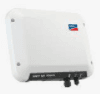
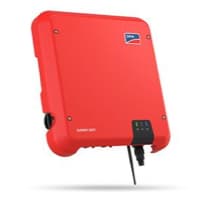
The SMA Sunny Boy Storage 1.5/2.0/2.5 is a single-phase, AC-coupled battery inverter for residential solar self-consumption. It connects a high-voltage lithium-ion battery to the AC grid and optimises household energy use. This Modbus TCP template reads instantaneous AC power, cumulative energy, and battery state of charge, while also exposing six write registers that control the BMS operating mode and charge/discharge power limits. With ModbusCloud, installers can monitor storage behaviour in real time and automate charge/discharge schedules from the portal without additional hardware.
- Protocol
- Modbus TCP
- Connection
- Ethernet, Modbus TCP
- Registers
- 9, read and write
- Brand
- SMA
- Last updated
Registers (9)
3 read, 6 write
| Name | Unit | Access | Address (Hidden until you enter your email) | Function (hidden) | Type (hidden) |
|---|---|---|---|---|---|
| power | W | Read | |||
| energy | Wh | Read | |||
| soc | % | Read | |||
| batterymode_a | Write | ||||
| batterymode_b | W | Write | |||
| batterymode_c | W | Write | |||
| batterymode_d | W | Write | |||
| batterymode_e | W | Write | |||
| batterymode_f | W | Write |
Loading registers…
Send your device list
If a device is not in the library yet, we build the template for free as soon as we have the register data.
Use cases
- Monitor battery state of charge continuously to detect gradual capacity degradation across seasons.
- Track instantaneous AC power to verify the inverter is charging or discharging as scheduled.
- Alert on unexpected charge power drops that may indicate a BMS operating mode has been reset.
- Report cumulative energy throughput monthly to validate self-consumption performance against design targets.
- Compare measured AC power against expected values to spot inverter protection trips or firmware issues.
Installation
Enable Modbus TCP on the Sunny Boy Storage 1.5/2.0/2.5 by logging into the device web interface, navigating to Device Parameters, selecting the External Communication group, and setting the Modbus TCP Server to Activated.
Connect the inverter to the same Ethernet LAN as the ModbusCloud Gateway using a standard RJ45 patch cable, and assign the inverter a static IP address or a DHCP reservation.
In the ModbusCloud portal, add the Gateway, import the SMA Sunny Boy Storage 1.5/2.0/2.5 template, and enter the inverter IP address along with the unit ID configured on the inverter (default is 3).
Verify the connection by checking a live reading on the soc register (address 30845) in the portal; a value between 0 and 100 confirms successful communication.
Things to watch for
Why do all six batterymode registers need to be written together?
The SMA Sunny Boy Storage requires all six charge/discharge control registers (40236, 40793, 40795, 40797, 40799, 40801) to be written within a 60-second window, and the write cycle must then repeat continuously. If you update only one register or miss the deadline, the inverter discards the command and reverts to autonomous operation. ModbusCloud writes registers at most once per minute, so keeping this 60-second window is borderline and not guaranteed.
The gateway connects but power and SOC registers return NaN. Why?
NaN on registers 30775 and 30845 usually means the unit ID in the portal does not match the one set on the inverter. The SMA default unit ID is 3. Check the Device Parameters on the inverter web interface and align the value in your ModbusCloud template configuration. Also confirm that Modbus TCP is still enabled, as a firmware update can reset communication settings.
Is it safe to write the batterymode registers continuously to the flash memory?
These six registers are classified as plant control objects (Anlagensteuerobjekte) by SMA, which means repeated cyclic writes do not wear out the flash memory. Standard device parameters, which are not plant control objects, must never be written cyclically. Do not mix these register types in the same write loop.
What happens if I write an out-of-range value to a batterymode setpoint register?
Writing a charge or discharge power limit beyond the inverter's rated capacity (2.5 kW for the SBS2.5) can cause the inverter to reject the command silently or trip a protection limit. Always keep setpoint values within the device's documented operating range. Test any new setpoint values in a controlled way and monitor the power register immediately after writing.

Knowledge base articles for this device

Want to see how it works?
