









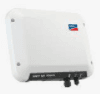
SMA WebBox (pv)
The SMA WebBox (pv) is a data-logger and Modbus TCP gateway for medium- to large-scale PV installations, aggregating measured values from SMA inverters connected via the SMA fieldbus. This ModbusCloud template reads two plant-level registers from the Sunny WebBox: AC active power across all phases (address 30775) and cumulative total energy yield (address 30513). Both values are accumulated across all inverters on the plant and are served over Modbus TCP from the WebBox IP. Connecting the ModbusCloud Gateway to the same network as the SMA WebBox (pv) gives you live generation data and lifetime yield in one place without proprietary software.
- Protocol
- Modbus TCP
- Connection
- Ethernet, Modbus TCP
- Registers
- 2, read only
- Brand
- SMA
- Last updated
Registers (2)
2 read, 0 write
| Name | Unit | Access | Address (Hidden until you enter your email) | Function (hidden) | Type (hidden) |
|---|---|---|---|---|---|
| power | W | Read | |||
| energy | Wh | Read |
Loading registers…
Send your device list
If a device is not in the library yet, we build the template for free as soon as we have the register data.
Use cases
- Monitor real-time AC power output to confirm the PV plant is generating within expected capacity during peak hours.
- Track cumulative energy yield over months to identify long-term production degradation across the inverter fleet.
- Alert on sudden drops in AC power at address 30775 to detect inverter faults or string failures quickly.
- Compare daily energy totals from the WebBox against utility billing data to verify metering accuracy.
- Report historical generation trends in the ModbusCloud portal for asset-management and site handover documentation.
Installation
Enable Modbus TCP on the SMA WebBox (pv): log into the WebBox web interface as installer, go to Settings, then Network, set 'Use Modbus' to Yes, confirm the port (default 502), and save.
Connect the ModbusCloud Gateway to the same LAN as the SMA WebBox (pv) using a standard Ethernet cable and switch; verify the WebBox is reachable by pinging its IP address from the same subnet.
In the ModbusCloud portal, add a new device, import the SMA WebBox (pv) template, enter the WebBox IP address, set the Modbus TCP port (default 502), and assign Unit ID 2 to read plant-level aggregate registers.
Spot-check register 30775 in the portal's live data view during daylight hours to confirm a non-zero AC power value, and verify register 30513 shows a plausible lifetime yield figure.
Things to watch for
All registers return NaN or 0xFFFF. What is wrong?
Addresses not mapped in the SMA Modbus profile return 0xFFFF. Verify you are polling the correct Unit ID: Unit ID 1 is the gateway, Unit ID 2 holds plant-level aggregate registers including 30775 and 30513. Polling a device-level Unit ID (3 to 247) for these addresses will produce NaN.
Modbus TCP connects but power reads as 2147483648 or a huge negative number.
The SMA WebBox transmits multi-register values in Motorola big-endian byte order. If your client reads the two 16-bit registers in little-endian order or swaps the word order, the int32 sign bit is misinterpreted. Set your Modbus client to big-endian word order for all SMA registers.
The WebBox is online but I cannot reach the Modbus port at all.
Modbus TCP must be explicitly enabled inside the WebBox web interface under Settings, then Network. It is off by default. After enabling it and saving, also check that no firewall on the LAN blocks port 502, and confirm the WebBox firmware is at version 1.51 or above, as earlier firmware does not expose the Modbus interface reliably.
Energy register 30513 shows a plausible value but never changes across firmware updates.
Register availability for specific inverter families depends on the Modbus Profile Version file installed on the WebBox, not only on firmware. If the profile version is outdated, certain registers may be frozen or unsupported. Update the WebBox profile file to the latest available version via the WebBox firmware update section, then re-poll register 30513 to confirm live accumulation.

Knowledge base articles for this device

Want to see how it works?
