









SMA Wechselrichter (Modbus) (pv)
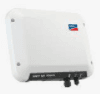
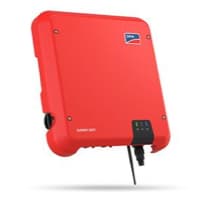
SMA Wechselrichter (Modbus) (pv) is a Modbus TCP template for SMA grid-tied PV inverters, covering single-phase and three-phase models such as the Sunny Boy and Sunny Tripower series. The template reads two core registers over Modbus TCP: instantaneous AC output power (address 30775) and lifetime energy yield (address 30513). Together these give your ModbusCloud portal a live production view and a running total of energy delivered to the grid. Use it to verify yield against expected irradiation or to feed data into site-level energy reporting without any proprietary SMA software.
- Protocol
- Modbus TCP
- Connection
- Ethernet, Modbus TCP
- Registers
- 2, read only
- Brand
- SMA
- Last updated
Registers (2)
2 read, 0 write
| Name | Unit | Access | Address (Hidden until you enter your email) | Function (hidden) | Type (hidden) |
|---|---|---|---|---|---|
| power | W | Read | |||
| energy | Wh | Read |
Loading registers…
Send your device list
If a device is not in the library yet, we build the template for free as soon as we have the register data.
Use cases
- Monitor real-time AC power output at address 30775 to confirm the inverter is producing at expected capacity.
- Track cumulative energy yield at address 30513 to verify performance guarantees over monthly or annual periods.
- Alert on a sustained drop in AC power during peak irradiation hours to detect shading, faults, or grid disconnection.
- Compare daily energy totals across multiple SMA inverters on the same site to spot underperforming units.
- Report total lifetime yield from address 30513 to building owners or asset managers as part of periodic energy audits.
Installation
Enable Modbus TCP on the SMA inverter by logging into its web interface, navigating to the Modbus or communication section, setting Activated to Yes, and confirming port 502.
Connect the SMA inverter to the same LAN segment as the ModbusCloud Gateway using a standard Ethernet cable, then assign the inverter a static IP address to prevent address changes.
In the ModbusCloud portal, add the Gateway, import the SMA Wechselrichter (Modbus) (pv) template, and set the unit ID to match the inverter's configured unit ID (default is typically 3).
Spot-check the connection by reading register 30775 in the portal's live register view during daylight hours and confirming the returned watt value is plausible for current conditions.
Things to watch for
Register 30775 returns NaN or zero at night. Is this normal?
Yes. The SMA inverter's control CPU is powered by PV voltage and only runs during daylight. When irradiation is insufficient, the CPU is offline and the inverter returns NaN for power registers. The ModbusCloud portal will show no value or zero; this is expected behaviour, not a wiring fault.
The Gateway connects but all register reads return error code 11. Why?
Error code 11 means the unit ID in the request does not match the unit ID configured on the inverter. Open the inverter's web interface, note the configured unit ID, and update the unit ID field in the ModbusCloud portal to match. The default SMA unit ID is usually 3, but it can be changed by the installer.
Modbus TCP port 502 is unreachable even though the inverter is online. What now?
SMA inverters ship with Modbus TCP disabled. Log into the inverter's web interface, go to the Modbus or communication section, set the TCP server to Activated, and confirm port 502. Also check that no firewall or network switch rule is blocking port 502 between the Gateway and the inverter.
The portal shows stale values. The inverter stops responding intermittently.
SMA inverters support a maximum of four simultaneous Modbus TCP connections. If other tools (SCADA, home automation) are polling the same inverter, the connection limit may be reached and new connections are blocked for up to two hours. Reduce the number of concurrent Modbus clients or increase the poll interval to avoid exhausting the connection pool.

Knowledge base articles for this device

Want to see how it works?
