








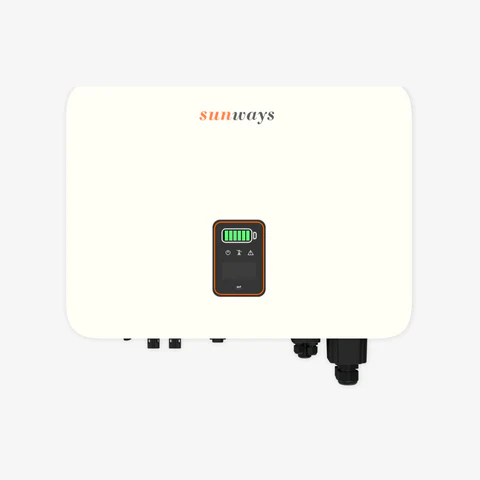
Sunways STH Modbus RTU
Reads energy, battery, and PV data from Sunways STH hybrid inverters via RTU.
Modbus RTU template for Sunways STH hybrid inverters. It provides read-only monitoring of 49 registers covering PV generation, battery status, grid meter data, load power, and temperature sensors. Ideal for detailed energy accounting and BMS diagnostics.
- Protocol
- Modbus RTU
- Connection
- RS485, 9600 baud
- Registers
- 49, read only
- Brand
- Sunways
- Key readings
- PV Input Total Power · Battery SOC and SOH · Total Power on Meter · Phase A/B/C Power on Meter · Current Load Power · Battery DC Voltage and Current
- Compatible models
- Sunways STH
- Last updated
Registers (49)
49 read, 0 write
| Name | Unit | Access | Address (Hidden until you enter your email) | Function (hidden) | Type (hidden) |
|---|---|---|---|---|---|
| Total Grid-Injection Energy on Meter | kWh | Read | |||
| Phase A Power on Meter | W | Read | |||
| Phase B Power on Meter | W | Read | |||
| Phase C Power on Meter | W | Read | |||
| Total Power on Meter | W | Read | |||
| PV Input Total Power | W | Read | |||
| Battery Power | W | Read | |||
| Battery SOC | % | Read | |||
| Inverter Running Status Value | Read | ||||
| Total Purchasing Energy from Grid on Meter | kWh | Read | |||
| Current Load Power | W | Read | |||
| Total PV Generation on that day | kWh | Read | |||
| Temperature Sensor 1 | °C | Read | |||
| Temperature Sensor 2 | °C | Read | |||
| PV1 Voltage | V | Read | |||
| PV1 Current | A | Read | |||
| PV2 Voltage | V | Read | |||
| PV2 Current | A | Read | |||
| PV1 Input Power | W | Read | |||
| PV2 Input Power | W | Read | |||
| PV Generation Energy on that day | kWh | Read | |||
| Total PV Generation from Installation | kWh | Read | |||
| Total PV Generation Time from Installation | H | Read | |||
| Grid Injection Energy on that day[Meter] | kWh | Read | |||
| Grid Purchasing Energy on that day[Meter] | kWh | Read | |||
| Backup Output Energy on that day | kWh | Read | |||
| Battery Charge Energy on that day | kWh | Read | |||
| Battery Discharge Energy on that day | kWh | Read | |||
| Loading Energy on that day | kWh | Read | |||
| Energy Purchased from Grid on that day | kWh | Read | |||
| Total Energy injected to grid | kWh | Read | |||
| Total Energy Purchased from Grid from Meter | kWh | Read | |||
| Total Output Energy on backup port | kWh | Read | |||
| Total Energy Charged to Battery | kWh | Read | |||
| Total Energy Discharged from Battery | kWh | Read | |||
| Total PV Generation | kWh | Read | |||
| Total Loading Energy consumed at grid side | kWh | Read | |||
| Total Energy Purchased from Grid at inverter side | kWh | Read | |||
| Battery DC Voltage | V | Read | |||
| Battery DC Current | A | Read | |||
| Battery Mode Value | Read | ||||
| BMS Charge Imax | A | Read | |||
| BMS Discharge Imax | A | Read | |||
| Battery SOH | % | Read | |||
| BMS Status | Read | ||||
| BMS Pack Temperature | °C | Read | |||
| Cell Temperature Max | °C | Read | |||
| Cell Temperature Min | °C | Read | |||
| Working Mode Value | Read |
Loading registers…
Send your device list
If a device is not in the library yet, we build the template for free as soon as we have the register data.
Use cases
- Monitor PV production and battery state of charge on a live dashboard for residential solar-plus-storage systems.
- Track grid import and export per phase to verify correct meter configuration after commissioning.
- Create an alert when battery SOH drops below a threshold to schedule proactive maintenance.
- Log daily energy totals for PV generation, battery cycling, and household load for performance reporting.
- Compare current load power against PV input to identify self-consumption optimization opportunities.
- Remotely verify inverter and BMS temperatures to detect cooling issues without a site visit.
Installation
Connect the ModbusCloud Gateway to the Sunways STH RS-485 port using a twisted-pair cable with correct A, B, and GND wiring.
Set the Sunways STH Modbus slave address via the inverter display or configuration menu, and note the address for gateway configuration.
Confirm the inverter baud rate is set to 9600, matching the template default.
In the ModbusCloud portal, add a new device and import the Sunways STH Modbus RTU template from the template library.
Enter the configured Modbus slave address in the device settings on the ModbusCloud portal.
Verify data is flowing by checking live register values on the dashboard, paying attention to PV power and battery SOC readings.
Things to watch for
I see zero values for all registers. What should I check?
Verify that the RS-485 wiring is correct, with A and B lines not swapped. Also confirm the Modbus slave address in the gateway matches the address configured on the Sunways STH inverter.
Energy total values seem incorrect or extremely large. Why?
Energy totals use uint32 format spanning two consecutive registers. Make sure the gateway is reading both registers together with the correct byte order. The template handles this automatically, but manual register reads may show split values.
Can I control the inverter or change charge settings through this template?
No. All 49 registers in this template are read-only. The template is designed for monitoring only and does not include writable registers.
Battery and BMS data points are not updating, but PV and meter values work fine. What is wrong?
Battery and BMS registers are in separate address ranges (402xx, 420xx, 430xx). Some Sunways STH firmware versions may require a specific firmware update to expose all BMS registers via Modbus. Check the inverter firmware version and update if necessary.






Want to see how it works?
