









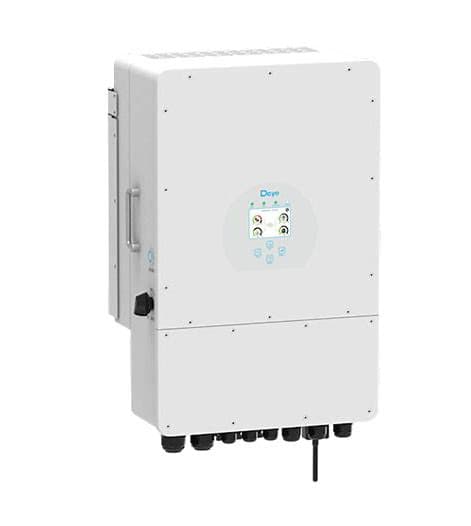
Deye 3p hybrid inverter (grid)
The Deye 3p hybrid inverter is a three-phase solar hybrid inverter used in grid-tied residential and commercial PV-plus-storage installations. This template reads the grid-side meter registers over Modbus RTU, covering total grid active power, cumulative grid energy purchased, and per-phase currents on phases A, B, and C. With these five registers logged continuously in your ModbusCloud portal, you gain a complete picture of grid exchange and phase balance without installing a separate energy meter.
- Protocol
- Modbus RTU
- Connection
- RS485
- Registers
- 5, read only
- Brand
- Deye
- Compatible models
- 3p hybrid inverter
- Last updated
Registers (5)
5 read, 0 write
| Name | Unit | Access | Address (Hidden until you enter your email) | Function (hidden) | Type (hidden) |
|---|---|---|---|---|---|
| power | W | Read | |||
| energy | Wh | Read | |||
| currents_a | A | Read | |||
| currents_b | A | Read | |||
| currents_c | A | Read |
Loading registers…
Send your device list
If a device is not in the library yet, we build the template for free as soon as we have the register data.
Use cases
- Monitor total grid active power continuously to verify the Deye 3p hybrid inverter is not exporting above permitted limits.
- Track cumulative grid energy purchased over time to calculate monthly import costs and validate utility invoices.
- Compare phase A, B, and C currents to detect load imbalance across phases before it causes protection trips.
- Alert on unexpected grid power spikes during off-peak hours to spot battery or PV control faults quickly.
- Report daily grid import trends across multiple sites from the ModbusCloud portal to support energy audits.
Installation
Enable Modbus communication on the Deye 3p hybrid inverter by navigating to the Advanced Function menu on the inverter LCD and setting the Modbus function to Master, then note the Modbus unit ID (Modbus SN).
Connect the inverter RS485 port (RJ45 pins 7 and 8 per the Deye wiring diagram) to the ModbusCloud Gateway RS485 terminals, matching the A and B polarity, using shielded twisted-pair cable.
In the ModbusCloud portal, add a new Gateway, import the Deye 3p hybrid inverter (grid) template, and enter the unit ID and serial parameters: 9600 baud, 8 data bits, 1 stop bit, no parity.
Verify communication by checking the live value for the power register (address 625) in the portal; a non-zero reading during daytime confirms the connection is working.
Things to watch for
The portal shows no data after connecting. What should I check?
Confirm Modbus is enabled on the inverter LCD under Advanced Function, and that the unit ID in the portal matches the inverter Modbus SN. Also verify RS485 A and B wires are not swapped at either end, and that baud rate, stop bits, and parity match the inverter defaults (9600, 1, none).
The energy register reads a value far too large. Why?
Register 522 holds the low word of a uint32 pair; register 523 holds the high word. If your integration reads only register 522 as a standalone uint32, the byte order is swapped relative to standard big-endian convention, producing inflated values. Confirm that the template decodes the low and high words correctly.
Phase current values are negative when the grid is supplying power. Is that correct?
The Deye register map stores phase currents as signed int16 values. Negative values on registers 613, 614, or 615 can indicate current direction depending on firmware version and inverter operating mode. Cross-check sign convention against the active power register (625) to confirm expected direction.
The gateway times out when polling. Could the request batch be too large?
Deye inverters enforce a limit of 40 registers per single Modbus request. If the ModbusCloud Gateway is batching reads that span a range larger than 40 registers, the inverter will return a protocol exception. Split reads into smaller groups and ensure no single request exceeds that limit.

Want to see how it works?
