









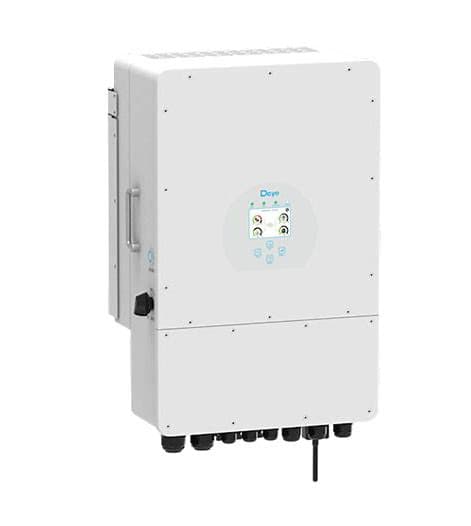
Deye Micro inverter (pv)
The Deye Micro inverter is a grid-tie PV micro inverter designed for rooftop and small-scale solar installations, converting DC power from individual panels into AC for the grid. This ModbusCloud template communicates via Modbus RTU over RS485 and reads two core registers: instantaneous AC output power and cumulative energy yield. With these values in your portal, you can track live generation and long-term production totals per inverter unit without relying on Deye's cloud service.
- Protocol
- Modbus RTU
- Connection
- RS485
- Registers
- 2, read only
- Brand
- Deye
- Compatible models
- Micro inverter
- Last updated
Registers (2)
2 read, 0 write
| Name | Unit | Access | Address (Hidden until you enter your email) | Function (hidden) | Type (hidden) |
|---|---|---|---|---|---|
| power | W | Read | |||
| energy | Wh | Read |
Loading registers…
Send your device list
If a device is not in the library yet, we build the template for free as soon as we have the register data.
Use cases
- Monitor live AC output power to verify each Deye Micro inverter is producing as expected under current irradiance conditions.
- Track cumulative energy yield over weeks and months to detect gradual performance degradation in individual panels.
- Compare power readings across multiple Deye Micro inverter units on the same roof to spot shading or fault outliers.
- Alert on zero-power readings during daylight hours to catch grid-disconnect events or inverter faults quickly.
- Report total energy generated per inverter for site commissioning records and customer handover documentation.
Installation
Enable Modbus RTU on the Deye Micro inverter by confirming the RS485 communication port is active; the default baud rate is 9600, 8N1, and the default slave ID is 1. Verify or adjust these in the inverter communication settings.
Connect the RS485 A and B terminals of the inverter's RJ45 communication port to the RS485 terminals of the ModbusCloud Gateway using a shielded twisted pair, observing correct A-to-A and B-to-B polarity.
In the ModbusCloud portal, add the Gateway, import the Deye Micro inverter (pv) template, and assign the correct Modbus unit ID matching the inverter's configured slave address.
Spot-check the connection by verifying that register 86 (power) returns a non-zero value during daylight and that register 63 (energy) returns a positive cumulative count consistent with the installation date.
Things to watch for
Register 86 reads zero even when the sun is shining. Why?
Confirm the inverter is actively feeding the grid and not in a standby or grid-fault state. Also verify the RS485 slave ID configured on the inverter matches the unit ID set in the ModbusCloud portal. A mismatch causes silent timeouts that return zero or no data.
The gateway connects but both registers return no data. What now?
Check RS485 wiring polarity: A and B lines must not be swapped. Confirm the baud rate on the inverter side is 9600 and matches the ModbusCloud Gateway serial configuration. On some Deye models the monitoring RS485 port and the parallel or meter port differ, so ensure you are wired to the correct communication port.
Energy values at register 63 seem lower than the inverter display shows. Why?
The register stores a uint32 value. If the portal scaling factor is set incorrectly, the displayed figure will differ from the inverter's own readout. Cross-check the raw register value against the inverter display and adjust the scaling in the template if needed. Do not change the register address itself.
Communication is unstable: reads succeed sometimes but time out often. What causes this?
Deye Micro inverters can be sensitive to RS485 bus length and termination. Keep cable runs short, use a shielded twisted pair, and add a 120-ohm termination resistor at the far end of the bus. Also note that some logger firmware versions affect RS485 availability, so check that no firmware update changed the active communication port.

Want to see how it works?
