









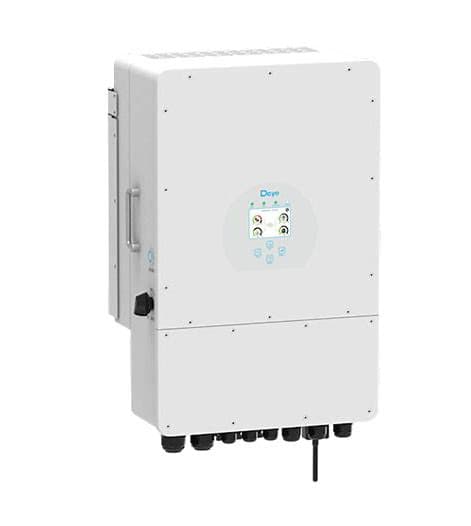
Deye Storage (hybrid) inverter (pv)
The Deye Storage (hybrid) inverter is a solar hybrid inverter combining PV input, battery storage, and grid connection in a single unit, suited for residential and light-commercial self-consumption systems. This ModbusCloud template communicates via Modbus RTU over RS485 and reads four PV power channel registers (power_a through power_d) covering multiple MPPT or string inputs, plus a 32-bit cumulative energy register. Collecting these values through the ModbusCloud Gateway lets installers track real-time generation and lifetime yield without any additional data logger.
- Protocol
- Modbus RTU
- Connection
- RS485
- Registers
- 5, read only
- Brand
- Deye
- Compatible models
- Storage (hybrid) inverter
- Last updated
Registers (5)
5 read, 0 write
| Name | Unit | Access | Address (Hidden until you enter your email) | Function (hidden) | Type (hidden) |
|---|---|---|---|---|---|
| power_a | W | Read | |||
| power_b | W | Read | |||
| power_c | W | Read | |||
| power_d | W | Read | |||
| energy | Read |
Loading registers…
Send your device list
If a device is not in the library yet, we build the template for free as soon as we have the register data.
Use cases
- Monitor real-time PV output across all four power channels to verify each string is producing as expected.
- Track cumulative energy yield over weeks and months to confirm system performance against design estimates.
- Alert on a sudden drop in any single power channel to detect shading, soiling, or a failed string.
- Compare power_a through power_d simultaneously to identify imbalances between MPPT inputs or PV strings.
- Report daily and monthly energy totals from the energy register to building owners or asset managers.
Installation
Enable Modbus RTU on the Deye inverter by navigating to the communication or advanced settings menu on the inverter display, and confirm the default baud rate of 9600, 8N1, and assign a unique unit ID.
Connect the RS485 A and B terminals of the Deye inverter to the corresponding RS485 port on the ModbusCloud Gateway using a twisted-pair cable, keeping cable runs as short as practical and adding a 120-ohm termination resistor at each bus end.
In the ModbusCloud portal, add the Gateway under your site, import the Deye Storage (hybrid) inverter (pv) template with one click, and enter the unit ID that matches the inverter setting.
Verify the connection by opening the live register view and confirming that power_a and the energy register return non-zero values during daylight; if readings show zero or error, recheck the unit ID and RS485 wiring polarity.
Things to watch for
Why do all four power channels read zero at midday?
Check that the unit ID configured in the ModbusCloud portal matches the Modbus address set on the inverter display. A mismatch causes the gateway to query the wrong device address, returning no response. Also confirm the inverter is in normal operating mode and that DC voltage is present on the PV inputs.
The gateway connects but register values appear as garbage or wildly incorrect.
Deye inverters default to 9600 baud, 8N1. If your ModbusCloud Gateway RS485 port is set to a different baud rate, values will be corrupted. Verify both sides match. Also check RS485 A/B polarity: swapping A and B produces framing errors that look like nonsensical readings.
The energy register jumps unexpectedly or resets to zero after a firmware update.
Register 96 is a 32-bit unsigned accumulator. Some Deye firmware releases reset the lifetime counter on upgrade. Cross-check the value against the inverter's own display after any firmware change, and note the offset in your portal dashboard to maintain a continuous yield history.
RS485 communication is intermittent, dropping out every few minutes.
Long or unshielded RS485 cable runs without termination resistors cause reflections that corrupt frames intermittently. Ensure a 120-ohm resistor is fitted at each end of the bus. Also confirm no more than one master is polling the same RS485 bus simultaneously, as multiple masters cause collisions.

Want to see how it works?
