








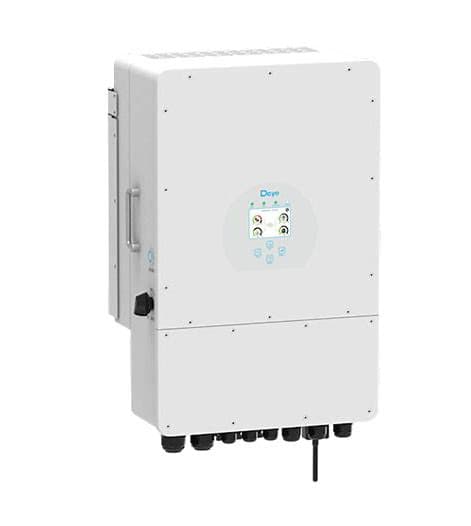
DEYE SUN 12 Inverter
Monitors and controls a Deye SUN 12 hybrid inverter via Modbus RTU.
This ModbusCloud template monitors and controls a Deye SUN 12 hybrid inverter over Modbus RTU at 9600 baud. It reads PV1 to PV4 input power, DC voltages, battery state of charge, voltage, temperature, and power flow, grid side total power, and inverter output total power. Writes include grid charge enable, solar sell enable, and per-time-period charge settings (TP1 to TP6).
- Protocol
- Modbus RTU
- Connection
- RS485, 9600 baud
- Registers
- 32, read and write
- Brand
- Deye
- Key readings
- PV1 to PV4 input power · DC Voltage 1 to 4 · Battery SOC, voltage, temperature · Battery power flow · Grid Side Total Power · Inverter Output Total Power
- Available commands
- Grid charge enable · Solar sell enable · TP1 to TP6 Grid charge enabled · TP1 to TP6 Capacity
- Compatible models
- DEYE SUN 12
- Last updated
Registers (32)
32 read, 14 write
| Name | Unit | Access | Address (Hidden until you enter your email) | Function (hidden) | Type (hidden) |
|---|---|---|---|---|---|
| PV1 input power | kW | Read | |||
| PV2 input power | kW | Read | |||
| PV3 input power | kW | Read | |||
| PV4 input power | kW | Read | |||
| DC Voltage 1 | V | Read | |||
| DC Voltage 2 | V | Read | |||
| DC Voltage 3 | V | Read | |||
| DC Voltage 4 | V | Read | |||
| Inverter Output Total Power | kW | Read | |||
| Grid Side Total Power | kW | Read | |||
| Battery power flow | kW | Read | |||
| Battery temperature | °C | Read | |||
| Battery Voltage | V | Read | |||
| Battery SOC | % | Read | |||
| Load Total Power | kW | Read | |||
| Run State | Read | ||||
| Battery Total Charge | kWh | Read | |||
| Battery Total Discharge | kWh | Read | |||
| Grid charge | Read and write | ||||
| Solar sell | Read and write | ||||
| TP1 Grid charge enabled | Read and write | ||||
| TP2 Grid charge enabled | Read and write | ||||
| TP3 Grid charge enabled | Read and write | ||||
| TP4 Grid charge enabled | Read and write | ||||
| TP5 Grid charge enabled | Read and write | ||||
| TP6 Grid charge enabled | Read and write | ||||
| TP1 Capacity | % | Read and write | |||
| TP2 Capacity | % | Read and write | |||
| TP3 Capacity | % | Read and write | |||
| TP4 Capacity | % | Read and write | |||
| TP5 Capacity | % | Read and write | |||
| TP6 Capacity | % | Read and write |
Loading registers…
Send your device list
If a device is not in the library yet, we build the template for free as soon as we have the register data.
Use cases
- Build a time-of-use battery schedule that shifts charging to cheap grid hours and discharging to expensive ones.
- Monitor per-string PV production to compare east and west roof performance across the day.
- Enable solar sell only during cheap-tariff midday hours and block export during expensive evening hours to keep energy for the home.
- Alert when battery temperature exceeds a safe threshold, an early sign of a failing pack or ventilation issue.
- Log per-string DC voltage to detect a failing panel or bad connector on long runs.
Installation
Wire the Deye SUN 12 RS485 port (often labelled BMS or CAN-Modbus) to the ModbusCloud gateway RS485 channel.
Confirm the inverter Modbus settings: address 1, 9600 baud, no parity, 1 stop bit.
In ModbusCloud, add a Modbus RTU device matching those settings and import the DEYE SUN 12 template.
If you plan to use TP1 to TP6 automations, review the example config file in the template downloads for the expected value format.
Things to watch for
Battery power sign: positive means charging or discharging?
Positive means charging (energy flowing into the battery). Negative means discharging (battery supplying the load). If your dashboard expects the opposite convention, flip the sign in a derived metric.
Writing to TP capacity registers has no effect. What to check?
TP writes require that the corresponding TP enable flag is also set. Enable TP1 before writing TP1 capacity. Also confirm the inverter time of day is correct; TP schedules depend on the inverter internal clock.


Want to see how it works?
