









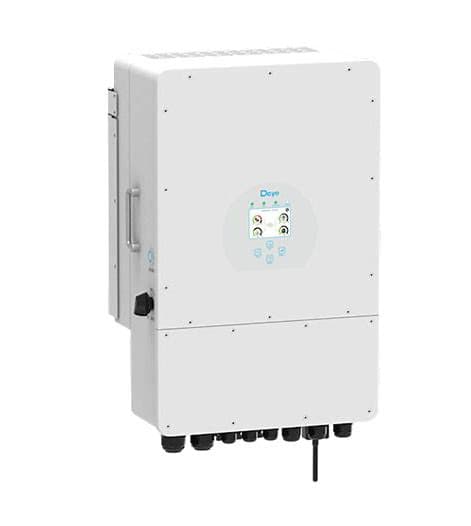
Deye 3p hybrid inverter (pv)
The Deye 3p hybrid inverter is a three-phase PV hybrid inverter that combines solar generation, battery storage, and grid connection in a single unit for commercial and residential installations. This Modbus RTU template reads per-phase PV power across phases A, B, C, and D alongside cumulative energy production, giving your ModbusCloud portal a continuous picture of generation output per phase. Installers and energy managers can use this data to verify balanced three-phase loading and track long-term yield trends without manual log downloads.
- Protocol
- Modbus RTU
- Connection
- RS485
- Registers
- 5, read only
- Brand
- Deye
- Compatible models
- 3p hybrid inverter
- Last updated
Registers (5)
5 read, 0 write
| Name | Unit | Access | Address (Hidden until you enter your email) | Function (hidden) | Type (hidden) |
|---|---|---|---|---|---|
| power_a | W | Read | |||
| power_b | W | Read | |||
| power_c | W | Read | |||
| power_d | W | Read | |||
| energy | Read |
Loading registers…
Send your device list
If a device is not in the library yet, we build the template for free as soon as we have the register data.
Use cases
- Monitor per-phase PV power on phases A, B, and C to detect unbalanced generation across the three-phase output.
- Track cumulative energy production over time to verify yield against projected annual generation targets.
- Alert on a sudden drop in power_a, power_b, or power_c to identify a shading event or string fault on a specific phase.
- Compare phase power readings daily to spot gradual degradation in one PV string before it affects overall yield.
- Report total cumulative energy from the energy register for monthly billing reconciliation or feed-in tariff verification.
Installation
Enable Modbus RTU on the Deye 3p hybrid inverter by navigating to the communication settings on the inverter LCD or app, confirm the baud rate is 9600, 8 data bits, no parity, 1 stop bit, and note the unit ID assigned to the device.
Connect the ModbusCloud Gateway to the inverter RS485 port using the RJ45 COM connector at the bottom of the inverter, wiring RS485-A to A and RS485-B to B, ensuring the bus is properly terminated if this is the last device on the RS485 chain.
In the ModbusCloud portal, add the Gateway, import the Deye 3p hybrid inverter (pv) template, and assign the Modbus unit ID that matches the value configured on the inverter.
Verify the connection by checking that live values appear for power_a, power_b, and power_c during daylight hours, and confirm the energy register shows a non-zero cumulative count consistent with the inverter's own display.
Things to watch for
Why are power_a, power_b, and power_c all reading zero?
This typically happens at night or when the inverter is in standby with no PV input. Confirm readings during daylight. If zero persists during the day, verify the RS485 wiring polarity: A and B lines must not be swapped. Also check that the Modbus unit ID in the portal matches the one set on the inverter.
The gateway connects but no register values appear. What now?
Deye inverters default Modbus TCP to disabled, so RTU over RS485 is required for this template. Confirm the baud rate on both sides is 9600. Only one Modbus master connection is supported at a time, so disconnect any other device currently polling the inverter, such as a datalogger or third-party monitor.
The energy register returns an implausibly large value. What is wrong?
The energy register is a uint32 spanning two consecutive 16-bit Modbus registers. If the word order is inverted, the high and low words are swapped, producing a value orders of magnitude too large. Confirm the template is read as a 32-bit value starting at address 534, and that the Gateway firmware handles big-endian word order, which Deye inverters use by default.
Polling more registers causes timeouts. How do I fix this?
Some Deye 3-phase hybrid models time out when a single Modbus request spans more than 16 registers. This template reads across two non-contiguous address blocks (534 and 672-675), so the Gateway splits them into separate requests automatically. If timeouts persist, reduce the polling interval or increase the response timeout setting in the portal device configuration.

Want to see how it works?
