









Deye String inverter (pv)
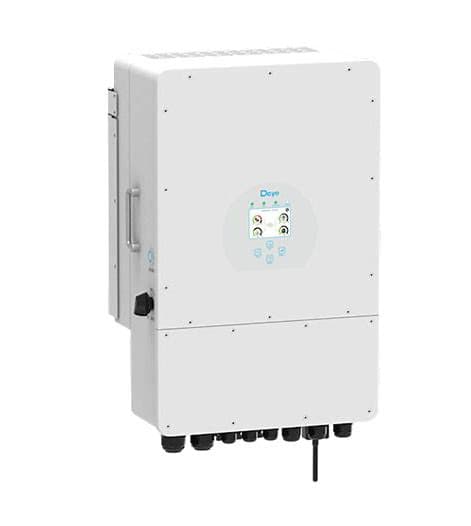
The Deye String inverter (pv) is a grid-connected photovoltaic string inverter used in residential and commercial solar installations. This ModbusCloud template reads the two core production registers over Modbus RTU: instantaneous output power at address 86 and cumulative generated energy at address 63. Connecting the ModbusCloud Gateway to the inverter's RS485 port delivers live and historical PV yield data directly to your portal, giving installers and site owners a reliable baseline for yield verification and fault detection.
- Protocol
- Modbus RTU
- Connection
- RS485
- Registers
- 2, read only
- Brand
- Deye
- Compatible models
- String inverter
- Last updated
Registers (2)
2 read, 0 write
| Name | Unit | Access | Address (Hidden until you enter your email) | Function (hidden) | Type (hidden) |
|---|---|---|---|---|---|
| power | W | Read | |||
| energy | Wh | Read |
Loading registers…
Send your device list
If a device is not in the library yet, we build the template for free as soon as we have the register data.
Use cases
- Monitor instantaneous PV output power to verify the inverter is producing within its rated range.
- Track cumulative energy generation daily and monthly to produce yield reports for building owners.
- Alert on a sustained drop in output power during daylight hours to detect shading or string faults early.
- Compare energy totals across multiple Deye string inverters on the same site to identify underperforming units.
- Verify post-installation commissioning by confirming live power readings appear in the portal before signing off.
Installation
Enable Modbus RTU on the Deye string inverter by navigating to the communication settings on the inverter display or app, then confirm the baud rate is set to 9600 and the Modbus unit ID matches your intended address.
Wire the RS485 A and B terminals from the inverter's RJ45 communication port to the ModbusCloud Gateway RS485 input, observing correct polarity: A to A and B to B.
In the ModbusCloud portal, add a new device, import the Deye String inverter (pv) template, and assign the same unit ID configured on the inverter.
Spot-check the connection by opening the live register view in the portal and confirming that address 86 returns a non-zero power value during daylight hours.
Things to watch for
Power register 86 returns zero even in bright sunlight. Why?
Confirm the inverter is in grid-connected run state, not standby or fault mode. Also verify the Modbus unit ID in the portal matches the ID set on the inverter. A mismatch causes silent zero responses rather than an error code.
The gateway connects but neither register returns any value.
Check RS485 wiring polarity: swapped A and B lines are the most common cause of no-response on Deye inverters. Also confirm baud rate is 9600, 8N1 on both the inverter and the Gateway. Deye inverters default to Modbus address 1; verify this matches your portal configuration.
Energy register 63 shows a value that never increases overnight. Is it cumulative?
Register 63 holds the lifetime cumulative energy total. It should only increase when the inverter is generating power and should hold its value at night. If the value resets to zero after a power cycle, check whether the inverter's firmware stores the counter in non-volatile memory; some early firmware versions have known counter-reset bugs.
The uint32 energy value looks unexpectedly large or has odd scaling. What scaling applies?
Deye string inverter energy registers commonly report in units of 0.1 kWh. If the raw uint32 value appears ten times larger than expected, divide by 10 to obtain kWh. Cross-check against the inverter's own LCD display reading to confirm the scaling factor used in your specific firmware revision.

Want to see how it works?
