








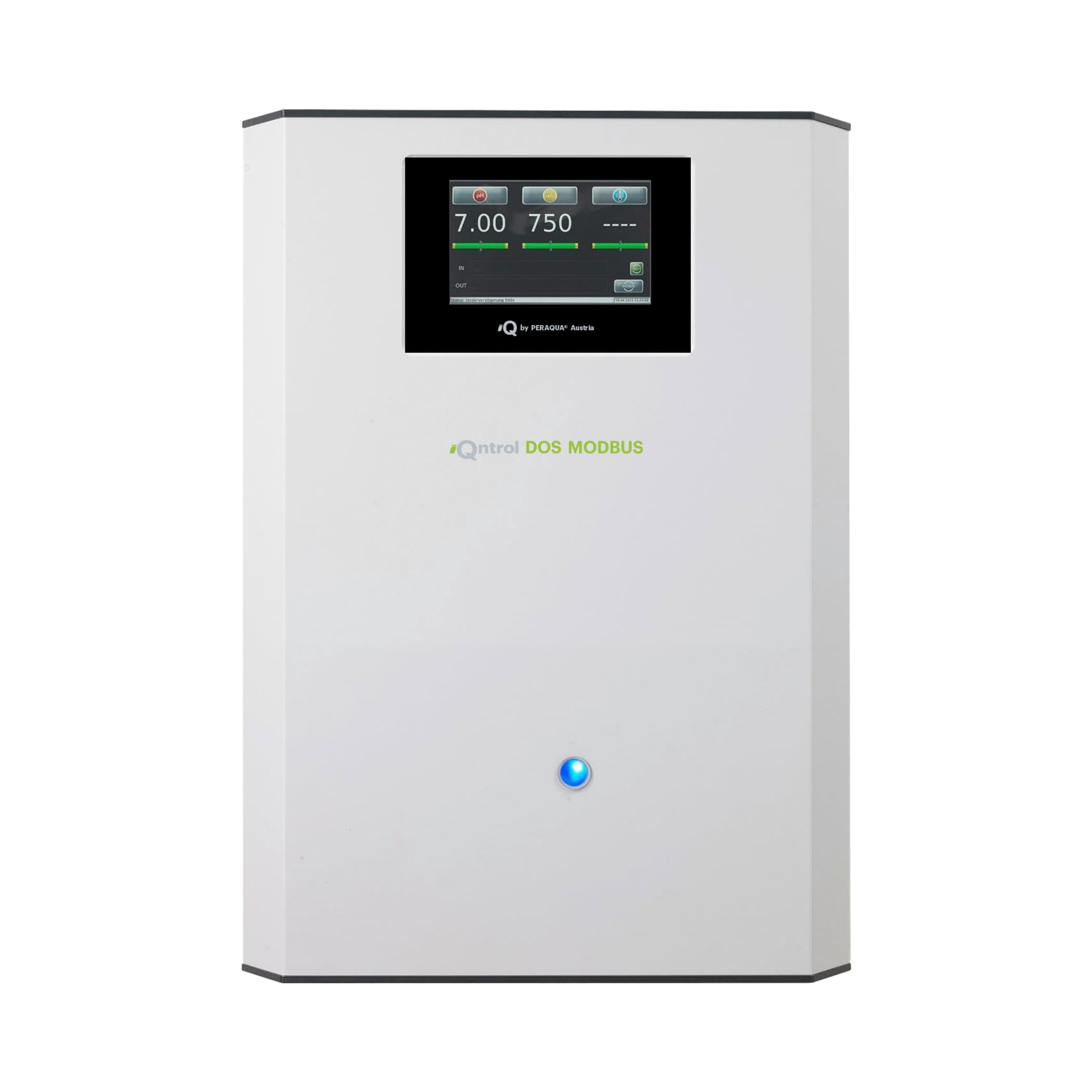
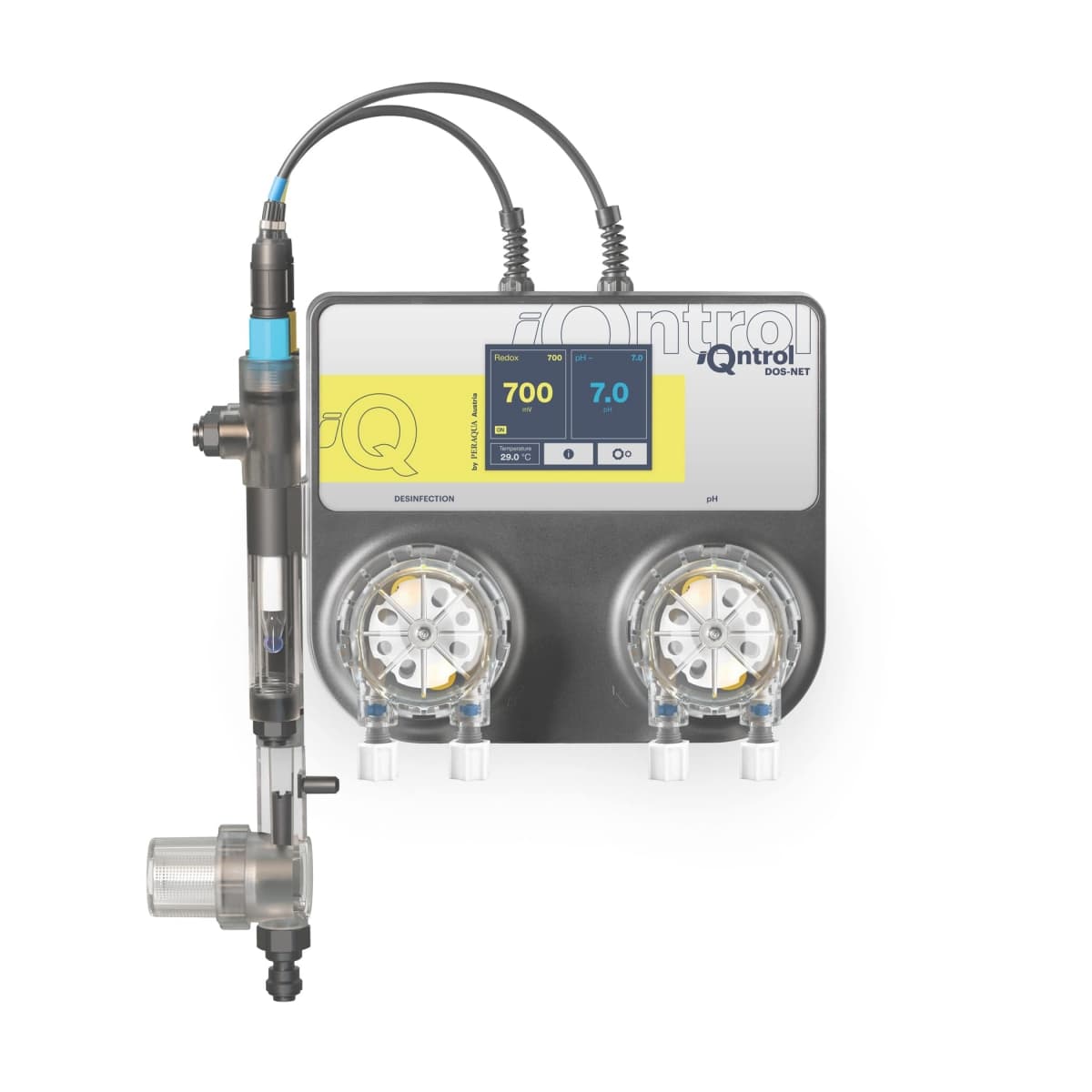
iQntrol DOS-MODBUS dosing system
Monitors and controls pH/Redox dosing for private pool water disinfection.
The Peraqua iQntrol DOS-MODBUS is a pool water disinfection dosing system communicating over Modbus TCP. This template reads pH, Redox (mV), and temperature values, monitors chemical levels and alarms, and allows remote adjustment of dosing setpoints and parameters.
- Protocol
- Modbus TCP
- Connection
- Ethernet, Modbus TCP
- Registers
- 43, read and write
- Brand
- Peraqua
- Key readings
- pH value · Redox (mV) · Temperature · Chemical canister levels · Flow and leak alarms · Fuse fault status
- Available commands
- pH setpoint and alarm limits · mV setpoint and alarm limits · pH and mV p-range · Dosing delay
- Compatible models
- iQntrol DOS-MODBUS · Aquastar Air
- Last updated
Registers (43)
43 read, 12 write
| Name | Unit | Access | Address (Hidden until you enter your email) | Function (hidden) | Type (hidden) |
|---|---|---|---|---|---|
| 16 - Temperature | °C | Read | |||
| 38- pH - p-range | Read and write | ||||
| B02 - disinfection empty | Read | ||||
| B03 - pH regulation empty | Read | ||||
| B32 - pH min Alarm | Read | ||||
| B33 - pH max Alarm | Read | ||||
| B13 - no flow | Read | ||||
| B16 - pH regulation leak | Read and write | ||||
| B17 - disinfection leak | Read | ||||
| B36 - mV min Alarm | Read | ||||
| B37 - mV max. Alarm | Read | ||||
| B41 - IO-Board F1 fuse fault (24V Desinfektion) | Read | ||||
| B44 - IO-Board F2 fuse fault (24V pH) | Read | ||||
| B45 - NT-Board F1 fuse fault (24V Sensoren) | Read | ||||
| B48 - pH regulation dynamic dosing exceeded | Read | ||||
| B50 - disinfection dynamic dosing exceeded | Read | ||||
| B51 - dosing OFF | Read | ||||
| B64 - disinfection dosing 24V | Read | ||||
| B65 - pH regulation dosing 24V | Read | ||||
| B66 - flocculation dosing | Read | ||||
| B18 - flocculation emty | Read | ||||
| B19 - flocculant leak | Read | ||||
| B68 - alarm | Read | ||||
| B70 - pH regulation dosing 230V | Read | ||||
| B71 - disinfection dosing 230V | Read | ||||
| C00 - pH control direction | Read | ||||
| C02 - flocculation ON_OFF | Read | ||||
| C03 - mutual locking ON_OFF | Read | ||||
| C16 - Modus Automatic_Menu | Read | ||||
| 22 - pH | pH | Read | |||
| 24 - Redox | mV | Read | |||
| 36 - pH - setpoint | Read and write | ||||
| 40 - pH - alarm low | Read and write | ||||
| 42 - pH - alarm high | Read and write | ||||
| 44 - pH - time watch | Read and write | ||||
| 46 - pH - Control types | Read | ||||
| 48 - mV - setpoint | Read and write | ||||
| 50 - mV - p-range | Read and write | ||||
| 52 - mV - alarm low | Read and write | ||||
| 54 - mV - alarm high | Read and write | ||||
| 56 - mV - time watch | Read and write | ||||
| 58 - mV_ml - Control types | Read | ||||
| 114 - Dosing delay | s | Read and write |
Loading registers…
Send your device list
If a device is not in the library yet, we build the template for free as soon as we have the register data.
Use cases
- Monitor live pH, Redox, and temperature readings on a cloud dashboard to plan pool maintenance without a site visit.
- Create alerts when pH or Redox values drift outside configured alarm limits to respond before water quality degrades.
- Adjust pH and mV setpoints remotely from the ModbusCloud platform without a site visit.
- Track chemical canister levels over time and schedule refills based on consumption trends.
- Set up notifications for flow loss, leak detection, or fuse faults to catch equipment issues early.
- Log historical water quality data for compliance documentation or seasonal analysis.
Installation
Connect the ModbusCloud Gateway to the same local network as the iQntrol DOS-MODBUS, ensuring both devices can reach each other over Modbus TCP on port 502.
Verify the IP address of the iQntrol DOS-MODBUS unit and confirm it is reachable from the gateway using a network scan or ping test.
Set the Modbus TCP unit ID on the dosing system if multiple Modbus devices share the same network segment, and note the configured ID for the template setup.
Import the Peraqua iQntrol DOS-MODBUS template in the ModbusCloud portal and assign the correct IP address and unit ID to the device.
Confirm that live values for pH, Redox, and temperature appear on the dashboard, and verify alarm flag registers toggle correctly by simulating a flow interruption if possible.
Things to watch for
Why do some register values appear incorrect or swapped?
The device uses float32 registers for measurements and setpoints, and uint16 for status flags. Some register addresses overlap between function blocks. Ensure you are using the correct template mapping and that your gateway is reading the right function block for each register.
What byte order should I use for float32 registers?
Peraqua devices typically use big-endian (AB CD) byte order for float32 values. If readings look unrealistic, try toggling the word order setting in the ModbusCloud device configuration.
The gateway cannot connect to the dosing system over Modbus TCP. What should I check?
Confirm the iQntrol DOS-MODBUS and the gateway are on the same subnet. Verify that TCP port 502 is not blocked by a firewall or router. Check that no other client is holding an exclusive Modbus TCP connection to the device.
Is the Aquastar Air supported by this same template?
Yes. The Aquastar Air is listed as a compatible model and shares the same Modbus register map as the iQntrol DOS-MODBUS.
Want to see how it works?
