








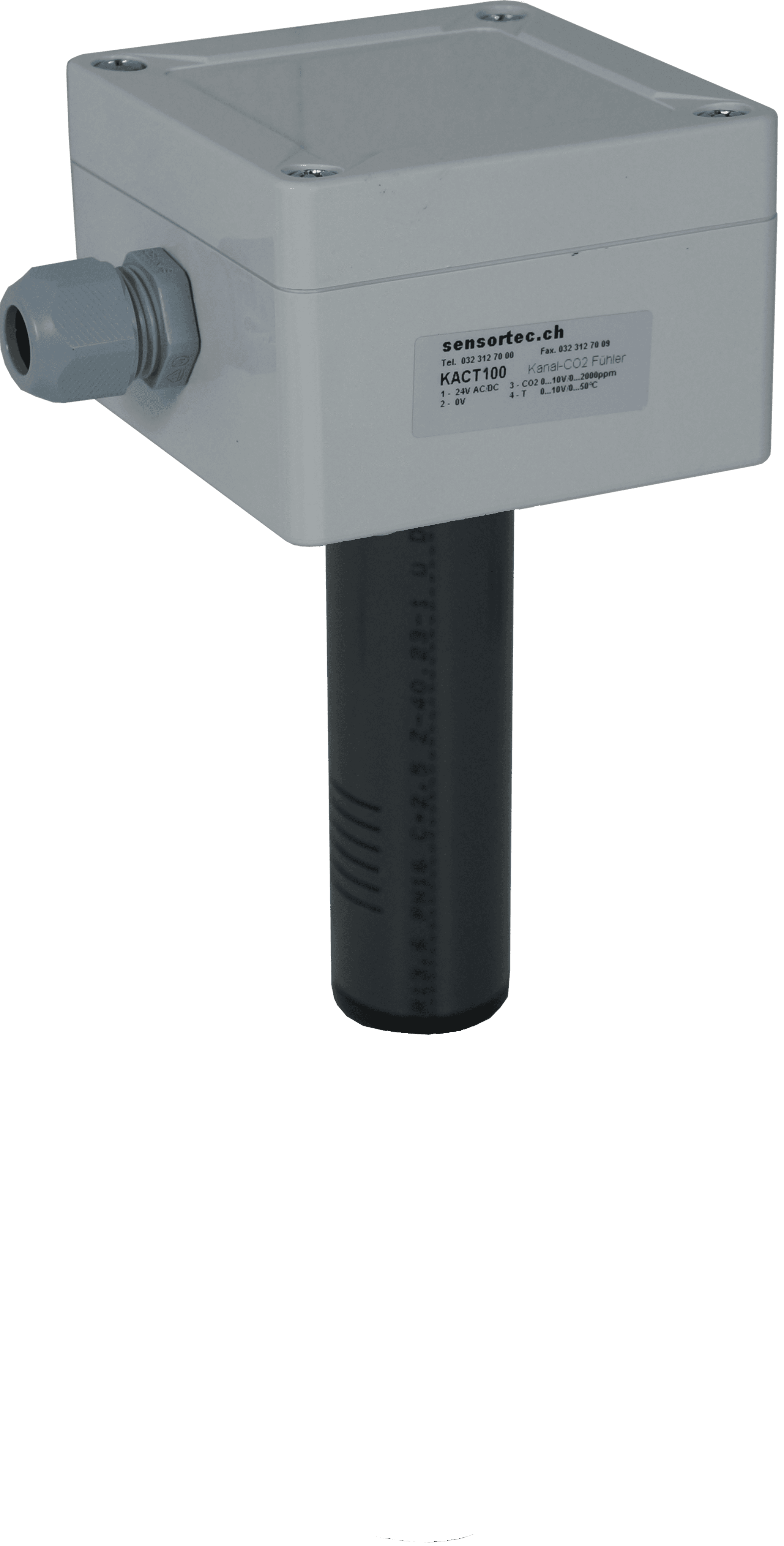
sensortec AG - KACQTH-xxx - Duct air quality sensor CO2 and VOC
Measures duct air quality including CO2, VOC, temperature and humidity.
Modbus RTU template for the sensortec AG KACQTH-xxx duct air quality sensor series. Reads CO2 concentration, TVOC, eCO2, temperature and relative humidity depending on the product variant. Designed for HVAC duct installations with IP65 protection.
- Protocol
- Modbus RTU
- Connection
- RS485, 19200 baud
- Registers
- 5, read only
- Brand
- sensortec AG
- Key readings
- Temperature · Relative humidity · CO2 concentration · TVOC concentration · eCO2
- Compatible models
- KACQTH-100 MB V2 · KACQTH-200 MB V2 · KACTH-100 MB · KACTH-200 MB · KAQTH-100 MB V2 · KAQTH-200 MB V2
- Last updated
Registers (5)
5 read, 0 write
| Name | Unit | Access | Address (Hidden until you enter your email) | Function (hidden) | Type (hidden) |
|---|---|---|---|---|---|
| Temperature - Analogue sensor | °C | Read | |||
| Relative humidity - Analogue sensor | r.H. | Read | |||
| CO2 concentration - Analogue sensor | ppm | Read | |||
| TVOC concentration - Analogue sensor | ppb | Read | |||
| eCO2 | ppm | Read |
Loading registers…
Send your device list
If a device is not in the library yet, we build the template for free as soon as we have the register data.
Use cases
- Monitor CO2 and VOC concentrations in real time on a cloud dashboard to verify ventilation performance.
- Create an alert when CO2 levels exceed a configurable threshold for more than five minutes.
- Log temperature and humidity trends over weeks to identify seasonal patterns in duct climate.
- Compare air quality readings across multiple ducts or zones in a single building overview.
- Generate periodic reports on indoor air quality for compliance documentation or tenant communication.
Installation
Wire the RS-485 A and B terminals of the sensortec AG KACQTH-xxx sensor to the corresponding Modbus RTU port on your ModbusCloud Gateway.
Supply the sensor with 24 Vac/dc and confirm the status LED indicates normal operation.
Set the Modbus slave address on the sensor according to the manufacturer instructions, ensuring it does not conflict with other devices on the bus.
Configure the gateway serial port to 19200 baud, even parity (parity 1) and one stop bit to match the sensor defaults.
Import the sensortec AG KACQTH-xxx template in the ModbusCloud portal and assign it to the correct gateway and slave address.
Verify that live readings for CO2, TVOC, temperature and humidity appear on your ModbusCloud dashboard.
Things to watch for
I only see values for some registers. Is the template broken?
No. The template covers all registers of the full KACQTH variant. If you use a KACTH or KAQTH model, some sensors are physically absent. Registers for missing sensors will return zero or stay empty. This is expected behavior.
Communication fails after wiring. What should I check?
Confirm the baud rate is set to 19200 and parity is set to even (parity 1) on the gateway. Also verify that the RS-485 A and B lines are not swapped and that the correct slave address is configured.
Do I need a bus termination resistor?
For short cable runs with only one or two devices, a termination resistor is usually not required. For longer runs or multiple devices on the same bus, add a 120 ohm termination resistor at each end of the RS-485 line.
Can I change the Modbus slave address of the sensor?
Yes. Refer to the sensortec AG product manual for the procedure to change the slave address. Make sure the new address matches the setting in the ModbusCloud template configuration.

Want to see how it works?
