









SMA Sunny Island (Modbus) (battery)
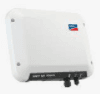
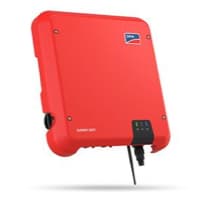
The SMA Sunny Island is a battery inverter designed for self-consumption, backup power, and off-grid energy storage in residential and light commercial PV systems. This Modbus TCP template reads AC active power across all phases, cumulative energy throughput, and battery state of charge, while also exposing two write registers that together control external power dispatch: the mode-enable register (batterymode_a) and the active power setpoint (batterymode_b). Connecting via ModbusCloud Gateway gives installers and asset managers a live view of battery behaviour and the ability to verify or adjust charge and discharge targets from a single portal.
- Protocol
- Modbus TCP
- Connection
- Ethernet, Modbus TCP
- Registers
- 5, read and write
- Brand
- SMA
- Last updated
Registers (5)
3 read, 2 write
| Name | Unit | Access | Address (Hidden until you enter your email) | Function (hidden) | Type (hidden) |
|---|---|---|---|---|---|
| power | W | Read | |||
| energy | Wh | Read | |||
| soc | % | Read | |||
| batterymode_a | Write | ||||
| batterymode_b | W | Write |
Loading registers…
Send your device list
If a device is not in the library yet, we build the template for free as soon as we have the register data.
Use cases
- Monitor battery state of charge continuously to detect capacity degradation across heating seasons.
- Track AC active power to verify that charge and discharge cycles match the configured energy strategy.
- Alert on sustained zero-power readings during expected discharge periods to catch communication faults early.
- Report cumulative energy throughput over time to document battery utilisation for owner reports.
- Verify that active power setpoints written via batterymode_b are reflected in live power readings within the portal.
Installation
Enable Modbus TCP on the Sunny Island: log in to the device web interface, navigate to the communication or Modbus section, and activate the Modbus server. The default port is 502 and the default unit ID is 3.
Connect the Sunny Island to the same LAN segment as the ModbusCloud Gateway using a standard Ethernet cable, and confirm network reachability with a ping to the inverter IP address.
In the ModbusCloud portal, add a new Gateway entry, import the SMA Sunny Island (Modbus) (battery) template, and assign the unit ID that matches the setting on the inverter.
Spot-check the connection by confirming that the soc register at address 30845 returns a plausible percentage value within one polling cycle in the portal dashboard.
Things to watch for
All registers return NaN. What is causing this?
SMA devices return NaN for registers whose data originates from a processor that is currently inactive. Confirm the Sunny Island is fully powered and in an active operating state, not in standby or night mode. Also verify the Modbus interface is enabled in the device communication settings, as it is deactivated by default.
The Gateway connects but I receive error code 11 on every request.
Error code 11 means the unit ID in the request does not match the unit ID configured on the inverter. The default SMA unit ID is 3. Check the unit ID setting in the Sunny Island web interface and update the matching field in the ModbusCloud portal template assignment.
Power values look correct but the byte order appears swapped.
SMA Modbus registers use Big Endian (Motorola) byte order. All 32-bit and 64-bit values are transmitted high byte first. Confirm your polling configuration or the ModbusCloud template specifies Big Endian word order. Swapping word order will produce implausible large numbers for power and energy registers.
Writing to batterymode_b does not change the inverter's output. What is missing?
External power control requires two writes in sequence. First, write the value 802 to batterymode_a (address 40151) to activate control via communication. Then write the desired watt value to batterymode_b (address 40149). Note that in a three-phase cluster the inverter applies three times the per-phase setpoint as system power. Avoid writing setpoints more frequently than every 500 ms, and be aware that incorrect setpoints can exceed battery protection limits or affect warranty conditions.

Knowledge base articles for this device

Want to see how it works?
