








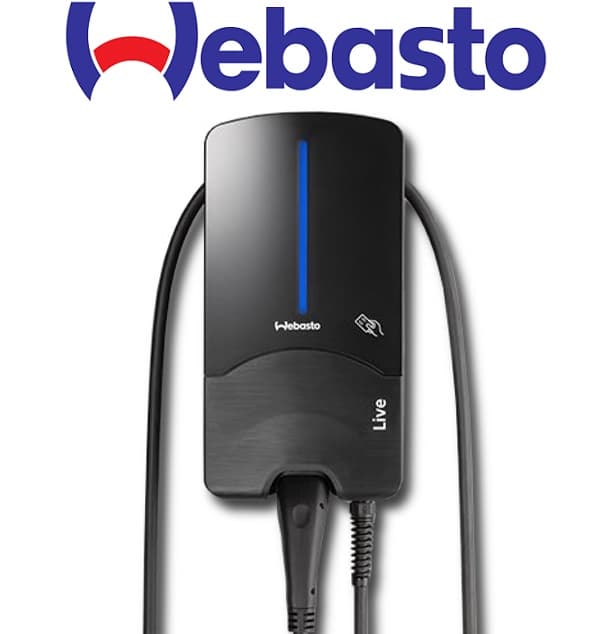
Webasto Next Wallbox
Controls and monitors Webasto Next Wallbox EV charging via Modbus TCP.
Template for the Webasto Next Wallbox EV charger via Modbus TCP. Reads charging state, phase currents, power, and energy metering. Allows control of charge power, current limits, and session start or cancel.
- Protocol
- Modbus TCP
- Connection
- Ethernet, Modbus TCP
- Registers
- 21, read and write
- Brand
- Webasto
- Key readings
- Charge State · EVSE State · Current L1 to L3 · Total Charge Active Power · Energy Meter · Charged Energy
- Available commands
- Set Charge Power · SafeCurrent · Start/Cancel Charging Session · Life Bit
- Compatible models
- Webasto Next
- Last updated
Registers (21)
20 read, 5 write
| Name | Unit | Access | Address (Hidden until you enter your email) | Function (hidden) | Type (hidden) |
|---|---|---|---|---|---|
| Charge State | Read | ||||
| EVSE State | Read | ||||
| Cable State | Read | ||||
| EVSE Error Code | Read | ||||
| Total Charge Active Power | kW | Read | |||
| Charged Energy | kWh | Read | |||
| Max Current limit | A | Read | |||
| Charge Point State | Read | ||||
| Current L1 | A | Read | |||
| Current L2 | A | Read | |||
| Current L3 | A | Read | |||
| Charge Active Power L1 | kW | Read | |||
| Charge Active Power L2 | kW | Read | |||
| Charge Active Power L3 | kW | Read | |||
| Energy meter | kWh | Read | |||
| Minimum current limit hardware | A | Read | |||
| Setted Charge Power | kW | Read and write | |||
| SafeCurrent | A | Read and write | |||
| ComTimeout | Read and write | ||||
| Life Bit | Read and write | ||||
| Start_Cancel Charging Session | Write |
Loading registers…
Send your device list
If a device is not in the library yet, we build the template for free as soon as we have the register data.
Use cases
- Monitor real-time charging power and per-phase currents on a live dashboard for each customer site.
- Create an alert when the EVSE state indicates a fault or unexpected disconnection.
- Remotely start or cancel a charging session without physical access to the wallbox.
- Set dynamic current limits based on available grid capacity to support simple load management.
- Track total energy consumption per charging session for billing or reporting purposes.
- Verify that the LifeBit is being sent correctly by monitoring communication timeout status.
Installation
Connect the Webasto Next Wallbox to the same local network as your ModbusCloud Gateway via Ethernet.
Open the Webasto Next WebUI, activate the expert view, and enable Modbus TCP communication under the HEMS settings.
Note the IP address of the wallbox and confirm it is reachable from the gateway using a ping test.
In the ModbusCloud portal, assign the Webasto Next template to your gateway and enter the wallbox IP address and Modbus TCP port (default 502).
Configure the comTimeout (register 2002) and safeCurrent (register 2000) values to match your site requirements.
Verify that live data appears on the ModbusCloud dashboard and test a charging session start and stop from the control interface.
Things to watch for
Why does the wallbox revert to safeCurrent and stop responding to my commands?
The LifeBit (register 6000) must be written at least every half of the comTimeout interval. If it is missed, the wallbox falls back to safeCurrent. Check your gateway connection stability. ModbusCloud writes registers at most once per minute, so control through ModbusCloud needs a comTimeout well above two minutes.
Why does the Charged Energy register always show zero during charging?
Register 1502 only returns a value after the charging session is fully completed. During an active session it reads zero. Use the Energy Meter register for real-time consumption data.
I set a power value in registers 5000 and 5001 but the wallbox ignores it. Why?
Register 5004 (Current) is dominant. If it contains a non-zero value, registers 5000 and 5001 are ignored. Clear register 5004 first if you want to control by power.
Register 5000 returns incorrect values. What could be wrong?
Register 5000 is a uint32 that requires swapped register order as of firmware v1.0.4. Verify your firmware version and confirm the byte or word swap setting in the template matches.


Want to see how it works?
