








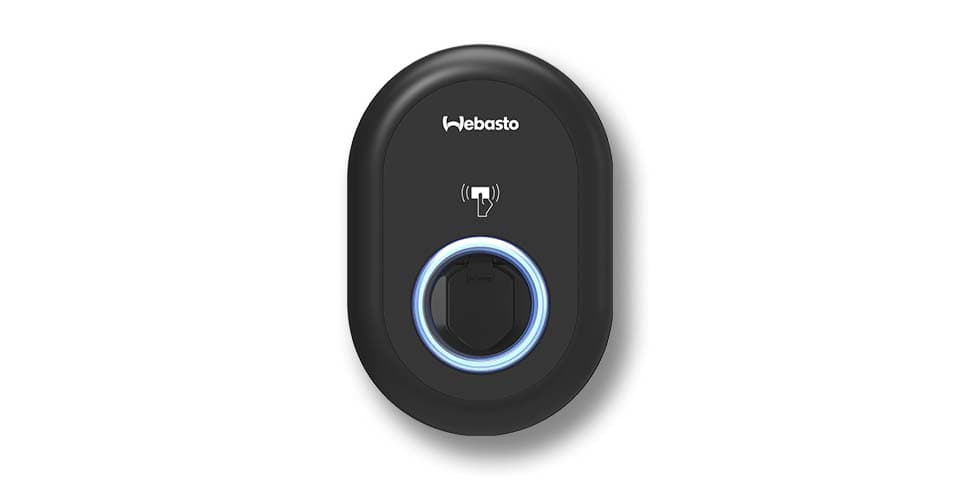
Webasto Unite 11kW
Controls and monitors Webasto Unite 11kW wallbox charging via Modbus TCP.
Template for the Webasto Unite 11kW wallbox via Modbus TCP. It reads charge point state, cable state, active power, and energy meter values. It also allows setting the charge power setpoint through a writable register.
- Protocol
- Modbus TCP
- Connection
- Ethernet, Modbus TCP
- Registers
- 6, read and write
- Brand
- Webasto
- Key readings
- Charge Point State · Charge State · Cable State · Total Charge Active Power · Energy Meter
- Available commands
- Set Charge Power
- Compatible models
- Webasto Unite 11kW
- Last updated
Registers (6)
5 read, 1 write
| Name | Unit | Access | Address (Hidden until you enter your email) | Function (hidden) | Type (hidden) |
|---|---|---|---|---|---|
| Cable State | Read | ||||
| Energy Meter | Read | ||||
| Charge State | Read | ||||
| Total Charge Active Power | kW | Read | |||
| Charge Point State | Read | ||||
| Set Charge Power | kW | Write |
Loading registers…
Send your device list
If a device is not in the library yet, we build the template for free as soon as we have the register data.
Use cases
- Monitor real-time charging power and cumulative energy consumption for each Webasto Unite wallbox on a cloud dashboard.
- Set charge power setpoints remotely to implement dynamic load management across multiple EV chargers.
- Create alerts when the cable state or charge point state changes unexpectedly, indicating a potential fault.
- Track total energy delivered per charger to generate usage reports for tenants or fleet operators.
- Verify charger availability and uptime across multiple customer sites from a single ModbusCloud account.
Installation
Connect the Webasto Unite 11kW to the local network via Ethernet and verify that Modbus TCP is enabled in the wallbox configuration menu.
Install the ModbusCloud Gateway on the same local network as the wallbox and confirm connectivity.
Note the IP address of the Webasto Unite and ensure port 502 (default Modbus TCP port) is reachable from the gateway.
Import the Webasto Unite 11kW template from the ModbusCloud template library and assign the correct IP address of the wallbox.
Do not connect the Modbus RTU port for wallbox communication, as it is reserved for external energy counters only.
Verify that register values such as Charge Point State and Energy Meter appear correctly on the ModbusCloud dashboard after the first poll cycle.
Things to watch for
Can I use the Modbus RTU port on the Webasto Unite to communicate with the gateway?
No. The Modbus RTU port on the Webasto Unite is intended exclusively for connecting external energy counters. All wallbox monitoring and control must use Modbus TCP over the Ethernet connection.
What data types are used for the energy and power registers?
The Energy Meter, Total Charge Active Power, and Set Charge Power registers are all uint32. Power values are expressed in kW. Make sure your gateway and template configuration use the correct data type to avoid misread values.
The gateway cannot reach the wallbox over Modbus TCP. What should I check?
Confirm that the wallbox is connected to the network and that Modbus TCP is enabled in its settings. Verify the IP address and ensure port 502 is not blocked by a firewall or VLAN segmentation.
How do I adjust the charging power remotely?
Use the Set Charge Power writable register exposed by this template. You can change the value from the ModbusCloud dashboard or through an automation rule to implement scheduled or dynamic load management.


Want to see how it works?
