








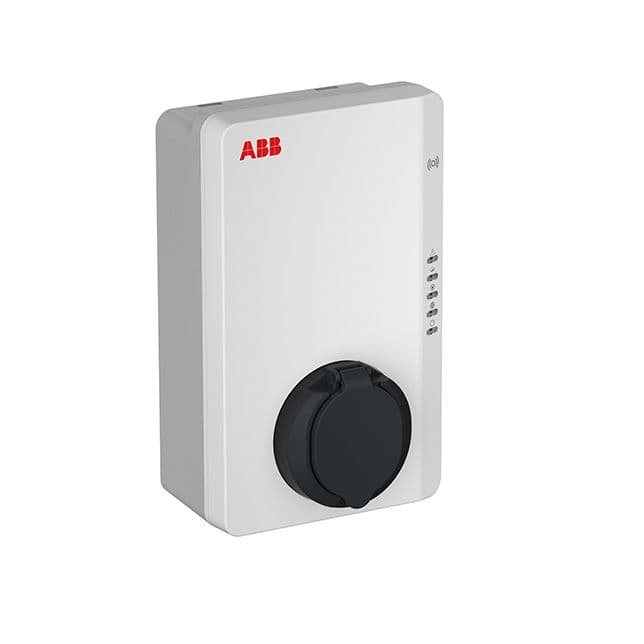
ABB Terra AC
Monitors and controls ABB Terra AC Wallbox charging via Modbus RTU
Template for the ABB Terra AC Wallbox via Modbus RTU. Reads active power, charging state, energy delivered, current limits, and socket lock state. Also allows starting or stopping charging sessions and setting the charging current limit.
- Protocol
- Modbus RTU
- Connection
- RS485
- Registers
- 11, read and write
- Brand
- ABB
- Key readings
- Active Power · Charging State · Energy Delivered · Socket Lock State · Current Charging Current Limit · Serial Number
- Available commands
- Start/Stop Charging Session · Set Charging Current Limit
- Compatible models
- ABB Terra AC
- Last updated
Registers (11)
9 read, 2 write
| Name | Unit | Access | Address (Hidden until you enter your email) | Function (hidden) | Type (hidden) |
|---|---|---|---|---|---|
| Active Power | kW | Read | |||
| Serial Number | Read | ||||
| Charging State | Read | ||||
| Firmware version | Read | ||||
| Socket Lock State | Read | ||||
| Energy delivered | kWh | Read | |||
| User set Strom | A | Read | |||
| Charging current limit set by Modbu | A | Read | |||
| Current charging current limit | A | Read | |||
| Start/Stop Charging Session | Write | ||||
| Set Charging Current Limit | A | Write |
Loading registers…
Send your device list
If a device is not in the library yet, we build the template for free as soon as we have the register data.
Use cases
- Monitor real-time active power and charging state of the ABB Terra AC on a cloud dashboard.
- Create an alert when a charging session unexpectedly stops or the socket lock state changes.
- Remotely start or stop charging sessions for ABB Terra AC wallboxes across multiple customer sites.
- Set the charging current limit dynamically to support load balancing with other on-site consumers.
- Track cumulative energy delivered per charger to generate usage reports for billing or sustainability audits.
- Verify charger availability by monitoring charging state and socket lock state before dispatching service visits.
Installation
Connect the ModbusCloud Gateway to the ABB Terra AC wallbox using an RS-485 cable with correct A, B, and GND wiring.
Enable Modbus RTU on the ABB Terra AC and configure the baud rate, parity, and slave address to match the gateway settings.
Assign a unique Modbus slave address to each ABB Terra AC unit if multiple chargers share the same RS-485 bus.
Import the ABB Terra AC template in the ModbusCloud platform and link it to the configured gateway.
Verify communication by checking that live values such as active power and charging state appear on the ModbusCloud dashboard.
Test write commands by starting a charging session and adjusting the charging current limit from the dashboard.
Things to watch for
What baud rate and parity should I use for the ABB Terra AC?
Check the ABB Terra AC configuration menu for the default baud rate (commonly 9600 or 19200) and parity setting. Make sure these match exactly on the ModbusCloud gateway, otherwise communication will fail.
Why do I get incorrect values for active power or energy delivered?
All read registers on the ABB Terra AC use uint32 (32-bit) addressing. If the register data type or byte/word order is set incorrectly in the gateway, values will appear garbled. Confirm the template is using uint32 for read registers.
Can I control multiple ABB Terra AC wallboxes on one RS-485 bus?
Yes. Assign a unique Modbus slave address to each wallbox and create a separate device instance in ModbusCloud for each address. Ensure proper RS-485 bus termination if the cable run is long.
The start/stop command does not seem to work. What should I check?
The start/stop charging session register uses uint16, not uint32. Verify the register address and data type in the template match the ABB documentation. Also confirm that the wallbox is in a state that accepts remote commands.




Want to see how it works?
