








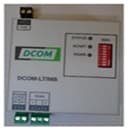
Daikin DCOM gateways for Altherma - MODBUS ENG
Integrates Daikin DCOM gateways for Altherma heat pumps via Modbus RTU.
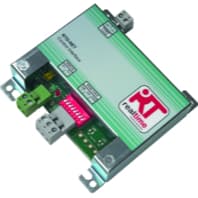
This template integrates Daikin DCOM gateways (DCOM-LT/IO, DCOM-LT/MB, DCOM for Altherma v3, ERGA04) via Modbus RTU. It reads temperatures, flow rates, operating states, and error codes, and allows control of setpoints, operation modes, DHW reheat, and quiet mode.
- Protocol
- Modbus RTU
- Connection
- RS485, 9600 baud
- Registers
- 31, read and write
- Brand
- Daikin
- Key readings
- Leaving Water Temperatures · Return Water Temperature · DHW Temperature · Outside Air Temperature · Flow Rate · Unit Error Code
- Available commands
- Heating/Cooling LWT Setpoints · Operation Mode · Space Heating/Cooling On/Off · DHW Reheat On/Off
- Compatible models
- DCOM-LT/IO · DCOM-LT/MB · DCOM gateway for Altherma v3 · ERGA04
- Last updated
Registers (31)
19 read, 12 write
| Name | Unit | Access | Address (Hidden until you enter your email) | Function (hidden) | Type (hidden) |
|---|---|---|---|---|---|
| Leaving Water Temperature pre BUH | °C | Read | |||
| Leaving Water Temperature pre PHE | °C | Read | |||
| Return Water Temperature | °C | Read | |||
| Domestic Hot Water Temperature | °C | Read | |||
| Outside Air Temperature | °C | Read | |||
| Liquid Refrigerant Temperature | °C | Read | |||
| Flow Rate | l/h | Read | |||
| Remocon room temperature | °C | Read | |||
| Operation Mode | Read | ||||
| 3-Way Valve | Read | ||||
| Hot Start | Read | ||||
| Defrost / Startup | Read | ||||
| Desinfection Operation | Read | ||||
| Booster Heater Run | Read | ||||
| Comopresor Run | Read | ||||
| Circukation Pumo Runnig | Read | ||||
| Unit Error | Read | ||||
| Unit Error Code | Read | ||||
| Unit Error Sub Code | Read | ||||
| Leaving Water Main Heating Setpoint | °C | Write | |||
| Leaving Water Main Cooling Setpoint | °C | Write | |||
| Operation Mode | Write | ||||
| Space Heating / Cooling On/Off | Write | ||||
| Room Thermostat Control Heating Setpoint | °C | Write | |||
| Room Thermostat Control Cooling Setpoint | °C | Write | |||
| Quier Mode Operation | Write | ||||
| DHW Reheat On/Off | °C | Write | |||
| Weather Dependent Mode On/Off | Write | ||||
| DHW Reheat On/Off | Write | ||||
| DHW Booster mode On/Off | Write | ||||
| Weather Dependent Mode LWT Cooling Setpoint Offset | °C | Write |
Loading registers…
Send your device list
If a device is not in the library yet, we build the template for free as soon as we have the register data.
Use cases
- Monitor leaving water, return water, and DHW temperatures on a live cloud dashboard for each Altherma installation.
- Create an alert when the unit error code register changes from zero to detect faults before the end user notices.
- Adjust heating or cooling LWT setpoints remotely to optimise comfort and energy consumption without a site visit.
- Log outside air temperature alongside flow rate to analyse seasonal heat pump performance over time.
- Switch DHW reheat on or off based on time schedules or external triggers configured in ModbusCloud.
- Enable quiet mode during nighttime hours to comply with local noise regulations in residential areas.
Installation
Connect the RS-485 A and B terminals of the DCOM gateway to the corresponding terminals on your ModbusCloud Gateway, and ensure a common ground reference.
Set the DCOM gateway Modbus slave address using its DIP switches or configuration interface, and note the address for the template setup.
Verify that the DCOM gateway is configured for 9600 baud, 8 data bits, no parity, and 1 stop bit, which matches the template defaults.
In the ModbusCloud portal, create a new device, select the Daikin DCOM Altherma template from the library, and enter the slave address you configured.
Confirm communication by checking that live temperature readings appear on the device detail page within a few seconds of saving.
Things to watch for
The gateway is not responding. What should I check first?
Verify the RS-485 wiring polarity (A to A, B to B) and confirm that the slave address set on the DCOM gateway matches the address entered in ModbusCloud. Also check that the baud rate is 9600 on both sides.
Temperature readings show unexpected values. How are they scaled?
All temperature registers return values in degrees Celsius as int16. Some DCOM firmware versions use a factor of 10 (e.g., 225 means 22.5 degrees). Check your DCOM documentation and apply the correct scaling in the template if needed.
Can I connect multiple DCOM gateways on the same RS-485 bus?
Yes. Assign a unique Modbus slave address to each DCOM gateway and add a separate device in ModbusCloud for each one using the same template. Keep total cable length within RS-485 limits and add a 120 ohm termination resistor at each end of the bus.
Do I need to enable Modbus on the DCOM gateway separately?
On most DCOM-LT models, Modbus RTU is enabled by default on the RS-485 port. On the DCOM gateway for Altherma v3, verify in the gateway configuration menu that the Modbus interface is active.




Want to see how it works?
