









Daikin HomeHub (SG Ready)
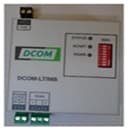
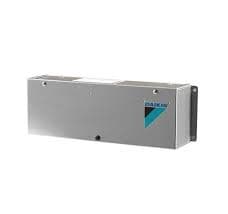
The Daikin HomeHub (model EKRHH) is a DIN-rail gateway accessory that connects Daikin Altherma heat pumps to a building management or energy management system over Modbus TCP. This template reads the active Smart Grid operation mode and current power consumption, and exposes write registers to set the SG mode and cap the maximum power draw. Together these registers let installers integrate Daikin HomeHub installations into demand-response workflows, PV surplus routing, and grid-balancing programs from the ModbusCloud portal with no additional hardware.
- Protocol
- Modbus TCP
- Connection
- Ethernet, Modbus TCP
- Registers
- 5, read and write
- Brand
- Daikin
- Last updated
Registers (5)
3 read, 2 write
| Name | Unit | Access | Address (Hidden until you enter your email) | Function (hidden) | Type (hidden) |
|---|---|---|---|---|---|
| getmode | Read | ||||
| setmode | Write | ||||
| temp | °C | Read | |||
| power | W | Read | |||
| setmaxpower | W | Write |
Loading registers…
Send your device list
If a device is not in the library yet, we build the template for free as soon as we have the register data.
Use cases
- Monitor current Smart Grid mode to verify that grid operator commands are received and acted on correctly.
- Track live power consumption to confirm the heat pump respects a demand-response power cap during peak tariff windows.
- Alert on unexpected mode changes at register 55 to catch configuration drift or unauthorized remote commands.
- Compare reported temperature at register 42 against outdoor conditions to detect sensor offsets or refrigerant performance issues.
- Log power limit setpoints over time to audit how often the maximum power register is overridden during grid-balancing events.
Installation
In the Daikin ONECTA app, add the HomeHub to your installation, select use case 3 or 4, and under the Modbus settings section set the protocol to TCP/IP with no encryption, which activates port 502.
Connect the Daikin HomeHub to the same LAN as the ModbusCloud Gateway using a standard Ethernet patch cable, and confirm the device has a stable IP address (static or DHCP reservation recommended).
In your ModbusCloud portal, add a new device, import the Daikin HomeHub (SG Ready) template, and assign the correct unit ID together with the HomeHub's IP address and port 502.
Verify the connection by reading register 42 (temp) and register 50 (power) in the portal live view; non-zero or changing values confirm the HomeHub is responding correctly.
Things to watch for
The gateway connects but all register values read zero or timeout.
Confirm that use case 3 or 4 is active in the ONECTA app and that the Modbus protocol is set to TCP/IP. The HomeHub only exposes its Modbus registers when one of these use cases is selected. Also verify the IP address and that port 502 is reachable from the ModbusCloud Gateway on the same LAN segment.
Temperature values from register 42 look wrong or scaled incorrectly.
The HomeHub returns temperature in Temp16 format: read the register as a signed 16-bit integer. The raw value may require dividing by 10 or applying the scaling factor documented in the EKRHH installer reference guide. Check the guide for the exact multiplier applicable to your firmware version.
Why does writing to the SG mode register 55 appear to have no effect?
The Modbus algorithm on the HomeHub is change-based: the unit only acts on a value if it differs from the last written value. If you are writing the same mode code repeatedly, no update is sent to the heat pump. Write a different mode first to force a state transition, then write your target value.
Is it safe to write arbitrary values to setmaxpower (register 56) or setmode (register 55)?
Use caution with write registers. Setting the SG mode to forced-off stops all heat pump operation including frost protection in some configurations. Setting an excessively low power limit via register 56 can prevent the compressor from maintaining minimum running capacity. Always validate the intended value against Daikin's documented range before writing, and test changes during non-critical hours.




Want to see how it works?
