









Daikin RTD-RA Module
Controls and monitors Daikin split AC units via RTD-RA Modbus interface.
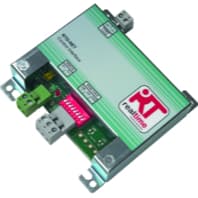
This template controls and monitors Daikin wall-mounted AC units via the RTD-RA Modbus RTU interface module. It reads indoor and outdoor temperatures, fault status, and fault codes. It also allows control of setpoint, fan speed, operating mode, louvre swing, and on/off state.
- Protocol
- Modbus RTU
- Connection
- RS485, 9600 baud
- Registers
- 9, read and write
- Brand
- Daikin
- Key readings
- Indoor Temperature · Outdoor Temperature · Is Fault · Fault Code · Current Setpoint · Current Mode
- Available commands
- Setpoint · Fanspeed · Mode and Louvre · On/Off
- Compatible models
- RTD-RA · FTXZ · FTXJ · FTXG · FTXA · FTXM · FTXS
- Last updated
Registers (9)
9 read, 5 write
| Name | Unit | Access | Address (Hidden until you enter your email) | Function (hidden) | Type (hidden) |
|---|---|---|---|---|---|
| Setpoint | ° C | Read and write | |||
| Fanspeed | Read and write | ||||
| Mode | Read and write | ||||
| Louvre | Read and write | ||||
| OnOff | Read and write | ||||
| Outdoor Temp | ° C | Read | |||
| Indoor Temp | ° C | Read | |||
| Is Fault | Read | ||||
| Fault Code | Read |
Loading registers…
Send your device list
If a device is not in the library yet, we build the template for free as soon as we have the register data.
Use cases
- Monitor indoor and outdoor temperatures on a live dashboard for remote building management.
- Control setpoint, fan speed, and operating mode remotely without visiting the customer site.
- Create an alert when the AC unit reports a fault code so the installer can respond quickly.
- Log temperature trends over time to verify HVAC performance and comfort levels.
- Restrict setpoint and fan speed ranges using inhibit registers to prevent unauthorized changes by end users.
- Switch multiple Daikin split units on or off from a central ModbusCloud project.
Installation
Connect the RTD-RA module to the Daikin indoor unit following the wiring instructions in the RTD-RA installation manual.
Wire the RS-485 A and B terminals of the RTD-RA module to the corresponding terminals on your ModbusCloud Gateway.
Set the Modbus slave address on the RTD-RA module using its DIP switches or configuration interface, and note the address for the next step.
Configure the serial port on the ModbusCloud gateway to Modbus RTU, 9600 baud, 8 data bits, no parity, 1 stop bit (8N1).
Import the Daikin RTD-RA template from the ModbusCloud library and assign the correct Modbus slave address.
Verify communication by checking that indoor temperature and setpoint values appear on the ModbusCloud dashboard.
Things to watch for
Why do the temperature readings show very large numbers like 2350 instead of 23.5 degrees?
The RTD-RA module transmits temperature values multiplied by 100. Make sure the template scaling (division by 100) is applied. If you are using a custom register configuration, set the scale factor to 0.01.
What baud rate and serial settings should I use?
The RTD-RA module communicates at 9600 baud, 8 data bits, no parity, 1 stop bit (8N1). Ensure your Modbus gateway serial port matches these settings exactly.
The setpoint write is rejected or the unit does not respond to a new setpoint value. What is wrong?
The allowed setpoint range depends on the current operating mode. In heating mode the range is 10 to 30 degrees Celsius, and in cooling mode it is 18 to 32 degrees Celsius. Writing a value outside the active range may be ignored by the module.
Can I use this template with other Daikin indoor unit models not listed?
The RTD-RA module supports various Daikin wall-mounted split units. Check the Realtime Control Systems or Daikin compatibility list for your specific model before installation.



Want to see how it works?
