

Danfoss AK-CC55 Single Coil
Case and room controller for one evaporator with an electronic expansion valve.
The Danfoss AK-CC55 Single Coil is a case and room controller that runs one evaporator with an electronic expansion valve in refrigerated cabinets and cold rooms. This Modbus RTU template reads air, product and defrost temperatures, superheat, valve opening, control state and alarms, and lets you set cut-out, differential, defrost and alarm limits from ModbusCloud.
- Protocol
- Modbus RTU
- Connection
- RS485, 19200 baud
- Registers
- 69, read and write
- Brand
- Danfoss
- Key readings
- Thermostat air temperature · Product temperature · Evaporating temperature · Superheat · Expansion valve opening · Control state · Alarms
- Available commands
- Main switch · Cut-out temperature · Differential · Defrost start · Alarm limits
- Compatible models
- AK-CC55 Single Coil · AK-CC55 Single Coil UI · 084B4082 · 084B4083
- Last updated
Registers (69)
69 read, 13 write
| Name | Unit | Access | Address (Hidden until you enter your email) | Function (hidden) | Type (hidden) |
|---|---|---|---|---|---|
| Thermostat Air Temperature | °C | Read | |||
| Evaporating Temperature | °C | Read | |||
| S2 Temperature | °C | Read | |||
| S3 Air Temperature A | °C | Read | |||
| S3 Air Temperature B | °C | Read | |||
| S4 Air Temperature | °C | Read | |||
| S5 Temperature A | °C | Read | |||
| S5 Temperature B | °C | Read | |||
| S6 Product Temperature | °C | Read | |||
| Food Temperature | °C | Read | |||
| Defrost Sensor Temperature | °C | Read | |||
| Alarm Air Temperature A | °C | Read | |||
| Alarm Air Temperature B | °C | Read | |||
| Thermostat Cut In Temperature | °C | Read | |||
| Thermostat Cut Out Temperature | °C | Read | |||
| Superheat | °C | Read | |||
| Superheat Reference | °C | Read | |||
| Sum Alarm | Read | ||||
| Control State | Read | ||||
| Expansion Valve Opening | % | Read | |||
| Thermostat Band | Read | ||||
| Night Condition | Read | ||||
| Controller Error | Read | ||||
| RTC Error | Read | ||||
| Pe Error | Read | ||||
| S2 Error | Read | ||||
| S3 Error A | Read | ||||
| S4 Error | Read | ||||
| S5 Error A | Read | ||||
| S6 Error | Read | ||||
| S3 Error B | Read | ||||
| S5 Error B | Read | ||||
| RH Input Error | Read | ||||
| High Temperature Alarm A | Read | ||||
| Low Temperature Alarm A | Read | ||||
| Door Alarm | Read | ||||
| Max Hold Time Alarm | Read | ||||
| No Refrigerant Selected | Read | ||||
| High S6 Temperature Alarm | Read | ||||
| Low S6 Temperature Alarm | Read | ||||
| DI1 Alarm | Read | ||||
| DI2 Alarm | Read | ||||
| Standby Mode | Read | ||||
| Case Cleaning | Read | ||||
| High Temperature Alarm B | Read | ||||
| Low Temperature Alarm B | Read | ||||
| CO2 Alarm | Read | ||||
| Refrigerant Leak Alarm | Read | ||||
| High Humidity Alarm | Read | ||||
| Low Humidity Alarm | Read | ||||
| Wrong IO Configuration | Read | ||||
| Evaporator Iced Alarm | Read | ||||
| Flash Gas Alarm | Read | ||||
| Max Defrost Time Alarm | Read | ||||
| Fan Safety Alarm | Read | ||||
| Driver Alarm | Read | ||||
| Main Switch | Read and write | ||||
| Cutout 1 | °C | Read and write | |||
| Differential 1 | °C | Read and write | |||
| Defrost Start | Read and write | ||||
| Defrost Stop Temperature 1 | °C | Read and write | |||
| Alarm Delay | min | Read and write | |||
| High Air Temperature Limit 1 | °C | Read and write | |||
| Low Air Temperature Limit 1 | °C | Read and write | |||
| Cutout 2 | °C | Read and write | |||
| Differential 2 | °C | Read and write | |||
| Max Defrost Time 1 | min | Read and write | |||
| Defrost Stop Temperature 2 | °C | Read and write | |||
| Max Defrost Time 2 | min | Read and write |
Loading registers…
Send your device list
If a device is not in the library yet, we build the template for free as soon as we have the register data.
Use cases
- Show air and product temperature of every cabinet on one dashboard for a store manager.
- Send an email when the high or low temperature alarm or the door alarm becomes active.
- Keep a year of temperature history per cabinet as evidence for food safety audits.
- Compare superheat with its reference to spot a hunting expansion valve or a refrigerant shortage.
- Change the cut-out or defrost stop temperature remotely without a visit to the store.
- Start a manual defrost from the portal when the evaporator ices up.
Installation
Connect the ModbusCloud Gateway RS485 A and B to terminals 84 (A+) and 83 (B-), the screen to 85, and terminate both ends of the bus.
Set the network address o03 on the controller to a free address; the factory value 0 does not answer.
Leave the controller on automatic baud rate detection and set the Gateway to 19200 baud, 8 data bits, even parity, 1 stop bit.
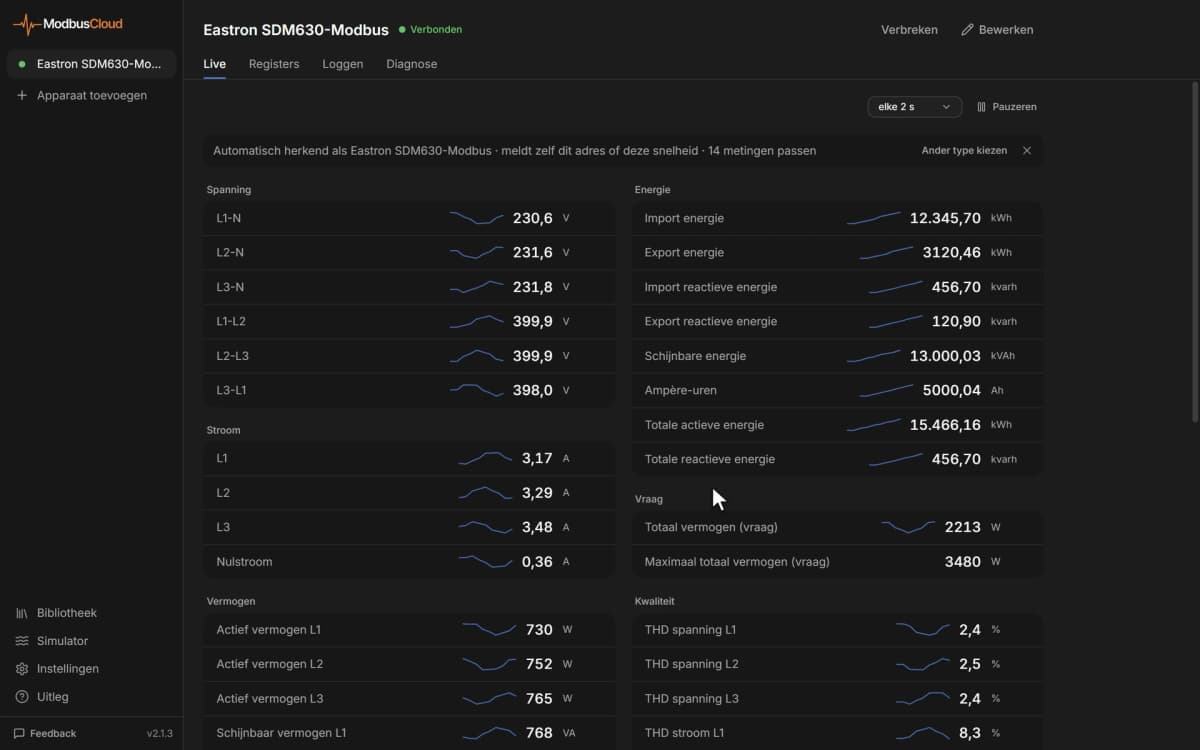
In ModbusCloud, add a Modbus device on the Gateway with that address and import the Danfoss AK-CC55 Single Coil template.
Check that air temperature and control state come in, then remove registers for sensors your application does not use.
Things to watch for
Why does the controller not answer at all?
Check that o03 is not 0, because the controller does not answer on address 0. Then check A+ and B-, swap them once if needed, and make sure the bus is terminated at both ends. Every controller on the line needs its own address.
Why do some registers show nothing or an error?
Values such as the second S3 and S5 sensor only exist in some application modes, and an unused sensor input gives no value. Remove those registers from the device in ModbusCloud.
Why does a temperature look ten times too high?
The controller sends temperatures in tenths of a degree. The template already applies a factor of 0.1. If you entered registers by hand, set the scale to 0.1.
Can I connect several AK-CC55 controllers to one Gateway?
Yes. Give each controller a different network address in o03 and add each one as a separate Modbus device with this template. Up to 32 devices fit on one RS485 line.
What should I watch out for when writing settings?
Read the current value first and stay inside the controller limits; r00 is held between r02 and r03, and some settings are only accepted when the main switch r12 is at stop. Writing 0 to the main switch stops refrigeration of the cabinet.


Want to see how it works?