








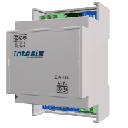
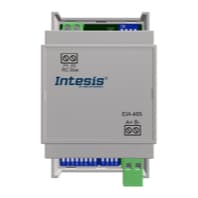
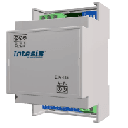
IntesisBox INMBSPAN001R000
Controls Panasonic and Sanyo air conditioners via Modbus RTU interface.
The IntesisBox INMBSPAN001R000 is a Modbus RTU interface that integrates Panasonic, Sanyo, and Fujitsu air conditioners into a Modbus network. The ModbusCloud template reads and writes on/off state, operating mode, fan speed, vane position, temperature setpoint, and error codes.
- Protocol
- Modbus RTU
- Connection
- RS485, 9600 baud
- Registers
- 7, read and write
- Brand
- Intesis
- Key readings
- AC Unit On/Off · AC Unit Mode · AC Unit Fan Speed · AC Unit Vane Position · Temperature Setpoint · Error Code
- Available commands
- AC Unit On/Off · AC Unit Mode · Fan Speed and Vane Position · Temperature Setpoint
- Compatible models
- INMBSPAN001R000
- Last updated
Registers (7)
7 read, 6 write
| Name | Unit | Access | Address (Hidden until you enter your email) | Function (hidden) | Type (hidden) |
|---|---|---|---|---|---|
| AC unit On_Off | Read and write | ||||
| AC unit Mode | Read and write | ||||
| AC unit Fan Speed | Read and write | ||||
| AC unit Vane Position | Read and write | ||||
| AC unit Temperature Setpoint | °C | Read and write | |||
| Error Code | Read | ||||
| Indoor unit´s ambient external sensor | °C | Read and write |
Loading registers…
Send your device list
If a device is not in the library yet, we build the template for free as soon as we have the register data.
Use cases
- Monitor air conditioner on/off state and operating mode remotely from the ModbusCloud dashboard.
- Adjust temperature setpoints for multiple AC units across different sites without a site visit.
- Create an alert when an error code is reported by the air conditioning unit to enable faster troubleshooting.
- Log fan speed and vane position changes over time to verify scheduled HVAC programs are executing correctly.
- Override the indoor ambient temperature sensor with an external value for more accurate climate control.
Installation
Connect the IntesisBox INMBSPAN001R000 to the air conditioner indoor unit using the supplied proprietary cable, following the Intesis wiring diagram.
Wire the RS-485 (A/B) terminals of the IntesisBox to the Modbus RTU port on your ModbusCloud Gateway, observing correct polarity.
Set the Modbus slave address on the IntesisBox using its DIP switches or configuration tool, ensuring it does not conflict with other devices on the bus.
Confirm the baud rate is set to 9600 on both the IntesisBox and the ModbusCloud gateway.
Import the IntesisBox INMBSPAN001R000 template in the ModbusCloud platform and assign it to the correct gateway and slave address.
Verify communication by checking live register values on the ModbusCloud dashboard and toggling the AC unit on/off.
Things to watch for
The ModbusCloud gateway cannot communicate with the IntesisBox. What should I check?
Verify that the RS-485 wiring polarity (A and B) is correct and consistent at both ends. Confirm the baud rate is 9600 and the slave address matches the address configured in the template. A termination resistor may be needed if the cable run is long.
The template references Panasonic, Sanyo, and Fujitsu. Which brands are actually supported?
The INMBSPAN001R000 documentation references multiple brands. Verify your specific AC model against the Intesis compatibility list before purchasing. Using the interface with an unsupported model may result in partial or no register access.
Can I write to register 22 to override the room temperature sensor?
Yes, register 22 is writable and allows you to supply an external ambient temperature value. Be cautious, as incorrect values will influence the unit's internal control decisions.
What happens if I set the wrong operating mode value?
Writing an unsupported mode value to the mode register may be ignored by the IntesisBox or cause unexpected behavior. Refer to the Intesis register map for valid mode codes for your AC model.
Want to see how it works?
