








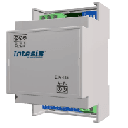
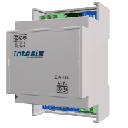
IntesisBox PA-RC2-MBS-1
Controls Panasonic air conditioners via Modbus RTU interface
Template for the IntesisBox PA-RC2-MBS-1, a Modbus RTU interface for Panasonic air conditioners. It reads the current setpoint and provides control over on/off, operating mode, fan speed, and temperature setpoint.
- Protocol
- Modbus RTU
- Connection
- RS485, 9600 baud
- Registers
- 5, read and write
- Brand
- Intesis
- Key readings
- Setpoint
- Available commands
- On/Off · Setpoint · Mode · Fan Speed
- Compatible models
- PA-RC2-MBS-1
- Last updated
Registers (5)
1 read, 4 write
| Name | Unit | Access | Address (Hidden until you enter your email) | Function (hidden) | Type (hidden) |
|---|---|---|---|---|---|
| Setpoint | Read | ||||
| Setpoint | Write | ||||
| On_Off | Write | ||||
| Mode | Write | ||||
| Fan Speed | Write |
Loading registers…
Send your device list
If a device is not in the library yet, we build the template for free as soon as we have the register data.
Use cases
- Monitor the current temperature setpoint of Panasonic air conditioners on a live cloud dashboard.
- Control on/off state and operating mode remotely to manage comfort across multiple zones.
- Create alerts when the setpoint deviates from a predefined range outside of occupied hours.
- Adjust fan speed settings for individual indoor units based on occupancy schedules.
- Log historical setpoint and mode data for energy reporting and HVAC optimization.
Installation
Connect the IntesisBox PA-RC2-MBS-1 to the Panasonic indoor unit using the unit's communication port, following the IntesisBox wiring diagram for your specific model.
Wire the RS-485 (A and B) terminals of the IntesisBox to the RS-485 port on the ModbusCloud Gateway, observing correct polarity and using a termination resistor if it is the last device on the bus.
Set the Modbus slave address on the IntesisBox using its DIP switches or configuration software, and ensure no address conflicts exist on the bus.
Configure the ModbusCloud gateway serial port for Modbus RTU at 9600 baud, 8 data bits, 1 stop bit, no parity, matching the IntesisBox default settings.
Import the IntesisBox PA-RC2-MBS-1 template in the ModbusCloud platform and assign it to the correct gateway and slave address.
Verify communication by reading the current setpoint register and toggling the on/off control from the dashboard.
Things to watch for
The documentation mentions both Panasonic and Fujitsu. Which air conditioners does the PA-RC2-MBS-1 support?
The device name and primary labeling reference Panasonic air conditioners. However, some descriptions also mention Fujitsu. Always verify compatibility with your specific indoor unit model and consult the IntesisBox compatibility list before purchasing.
Why does reading the setpoint return a different value than what I just wrote?
The PA-RC2-MBS-1 uses different register addresses for reading and writing the setpoint. The current setpoint is read from register 23, while new setpoint commands are written to register 4. This is normal behavior for this interface.
I cannot establish communication with the IntesisBox on the Modbus bus.
Confirm that the baud rate is set to 9600 on both the gateway and the IntesisBox. Check RS-485 wiring polarity (A to A, B to B) and ensure the slave address matches. If the bus is longer than 10 meters, add a 120 ohm termination resistor at each end.
Can I connect multiple IntesisBox units to one ModbusCloud gateway?
Yes, multiple PA-RC2-MBS-1 units can share a single RS-485 bus. Assign a unique Modbus slave address to each unit using the DIP switches or configuration tool, and add a separate template instance in ModbusCloud for each address.
Want to see how it works?
