








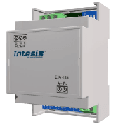
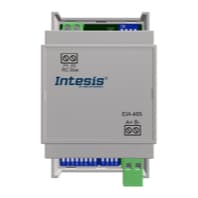
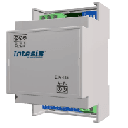
IntesisBox INMBSLGE001R000
Controls LG air conditioners via Modbus RTU integration
Template for the IntesisBox INMBSLGE001R000, a Modbus RTU interface that connects LG air conditioners to a Modbus network. It provides read and write access to HVAC parameters such as on/off control, operating mode, fan speed, vane position, temperature setpoint, and error codes.
- Protocol
- Modbus RTU
- Connection
- RS485, 9600 baud
- Registers
- 8, read and write
- Brand
- Intesis
- Key readings
- On/Off Status · Mode · Fan Speed · Vane Position · Temperature Setpoint · Error Code
- Available commands
- On/Off · Mode and Fan Speed · Temperature Setpoint · Vane Position
- Compatible models
- INMBSLGE001R000
- Last updated
Registers (8)
8 read, 6 write
| Name | Unit | Access | Address (Hidden until you enter your email) | Function (hidden) | Type (hidden) |
|---|---|---|---|---|---|
| AC unit Fan Speed | Read and write | ||||
| AC unit Mode | Read and write | ||||
| AC unit On_Off | Read and write | ||||
| AC unit Temperature Setpoint | °C | Read and write | |||
| AC unit Vane Position | Read and write | ||||
| Error Code | Read | ||||
| Indoor unit´s ambient external sensor | °C | Read and write | |||
| AC unit Temperature reference | °C | Read |
Loading registers…
Send your device list
If a device is not in the library yet, we build the template for free as soon as we have the register data.
Use cases
- Monitor LG air conditioner on/off status, mode, and temperature setpoint on a live cloud dashboard for remote oversight.
- Create an alert when an LG indoor unit reports an error code so you can respond before a customer notices.
- Log temperature setpoint and ambient sensor readings over time to verify comfort levels and system performance.
- Remotely switch LG air conditioning units on or off and adjust temperature setpoints from the ModbusCloud platform.
- Track fan speed and vane position changes across multiple LG units in a commercial building from a single dashboard.
- Inject external temperature sensor values into the LG unit via register 22 for advanced climate control strategies.
Installation
Connect the IntesisBox INMBSLGE001R000 to the LG indoor unit using the appropriate proprietary cable as described in the IntesisBox installation manual.
Wire the EIA-485 (RS-485) A and B terminals of the IntesisBox to the RS-485 port on your ModbusCloud Gateway, ensuring correct polarity and a termination resistor if needed.
Set the Modbus slave address on the IntesisBox using the device's DIP switches or configuration tool, and note the address for the template setup.
Confirm that the baud rate on the IntesisBox is set to 9600 (default) and matches the serial port settings on your ModbusCloud gateway.
Import the IntesisBox INMBSLGE001R000 template in the ModbusCloud platform and assign it to the correct gateway and Modbus address.
Verify communication by checking that live readings such as on/off status, mode, and temperature setpoint appear on your ModbusCloud dashboard.
Things to watch for
The gateway shows no data from the IntesisBox. What should I check?
Verify that the RS-485 wiring polarity (A and B) is correct and consistent at both ends. Confirm the Modbus slave address configured on the IntesisBox matches the address set in the ModbusCloud template. Ensure the baud rate is 9600 on both the gateway and the IntesisBox.
Temperature values look incorrect or are missing. Why?
Temperature registers on the INMBSLGE001R000 are in degrees Celsius with no scaling factor. If values appear wrong, check that no additional scaling or offset is applied in your gateway configuration. Also verify the LG indoor unit is powered on and communicating with the IntesisBox.
Can I use register 22 to feed an external temperature sensor value to the LG unit?
Yes. Register 22 (indoor unit ambient external sensor) is both readable and writable. You can write an external temperature value in degrees Celsius to this register, which the LG unit will use as its ambient reference.
What happens if the LG unit reports an error code?
The error code is exposed as a readable register in the template. You can set up an alert in ModbusCloud to notify you when this register changes from zero, allowing quick remote diagnosis before dispatching a technician.
Want to see how it works?
