








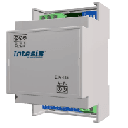
IntesisBox
Controls AC units via Intesis MBS-1 Modbus RTU gateways.
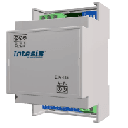
This template provides read and write control of air conditioning units through Intesis MBS-1 Modbus RTU gateways. It covers on/off switching, operation mode, fan speed, vane position, temperature setpoint, and alarm monitoring. Compatible with all Intesis MBS-1 gateway models.
- Protocol
- Modbus RTU
- Connection
- RS485, 9600 baud
- Registers
- 15, read and write
- Brand
- Intesis
- Key readings
- On/Off status · Operation mode · Fan speed · Indoor temperature · Temperature setpoint · Alarm status and error code
- Available commands
- On/Off · Operation mode and fan speed · Temperature setpoint · Vane position (up/down, left/right)
- Compatible models
- MBS-1
- Last updated
Registers (15)
15 read, 12 write
| Name | Unit | Access | Address (Hidden until you enter your email) | Function (hidden) | Type (hidden) |
|---|---|---|---|---|---|
| 2 - FanSpeed | °C | Read and write | |||
| 1 - Operation Mode | °C | Read and write | |||
| 3 - UpDownVanePosition | °C | Read and write | |||
| 4 - Temperature (User) Setpoint | °C | Read and write | |||
| 0 - On-Off | °C | Read and write | |||
| 6 - WindowContact | °C | Read and write | |||
| 7 - ControlDisablement | °C | Read and write | |||
| 8 - RemoteControlDisablement | °C | Read and write | |||
| 10 - AlarmStatus | °C | Read | |||
| 11 - ErrorCode | °C | Read | |||
| 26 - LeftRightVanePosition | °C | Read and write | |||
| 22 - Current Temperature indoor | °C | Read and write | |||
| 23 - AC real Setpoint | °C | Read | |||
| 28 - HumidificationValue | °C | Read and write | |||
| 9 - OperationTime | °C | Read and write |
Loading registers…
Send your device list
If a device is not in the library yet, we build the template for free as soon as we have the register data.
Use cases
- Monitor indoor temperature and AC status across multiple sites from a single cloud dashboard.
- Adjust temperature setpoints remotely when building occupancy schedules change.
- Create an alert when the Intesis gateway reports an AC alarm or error code.
- Log operation mode and fan speed over time to verify HVAC system performance.
- Control vane position remotely to optimize airflow distribution in server rooms or retail spaces.
Installation
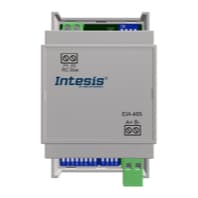
Wire the Modbus RTU (EIA-485) A and B lines from the Intesis MBS-1 gateway to the RS-485 port on your ModbusCloud Gateway.
Set the Modbus slave address on the Intesis MBS-1 unit using its DIP switches or configuration software, and note the address for template configuration.
Confirm that the MBS-1 gateway is set to 9600 baud, 8 data bits, no parity, and 1 stop bit, which matches the template defaults.
Power on the MBS-1 gateway and verify that the AC indoor unit is recognized by checking the status LEDs on the Intesis device.
Import the IntesisBox MBS-1 common template in the ModbusCloud platform and assign the correct Modbus slave address.
Verify live data by checking that indoor temperature and on/off status appear correctly on the ModbusCloud dashboard.
Things to watch for
The template shows zero or no data for indoor temperature. What should I check?
Confirm that the MBS-1 gateway has established communication with the AC indoor unit. The status LED on the Intesis device should indicate a valid connection. If the AC unit is off, some models may not report temperature until powered on.
Can I use this template for any AC brand?
This template works with all Intesis MBS-1 gateways, but the AC brand must be supported by the specific MBS-1 model you purchased. Check the Intesis compatibility list at intesis.com before ordering.
Vane control registers do not seem to have any effect. Is this normal?
Not all AC brands or indoor unit models support motorized vane control via the Intesis gateway. Check the Intesis documentation for your specific MBS-1 model to see which registers are active for your AC brand.
What baud rate and parity settings should I use?
The default is 9600 baud, 8 data bits, no parity, 1 stop bit. These settings must match on both the MBS-1 gateway and the ModbusCloud gateway RS-485 port.
Want to see how it works?
