








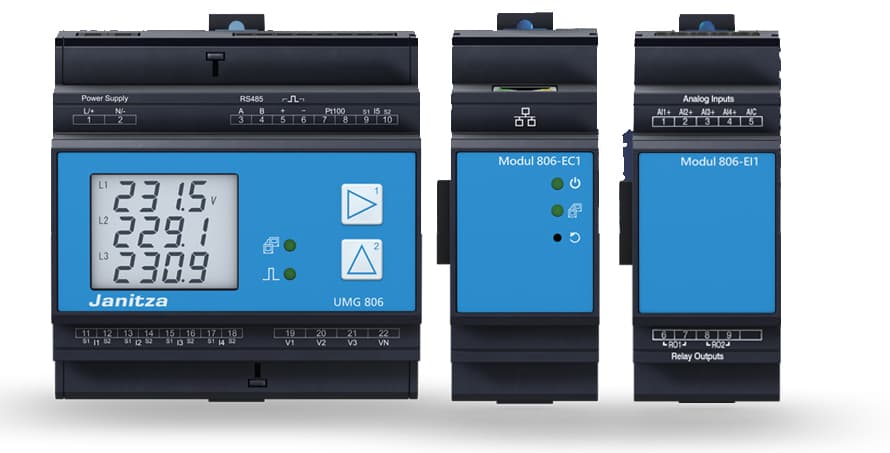
Janitza UMG 806-EC1 Modbus TCP
Monitors energy quantities via a multifunctional energy analyzer over Modbus TCP.
Template for the Janitza UMG 806 and UMG 806-EC1 multifunctional energy analyzers. Reads voltage, current, power, frequency, and energy values over Modbus TCP. All 14 registers are read-only float32 values, so no device control is included.
- Protocol
- Modbus TCP
- Connection
- Ethernet, Modbus TCP
- Registers
- 14, read only
- Brand
- Janitza
- Key readings
- Voltage L1-N to L3-N · Current L1 to L3 · Real Power · Reactive Power · Apparent Power · Energy Consumed and Delivered
- Compatible models
- UMG 806 · UMG 806-EC1
- Last updated
Registers (14)
14 read, 0 write
| Name | Unit | Access | Address (Hidden until you enter your email) | Function (hidden) | Type (hidden) |
|---|---|---|---|---|---|
| Voltage L1-N | V | Read | |||
| Voltage L2-N | V | Read | |||
| Voltage L3-N | V | Read | |||
| Current L1 | A | Read | |||
| Current L2 | A | Read | |||
| Current L3 | A | Read | |||
| Measured frequency | Hz | Read | |||
| Real Energy Consumed | kWh | Read | |||
| Apparent Energy | kVAh | Read | |||
| Reactive Energy | kvarh | Read | |||
| Real Power | kW | Read | |||
| Reactive Power | kvar | Read | |||
| Apparent Power | kVA | Read | |||
| Real Energy Delivered | kWh | Read |
Loading registers…
Send your device list
If a device is not in the library yet, we build the template for free as soon as we have the register data.
Use cases
- Monitor three-phase voltage, current, and power on a live cloud dashboard for each installation site.
- Track cumulative energy consumed and delivered over time to support tenant billing or energy audits.
- Create an alert when phase current exceeds a defined threshold to prevent overload conditions.
- Compare real power, reactive power, and apparent power to identify power factor issues remotely.
- Log frequency deviations over time to detect grid instability at the point of connection.
- Generate periodic energy reports for facility managers without visiting the site.
Installation
Mount the Janitza UMG 806 or UMG 806-EC1 in the distribution board and wire the voltage and current inputs according to the Janitza installation manual.
Connect the UMG 806 to the local Ethernet network and assign a static IP address through the device display or Janitza GridVis software.
Verify that Modbus TCP is enabled on the analyzer and note the configured Modbus TCP port (default is 502).
Connect your ModbusCloud Gateway to the same local network and ensure it can reach the analyzer IP address.
Import the Janitza UMG 806-EC1 Modbus TCP template in the ModbusCloud platform and enter the device IP address and Modbus unit ID.
Confirm live data appears on your ModbusCloud dashboard by checking that voltage and current readings match the local display on the analyzer.
Things to watch for
What byte order does the UMG 806 use for float32 registers?
The UMG 806 uses big-endian (AB CD) byte order for its float32 registers. The ModbusCloud template is preconfigured with this byte order, so no manual adjustment is needed.
I see zero values for all energy registers after connecting. What should I check?
Energy registers are cumulative. If the analyzer was recently installed or reset, the counters may still be at zero. Verify on the local device display that energy values are accumulating. Also confirm the register start address is set to 19000.
Can I use this template with a UMG 806 that does not have the EC1 suffix?
Yes. The standard UMG 806 and the UMG 806-EC1 share the same Modbus register map for the values covered by this template. Both models are supported.
What is the default Modbus TCP port and unit ID for the UMG 806?
The default Modbus TCP port is 502. The default unit ID is typically 1, but this can be changed in the device settings. Make sure the unit ID in ModbusCloud matches the value configured on the analyzer.


Want to see how it works?
