









Janitza UMG801
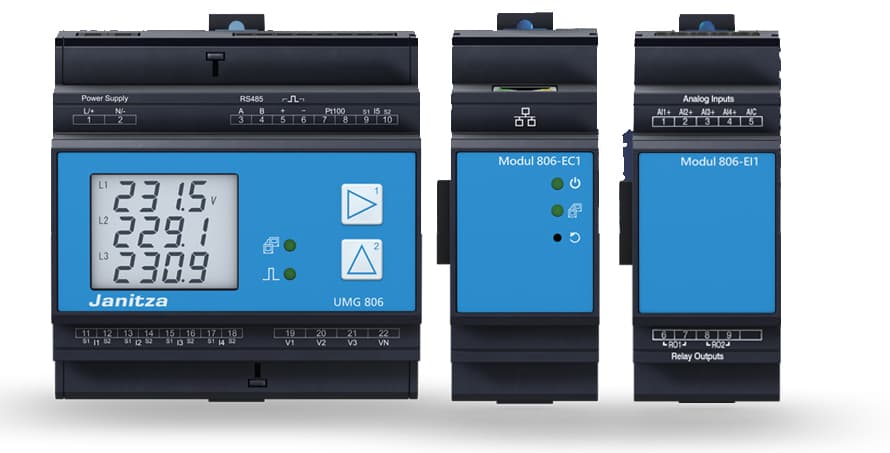
The Janitza UMG 801 is a modular DIN-rail power analyzer used in industrial and commercial energy monitoring systems. This ModbusCloud template reads the three phase-to-neutral voltages (L1, L2, L3) from the UMG 801 over Modbus TCP, using 32-bit float registers updated every 200 ms. Values are delivered with transformer ratios already applied, so no additional scaling is required in your portal. Connecting the Janitza UMG 801 to the ModbusCloud Gateway gives installers a live, per-phase voltage view across all monitored distribution points.
- Protocol
- Modbus TCP
- Connection
- Ethernet, Modbus TCP
- Registers
- 3, read only
- Brand
- Janitza
- Last updated
Registers (3)
3 read, 0 write
| Name | Unit | Access | Address (Hidden until you enter your email) | Function (hidden) | Type (hidden) |
|---|---|---|---|---|---|
| voltage_l1 | V | Read | |||
| voltage_l2 | V | Read | |||
| voltage_l3 | V | Read |
Loading registers…
Send your device list
If a device is not in the library yet, we build the template for free as soon as we have the register data.
Use cases
- Monitor per-phase voltage levels continuously to detect supply imbalances across a three-phase installation.
- Alert on voltage on L1, L2, or L3 dropping below or exceeding site-specific thresholds to catch grid disturbances early.
- Track long-term voltage trends on all three phases to verify grid quality compliance over weeks or months.
- Compare L1, L2, and L3 readings to identify persistent phase imbalance that could damage connected equipment.
- Report historical voltage data from the Janitza UMG 801 to support ISO 50001 energy management documentation.
Installation
Enable Modbus TCP on the Janitza UMG 801 by opening the integrated web server via its IP address and confirming the Modbus TCP service is active under the communication settings.
Connect the UMG 801 to the same Ethernet network as the ModbusCloud Gateway using a standard RJ45 patch cable into either of the device's two Ethernet ports.
In the ModbusCloud portal, add the Gateway, import the Janitza UMG 801 template, assign the device IP address and the correct Modbus unit ID, and set port 502.
Verify the connection by checking that voltage_l1, voltage_l2, and voltage_l3 all return live float values in the register overview; cross-check one reading against the UMG 801 front display.
Things to watch for
All three voltage registers return zero. What is wrong?
The UMG 801 only produces measurements when at least one voltage input carries an L-N voltage above 10 Veff. Confirm the voltage measurement terminals are correctly wired and that the supply is live. Also verify that the device has completed startup before polling.
Voltage readings look correct on the display but wrong in the portal.
Janitza float registers use Big-Endian (MSB-first) word order. Confirm your Modbus TCP client is set to Big-Endian for 32-bit floats. A swapped word order will produce values that are either garbled or implausibly large. The ModbusCloud Gateway handles this automatically when using the supplied template.
The gateway connects but register reads time out intermittently.
The UMG 801 refreshes its Modbus registers every 200 ms. Timeouts often result from network congestion or an overly short TCP timeout in the polling configuration. Set the read timeout to at least 1000 ms, and ensure no other Modbus master is polling the same unit ID at the same time.
I cannot reach the UMG 801 by IP. How do I find its address?
If the device has no DHCP assignment and no static IP is known, connect a PC directly to the UMG 801 with a patch cable and access the default IP address documented in the Janitza commissioning guide. Alternatively, use the front panel navigation buttons to read the current IP address from the network settings screen.




Want to see how it works?
