









Janitza UMG104
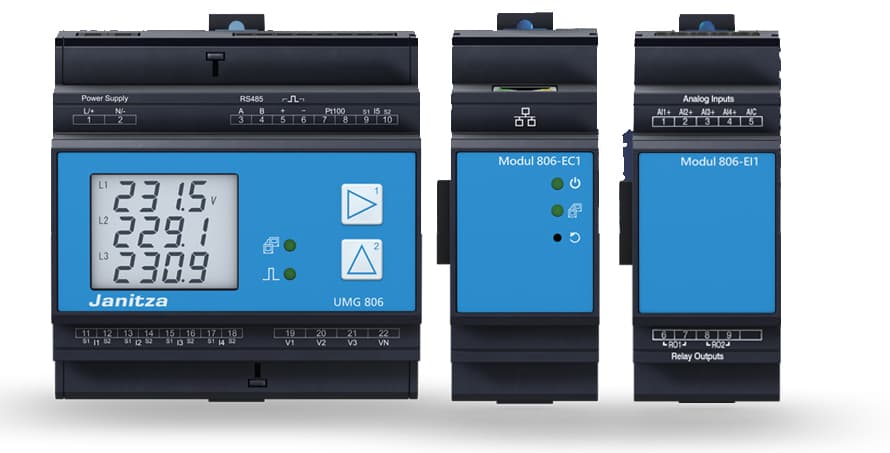
The Janitza UMG104 is a three-phase power analyser designed for energy monitoring in distribution boards, switchgear panels, and building electrical installations. This Modbus RTU template reads per-phase voltage, current, active power, and reactive power across all three phases, plus total active and reactive power sums, grid frequency, phase rotation field, internal device temperature, and cumulative active consumption and production energy counters. Installers and facility managers can use this data in the ModbusCloud portal to track load balance, detect wiring anomalies, and report on energy consumption and feed-in over time.
- Protocol
- Modbus RTU
- Connection
- RS485
- Registers
- 19, read only
- Brand
- Janitza
- Last updated
Registers (19)
19 read, 0 write
| Name | Unit | Access | Address (Hidden until you enter your email) | Function (hidden) | Type (hidden) |
|---|---|---|---|---|---|
| voltage_l1 | V | Read | |||
| voltage_l2 | V | Read | |||
| voltage_l3 | V | Read | |||
| current_l1 | A | Read | |||
| current_l2 | A | Read | |||
| current_l3 | A | Read | |||
| active_power_l1 | W | Read | |||
| active_power_l2 | W | Read | |||
| active_power_l3 | W | Read | |||
| reactive_power_l1 | W | Read | |||
| reactive_power_l2 | W | Read | |||
| reactive_power_l3 | W | Read | |||
| active_power | W | Read | |||
| reactive_power | var | Read | |||
| frequency | Hz | Read | |||
| rotation_field | Read | ||||
| internal_temperature | °C | Read | |||
| active_consumption_energy | Wh | Read | |||
| active_production_energy | Wh | Read |
Loading registers…
Send your device list
If a device is not in the library yet, we build the template for free as soon as we have the register data.
Use cases
- Monitor per-phase voltage on L1, L2, and L3 to detect supply asymmetry in a distribution panel.
- Track cumulative active consumption energy to produce monthly tenant sub-metering reports.
- Alert on sustained reactive power imbalance across phases to identify power factor issues.
- Verify phase rotation field after panel rewiring or current transformer replacement.
- Compare active production energy against consumption energy to report net grid exchange over time.
Installation
Enable Modbus RTU on the UMG104 by entering programming mode via the two front keys, then set the device address (default 1), baud rate, and operating mode under the RS485 communication section.
Connect the ModbusCloud Gateway to the UMG104 RS485 terminals using twisted-pair shielded cable; do not use CAT cables. Add a bus terminating resistor at the end of the RS485 line, as the UMG104 has no internal termination.
In the ModbusCloud portal, add the Gateway, import the Janitza UMG104 template, and set the Modbus unit ID to match the device address configured on the meter.
Verify the connection by spot-checking the voltage_l1 register: a value near your nominal supply voltage confirms successful communication; a zero or wildly incorrect value indicates a wiring or address mismatch.
Things to watch for
All float registers return garbage or near-zero values. What is wrong?
The UMG104 returns 32-bit IEEE 754 floats in big-endian byte order. If your Modbus master assembles the two 16-bit words in little-endian order, every float value will be corrupted. Confirm the Gateway is set to big-endian word order for float32 registers, which is the standard Janitza convention.
The gateway connects but no measurement values appear. Why?
The UMG104 only produces valid measurements when a voltage L-N above 10 Veff or voltage L-L above 18 Veff is present on at least one voltage input. Confirm the meter is energised and the voltage wiring is correct. Also verify the Modbus unit ID in the portal matches the device address programmed on the meter.
Active power reads correctly in magnitude but shows a negative sign unexpectedly.
A negative active power reading on a phase usually means the current transformer secondary leads S1 and S2 are swapped, reversing the current direction. Check the CT polarity markings against the wiring. If the installation genuinely feeds energy back to the grid, the negative sign is expected and the active_production_energy counter will accumulate.
Register reads fail with a timeout even though the address and baud rate look correct.
Some Modbus masters number registers starting at 1 rather than 0. Janitza documents addresses starting at 0, so address 1317 on some masters must be entered as 1318. Check whether your Gateway uses 0-based or 1-based addressing and adjust accordingly. Also confirm baud rate, parity, and stop bits match the meter settings exactly.




Want to see how it works?
