








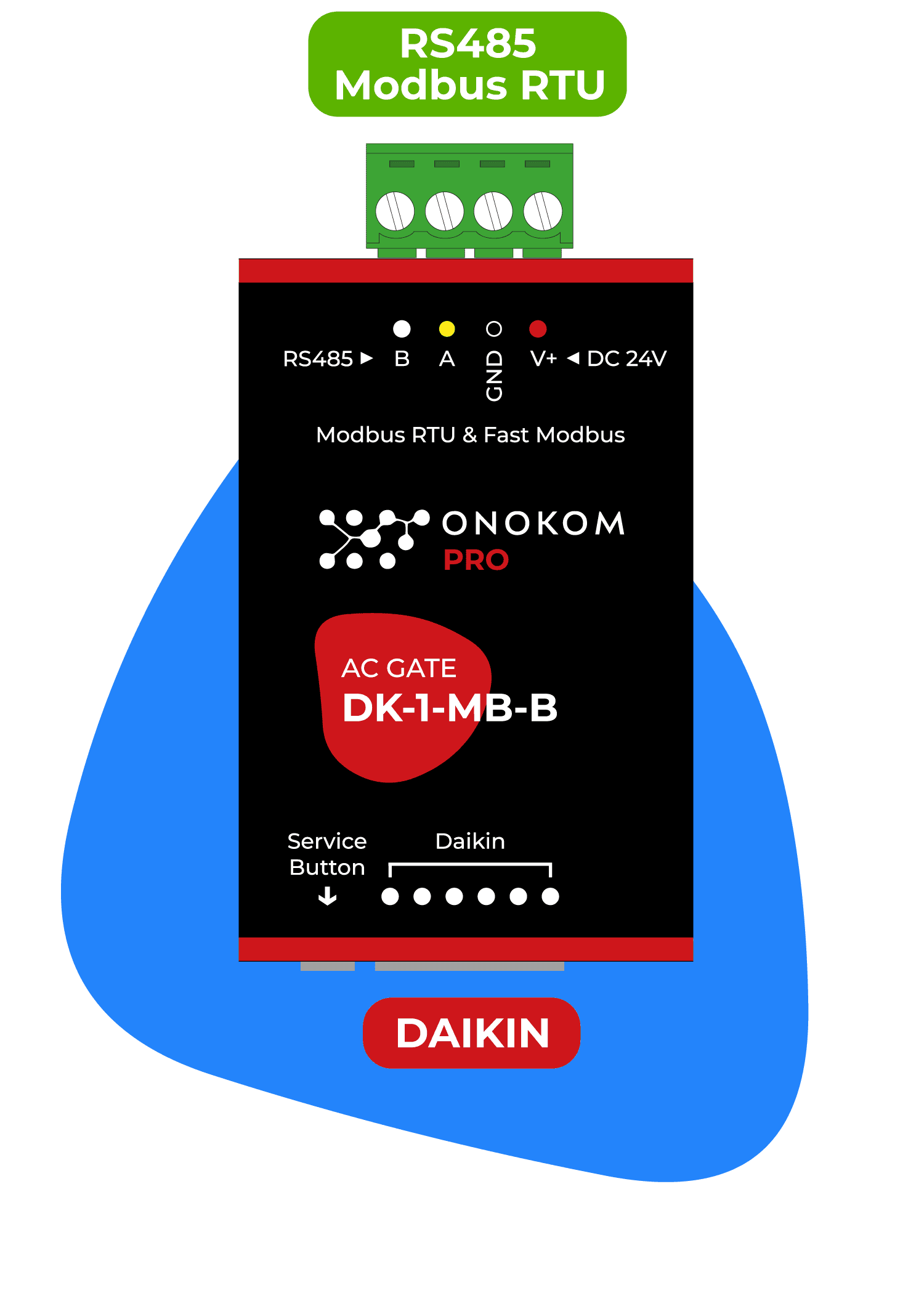
ONOKOM AIR DK-1-MB-B
Controls Daikin air conditioners via the ONOKOM DK-1-MB-B Modbus gateway.
This template connects Daikin air conditioners to ModbusCloud via the ONOKOM DK-1-MB-B gateway over Modbus RTU. It reads indoor and outdoor temperatures, operating status, and fan speed, while providing full climate control including mode selection, vane positioning, and on/off switching.
- Protocol
- Modbus RTU
- Connection
- RS485, 9600 baud
- Registers
- 18, read and write
- Brand
- Onokom
- Key readings
- Indoor air temperature · Outdoor air temperature · AC connected · Current fan speed · Target fan speed · Vertical/Horizontal vanes status
- Available commands
- Target temperature · Fan speed and vanes swing · Mode selection (Eco, Turbo, Quiet) · Active on/off
- Compatible models
- ONOKOM DK-1-MB-B
- Last updated
Registers (18)
12 read, 13 write
| Name | Unit | Access | Address (Hidden until you enter your email) | Function (hidden) | Type (hidden) |
|---|---|---|---|---|---|
| Indoor air temperature | °C | Read | |||
| Outdoor air temperature | °C | Read | |||
| AC connected | Read | ||||
| Screen light (Status) | Read and write | ||||
| Screen low bright (Status) | Read and write | ||||
| Eco mode (Status) | Read and write | ||||
| Vertical vanes (Status) | Read and write | ||||
| Target fan speed | Read | ||||
| Current fan speed | Read | ||||
| Turbo mode (Status) | Read and write | ||||
| Horizontal vanes (Status) | Read and write | ||||
| Quiet mode (Status) | Read and write | ||||
| Active (Control) | Write | ||||
| Loxone modes (Control) | Write | ||||
| Fan speed | Write | ||||
| Target temperature | °C | Write | |||
| Modbus address (Service) | Write | ||||
| Vanes swing | Write |
Loading registers…
Send your device list
If a device is not in the library yet, we build the template for free as soon as we have the register data.
Use cases
- Monitor indoor and outdoor air temperatures on a live dashboard to verify Daikin AC performance remotely.
- Create alerts when indoor temperature deviates from setpoint for more than a configurable time period.
- Schedule Eco or Quiet mode activation during off-peak hours to reduce energy consumption.
- Control fan speed and vane swing direction remotely for tenant comfort adjustments without a site visit.
- Verify AC connection status across multiple Daikin units in a building from a single cloud overview.
- Switch Daikin air conditioners on or off remotely based on occupancy schedules or building management rules.
Installation
Connect the ONOKOM DK-1-MB-B gateway to the Daikin indoor unit using the S21 or P1P2 connector as specified in the ONOKOM installation manual.
Wire the Modbus RTU side of the ONOKOM DK-1-MB-B (A and B terminals) to the RS-485 port on your ModbusCloud Gateway.
Set the Modbus slave address on the ONOKOM DK-1-MB-B using its DIP switches or configuration tool, and note the address for template configuration.
Configure the ModbusCloud gateway serial port to 9600 baud, 8 data bits, no parity, 1 stop bit to match the ONOKOM default settings.
Import the ONOKOM DK-1-MB-B template in the ModbusCloud platform and assign the correct Modbus slave address.
Verify that temperature readings and AC status appear correctly on the ModbusCloud dashboard before enabling control functions.
Things to watch for
Why do I see incorrect values for indoor temperature or mode status?
Some register addresses overlap between read and write maps on the ONOKOM DK-1-MB-B. Ensure the correct Modbus function codes are used. Input registers (function code 04) and holding registers (function code 03) may share the same address but serve different purposes.
What baud rate should I use for the ONOKOM DK-1-MB-B?
The default baud rate is 9600 with 8 data bits, no parity, and 1 stop bit (9600 8N1). Make sure the ModbusCloud gateway serial port matches these settings exactly.
Can I use one template for multiple Daikin units in the same building?
Yes. Each Daikin unit requires its own ONOKOM DK-1-MB-B gateway with a unique Modbus slave address. You can reuse the same template for each unit and just change the slave address in the ModbusCloud configuration.
The AC unit shows as disconnected in the dashboard. What should I check?
Verify the physical connection between the ONOKOM gateway and the Daikin indoor unit. Check that the RS-485 wiring between the ONOKOM gateway and the ModbusCloud gateway is correct, with A connected to A and B connected to B. Also confirm the slave address matches.
Want to see how it works?
