








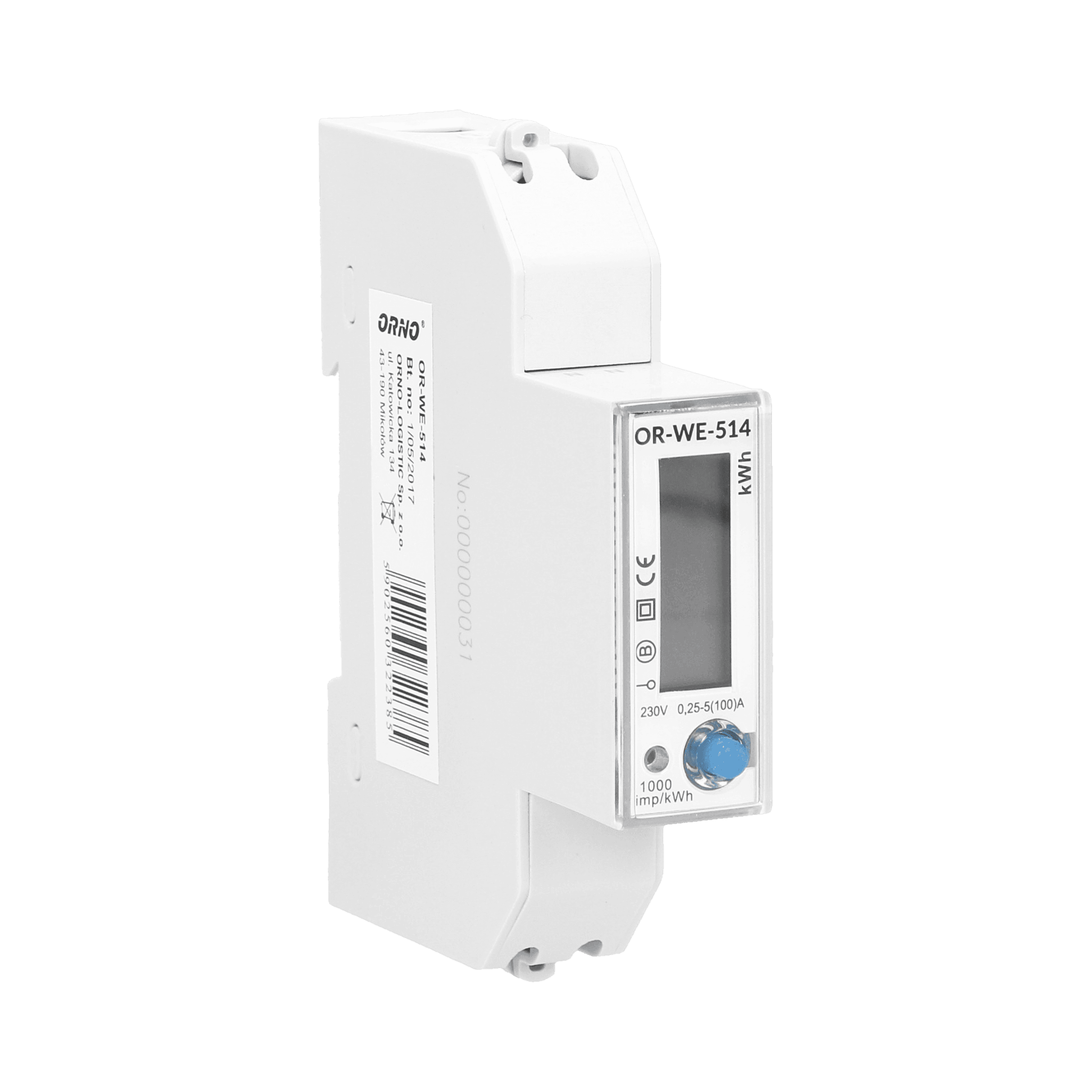
Orno OR-WE-514
Reads power, energy, voltage and current from a 1-phase energy meter.
The Orno OR-WE-514 is a single-phase energy meter with an RS-485 port. This ModbusCloud template reads effective active power (kW), total active energy (kWh), voltage (V), and current (A) via Modbus RTU at 9600 baud. No write or control registers are included.
- Protocol
- Modbus RTU
- Connection
- RS485, 9600 baud
- Registers
- 4, read only
- Brand
- ORNO
- Key readings
- Effective active power (kW) · Current total active energy (kWh) · Effective voltage (V) · Effective current (A)
- Compatible models
- OR-WE-514
- Last updated
Registers (4)
4 read, 0 write
| Name | Unit | Access | Address (Hidden until you enter your email) | Function (hidden) | Type (hidden) |
|---|---|---|---|---|---|
| Effective active power | kW | Read | |||
| Current total active power | kWh | Read | |||
| Effective voltage | V | Read | |||
| Effective current | A | Read |
Loading registers…
Send your device list
If a device is not in the library yet, we build the template for free as soon as we have the register data.
Use cases
- Monitor real-time power consumption and voltage on a live cloud dashboard for a residential customer.
- Track cumulative energy usage over time to verify utility billing or tenant sub-metering accuracy.
- Create an alert when effective current exceeds a defined threshold, signaling potential overload conditions.
- Compare energy consumption across multiple single-phase circuits by deploying several OR-WE-514 meters on one RS-485 bus.
- Generate daily or monthly energy reports for facility managers or building owners.
Installation
Connect a USB to RS-485 converter to the OR-WE-514 RS-485 terminals and use the Orno configuration software to set the desired Modbus slave address before field installation.
Mount the OR-WE-514 on a DIN rail in the distribution board and wire the load through the meter according to the manufacturer wiring diagram.
Connect the RS-485 A and B terminals of the OR-WE-514 to the corresponding RS-485 terminals on the ModbusCloud Gateway, observing correct polarity.
In the ModbusCloud platform, import the Orno OR-WE-514 template and assign the Modbus slave address you configured earlier.
Verify that the gateway baud rate is set to 9600 with even parity (8E1) to match the meter default settings.
Confirm live data appears on your ModbusCloud dashboard by checking that power, energy, voltage, and current values are updating correctly.
Things to watch for
Why does the meter not respond on the RS-485 bus?
The OR-WE-514 does not allow setting the Modbus address via on-device buttons. You must first configure the slave address using the Orno configuration software and a USB to RS-485 converter. Without this step, the meter may still use its factory default address or may not respond at all.
What baud rate and parity settings should I use?
The default communication settings are 9600 baud with even parity (8E1). Make sure the ModbusCloud gateway RS-485 port is configured to match these exact settings.
Can I connect multiple OR-WE-514 meters to one gateway?
Yes. Each meter must have a unique Modbus slave address on the shared RS-485 bus. Assign each meter its own address using the Orno configuration software before wiring them together.
The energy value seems incorrect or does not increment. What should I check?
Verify that the load wiring passes through the meter correctly and that the current direction matches the meter markings. Also confirm that the register byte order in the template matches your firmware version by comparing a known reading on the meter display with the dashboard value.

Want to see how it works?
