








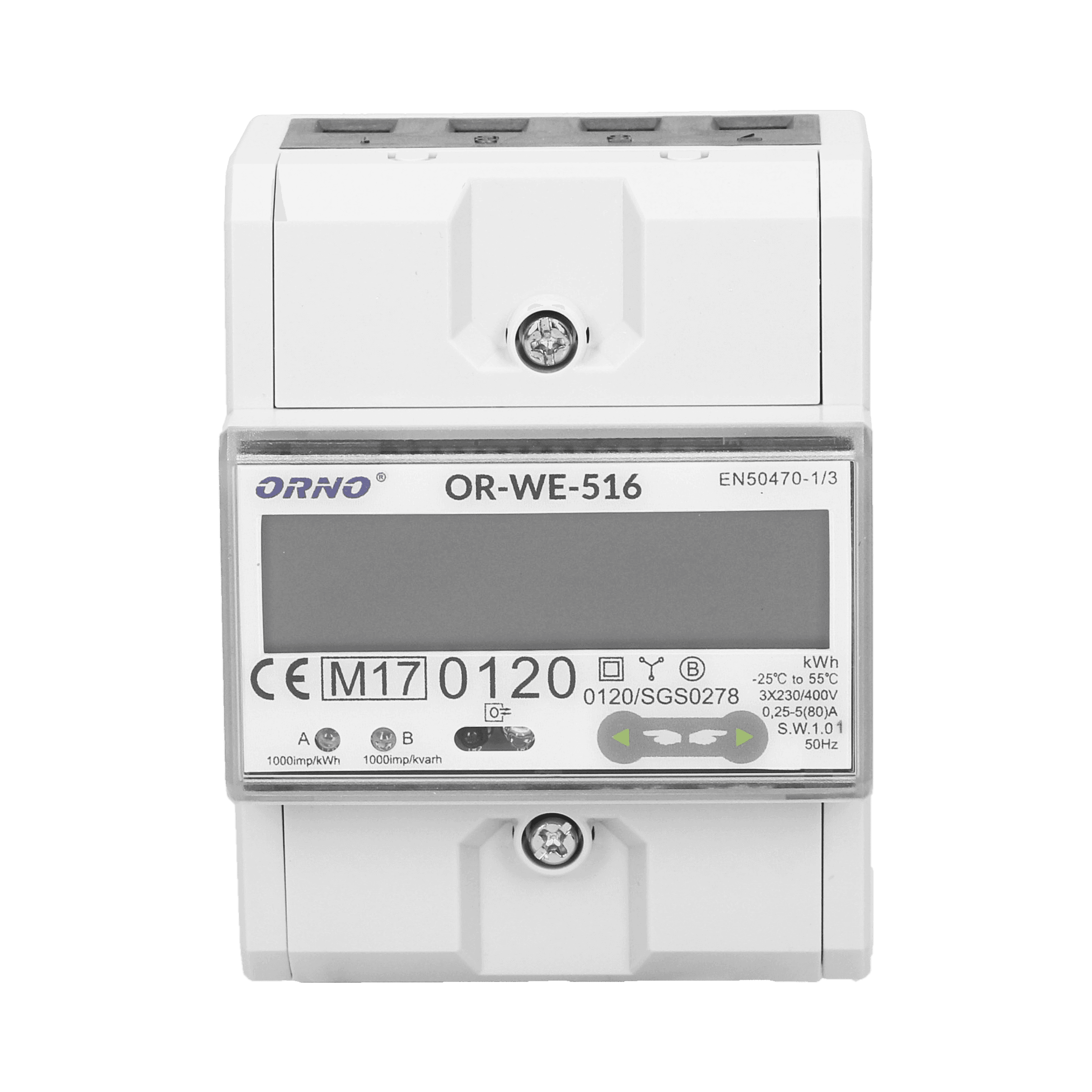
Orno OR-WE-516 Energy Meter
Reads energy data from Orno OR-WE-516 3-phase bidirectional meter via Modbus RTU.
Template for the Orno OR-WE-516, a 3-phase bidirectional energy meter (max 80A, MID certified). It reads voltage, current, power, power factor, and total active, import, and export energy values via Modbus RTU.
- Protocol
- Modbus RTU
- Connection
- RS485
- Registers
- 12, read only
- Brand
- ORNO
- Key readings
- Voltage L1 to L3 · Current L1 to L3 · Active Power · Reactive Power · Power Factor · Total Energy (Active, Import, Export)
- Compatible models
- OR-WE-516
- Last updated
Registers (12)
12 read, 0 write
| Name | Unit | Access | Address (Hidden until you enter your email) | Function (hidden) | Type (hidden) |
|---|---|---|---|---|---|
| L1 Voltage | V | Read | |||
| L1 Current | A | Read | |||
| Total Active Energy | kWh | Read | |||
| L2 Current | A | Read | |||
| L3 Current | A | Read | |||
| L2 Voltage | V | Read | |||
| L3 Voltage | V | Read | |||
| Active Power | kW | Read | |||
| Reactive Power | VA | Read | |||
| Power Factor | Read | ||||
| Total Energy Import | kWh | Read | |||
| Total Energy Export | kWh | Read |
Loading registers…
Send your device list
If a device is not in the library yet, we build the template for free as soon as we have the register data.
Use cases
- Monitor real-time voltage, current, and power across all three phases on a cloud dashboard.
- Track total energy import and export for sites with solar PV or feed-in arrangements.
- Create alerts when power factor drops below a threshold to detect reactive power issues.
- Compare energy consumption and generation trends over time using historical charts.
- Verify MID-certified meter readings remotely without visiting the customer site.
Installation
Wire the RS-485 A and B terminals of the Orno OR-WE-516 to the corresponding RS-485 port on your ModbusCloud Gateway.
If multiple devices share the same RS-485 bus, use the OR-WE RS-485 software from the Orno website to assign a unique Modbus address to each meter.
Verify the baud rate and parity settings on the OR-WE-516 match the configuration of your ModbusCloud gateway.
Import the Orno OR-WE-516 template from the ModbusCloud template library and set the slave address to match the meter.
Power on the gateway and confirm that live readings for voltage, current, and energy appear in the ModbusCloud dashboard.
Things to watch for
All register values show zero or no data appears in the dashboard. What should I check?
Confirm that the RS-485 wiring is correct (A to A, B to B) and that the slave address configured in the template matches the address set on the meter. The default address is 1.
Can I connect multiple Orno meters on one RS-485 bus?
Yes, but each meter must have a unique Modbus address. Use the OR-WE RS-485 software from the Orno website to change the default address before connecting multiple devices.
What data format do the registers use?
All registers on the OR-WE-516 are float32. The ModbusCloud template is preconfigured with this format, so no manual byte-order adjustments are needed.
Is this meter suitable for billing or compliance monitoring?
The OR-WE-516 is MID certified, which makes it accepted for billing purposes in many European jurisdictions. Always verify local regulations for your specific application.

Want to see how it works?
