









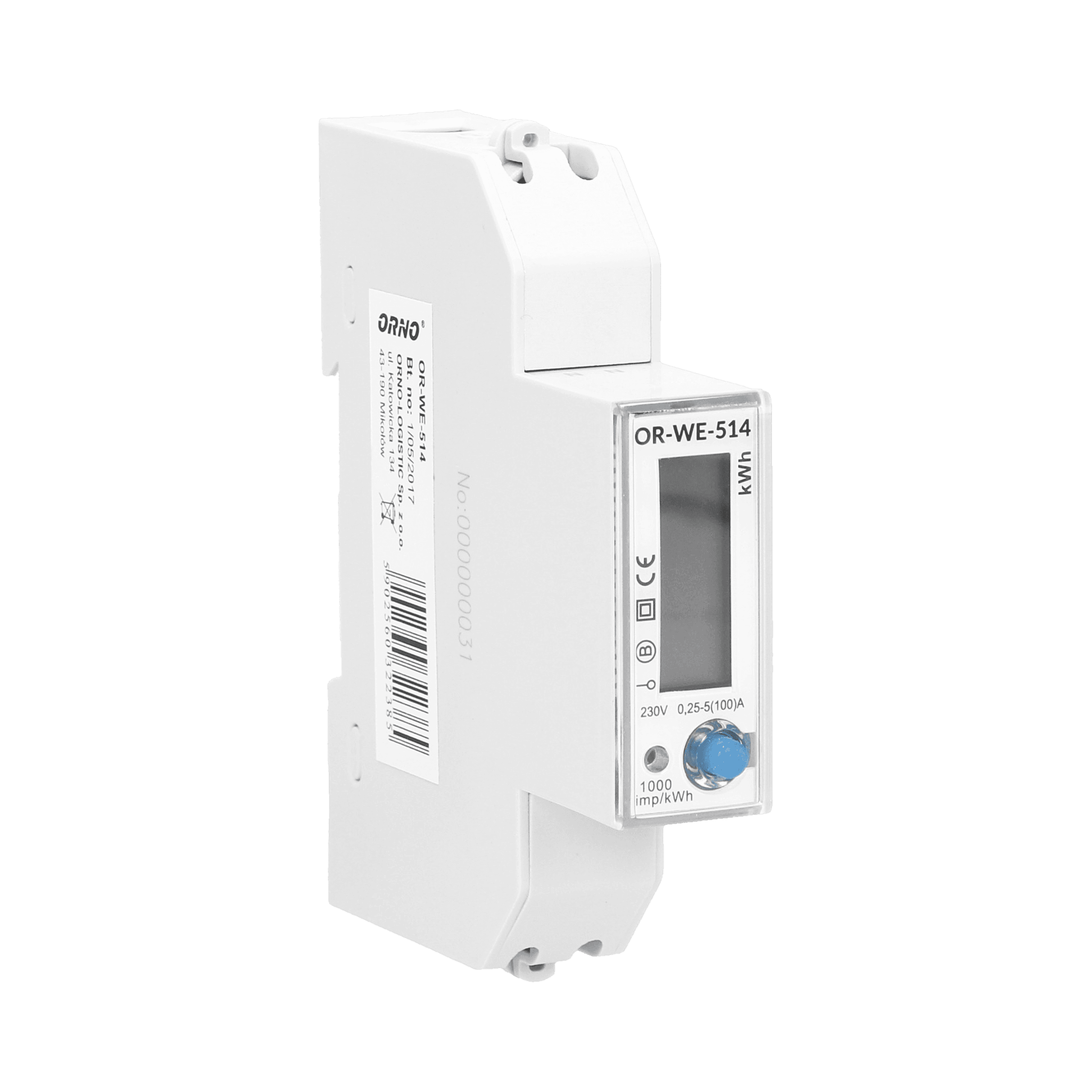
Orno OR-WE-514
Monitors single-phase energy metering via Modbus RTU on a DIN-rail module.
This template connects the Orno OR-WE-514 single-phase DIN-rail energy meter to the ModbusCloud platform via Modbus RTU. It reads voltage, current, power, energy, frequency, and power factor, and allows configuration of the LCD display menu view.
- Protocol
- Modbus RTU
- Connection
- RS485, 9600 baud
- Registers
- 12, read and write
- Brand
- ORNO
- Key readings
- Grid Frequency · Voltage · Current · Active Power · Reactive Power · Apparent Power · Power Factor · Active Energy · Reactive Energy
- Available commands
- Display Setup View
- Compatible models
- OR-WE-514
- Last updated
Registers (12)
12 read, 1 write
| Name | Unit | Access | Address (Hidden until you enter your email) | Function (hidden) | Type (hidden) |
|---|---|---|---|---|---|
| Modbus ID | Read | ||||
| Modbus Baudrate | Read | ||||
| Display Setup view | Read and write | ||||
| Grid Frequency | Hz | Read | |||
| Voltage | V | Read | |||
| Current | A | Read | |||
| Active Power | W | Read | |||
| Reactive Power | var | Read | |||
| Apparent Power | VA | Read | |||
| Power Factor | kWh | Read | |||
| Reactive Energy | varh | Read | |||
| Active energy | Wh | Read |
Loading registers…
Send your device list
If a device is not in the library yet, we build the template for free as soon as we have the register data.
Use cases
- Monitor real-time voltage, current, and power on a live ModbusCloud dashboard for a single-phase installation.
- Track cumulative active and reactive energy consumption remotely to support billing verification.
- Create an alert when power factor drops below a defined threshold to detect potential power quality issues.
- Configure the LCD display menu view remotely without physical access to the meter.
- Log grid frequency over time to identify supply instability in rural or edge-of-grid locations.
- Compare apparent power versus active power to assess the reactive load contribution of connected equipment.
Installation
Mount the Orno OR-WE-514 on a DIN rail and wire the single-phase supply and load connections according to the meter's wiring diagram.
Connect the RS-485 A and B terminals of the OR-WE-514 to the corresponding terminals on your ModbusCloud Gateway, and ensure proper termination if it is the last device on the bus.
Set the meter's Modbus slave address using the front panel buttons, and confirm it does not conflict with other devices on the same RS-485 bus.
Verify the communication settings on both the meter and the gateway are set to 9600 baud, even parity, and 1 stop bit.
Import the Orno OR-WE-514 template in the ModbusCloud platform and assign it to the correct gateway and slave address.
Confirm that live readings for voltage, current, and active power appear on the ModbusCloud dashboard before closing the electrical panel.
Things to watch for
Why am I not receiving Active Energy or Reactive Energy readings even though other registers work?
The Active Energy register is at address 40960 and Reactive Energy at 40990, which are far from the other registers in the 200 to 400 range. Some gateways may time out if poll groups span a very wide address range. Ensure your polling configuration covers both address ranges separately.
What baud rate and parity settings should I use for the OR-WE-514?
The default settings are 9600 baud with even parity (1 stop bit). Both the meter and the Modbus gateway must use the same settings. A mismatch will result in no communication or CRC errors.
Can I connect multiple OR-WE-514 meters to a single RS-485 bus?
Yes, each meter must be assigned a unique Modbus slave address. Ensure the RS-485 bus is properly terminated and that the total cable length and number of devices stay within RS-485 specifications.
What data type do the registers use?
All registers on the OR-WE-514 use uint16 format. No byte swapping or 32-bit register pairing is needed for the standard readings.
Want to see how it works?
