








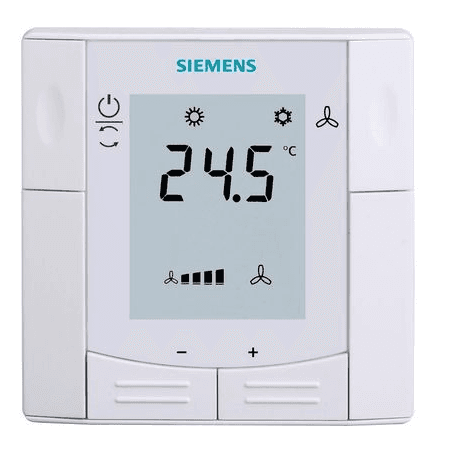
Siemens RDF660MB
Controls a Siemens room thermostat via Modbus RTU
This template connects to the Siemens RDF660MB room thermostat via Modbus RTU. It reads the current room temperature and setpoint, and allows remote writing of the room setpoint. Ideal for centralized HVAC monitoring and control.
- Protocol
- Modbus RTU
- Connection
- RS485, 9600 baud
- Registers
- 3, read and write
- Brand
- Siemens
- Key readings
- Room Temperature · Room Setpoint
- Available commands
- Room Setpoint
- Compatible models
- RDF660MB
- Last updated
Registers (3)
2 read, 1 write
| Name | Unit | Access | Address (Hidden until you enter your email) | Function (hidden) | Type (hidden) |
|---|---|---|---|---|---|
| Room Temperature | °C | Read | |||
| Room Setpoint | °C | Read | |||
| Room Setpoint | °C | Write |
Loading registers…
Send your device list
If a device is not in the library yet, we build the template for free as soon as we have the register data.
Use cases
- Monitor room temperature across multiple zones on a single ModbusCloud dashboard.
- Adjust the room setpoint remotely when a guest or tenant requests a temperature change.
- Create an alert when room temperature deviates from the setpoint by more than 2 degrees for over 15 minutes.
- Log historical temperature data to verify HVAC system performance during commissioning.
- Schedule setpoint changes for unoccupied periods to reduce energy consumption.
Installation
Wire the Siemens RDF660MB to the Modbus RTU bus using a twisted pair cable, connecting A and B terminals correctly.
Set a unique Modbus slave address on the RDF660MB using its local configuration menu.
Configure the baud rate to 9600 on both the thermostat and the Modbus gateway to ensure matching communication settings.
Connect the Modbus RTU bus to your ModbusCloud Gateway via the RS485 port.
Import the Siemens RDF660MB template from the ModbusCloud template library and assign the correct slave address.
Verify communication by checking live room temperature and setpoint values on the ModbusCloud dashboard.
Things to watch for
Why do I read the correct room temperature but cannot change the setpoint?
The read and write registers for the room setpoint use different Modbus addresses. The read address is 4 and the write address is 103. Make sure your template is configured with both addresses correctly.
The gateway cannot communicate with the RDF660MB. What should I check?
Verify that the baud rate is set to 9600 on both the thermostat and the gateway. Also confirm that the A and B wiring is not swapped and that the Modbus slave address matches the one configured in ModbusCloud.
Can I connect multiple RDF660MB thermostats on the same Modbus RTU bus?
Yes. Assign a unique slave address to each thermostat and add a separate device instance in ModbusCloud for each one, using the same template.
Do I need to enable Modbus communication on the RDF660MB?
The RDF660MB variant is the Modbus enabled model. Ensure you have the MB version, as standard RDF660 models without the MB suffix do not support Modbus RTU.




Want to see how it works?
