









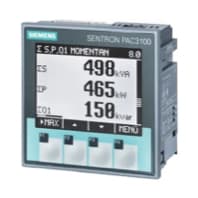
Siemens Sentron PAC 2200
Monitors three-phase energy metering via Modbus TCP on Siemens Sentron PAC 2200.
Template for the Siemens Sentron PAC 2200 three-phase energy meter over Modbus TCP. It reads per-phase voltage, current, apparent power, active power, and reactive power, as well as total power values. No control functions are included.
- Protocol
- Modbus TCP
- Connection
- Ethernet, Modbus TCP
- Registers
- 18, read only
- Brand
- Siemens
- Key readings
- Voltage L1-N, L2-N, L3-N · Voltage L1-L2, L2-L3, L3-L1 · Current L1 to L3 · Apparent Power L1 to L3 · Active Power L1 to L3 · Total Active, Apparent, Reactive Power
- Compatible models
- Sentron PAC 2200
- Last updated
Registers (18)
18 read, 0 write
| Name | Unit | Access | Address (Hidden until you enter your email) | Function (hidden) | Type (hidden) |
|---|---|---|---|---|---|
| Voltage L1-N | V | Read | |||
| Voltage L2-N | V | Read | |||
| Voltage L3-N | V | Read | |||
| Voltage L1-L2 | V | Read | |||
| Voltage L2-L3 | V | Read | |||
| Voltage L3-L1 | V | Read | |||
| Current L1 | A | Read | |||
| Current L2 | A | Read | |||
| Current L3 | A | Read | |||
| Apparent Power L1 | VA | Read | |||
| Apparent Power L2 | VA | Read | |||
| Apparent Power L3 | VA | Read | |||
| Active Power L1 | W | Read | |||
| Active Power L2 | W | Read | |||
| Active Power L3 | W | Read | |||
| Total Apparent Power | VA | Read | |||
| Total Active Power | W | Read | |||
| Total Reactive Power | var | Read |
Loading registers…
Send your device list
If a device is not in the library yet, we build the template for free as soon as we have the register data.
Use cases
- Monitor per-phase voltage, current, and power readings on a live cloud dashboard for remote energy oversight.
- Create alerts when total active power exceeds a contractual demand limit to avoid penalty charges.
- Track energy consumption trends per building section or tenant using historical data exports.
- Compare line-to-line voltages across phases to detect voltage imbalance issues early.
- Generate periodic energy reports for facility managers without requiring on-site meter readings.
- Verify power factor by reviewing active and reactive power values on the dashboard.
Installation
Connect the Siemens Sentron PAC 2200 to the local Ethernet network and verify it has a valid IP address.
Configure the Modbus TCP port (default 502) and unit ID on the PAC 2200 using the front-panel menu or Siemens software.
Connect the ModbusCloud Gateway to the same local network as the PAC 2200.
In the ModbusCloud platform, add a new device and select the Siemens Sentron PAC 2200 template from the library.
Enter the IP address and Modbus unit ID of the PAC 2200 in the device configuration screen.
Confirm that live readings appear on the dashboard, then configure any desired alerts or data logging intervals.
Things to watch for
I see zero or incorrect values for all registers. What should I check?
Verify the IP address and Modbus unit ID match the settings on the PAC 2200. Also confirm that Modbus TCP is enabled on the meter and that no firewall is blocking port 502.
Do I need to configure float32 byte order manually?
No. The template is preconfigured with the correct float32 register mapping for the PAC 2200. Each value spans two consecutive registers, and the template handles the byte order automatically.
The template does not include all PAC 2200 registers. Can I add more?
Yes. You can extend the template by adding custom registers using the PAC 2200 Modbus register documentation from Siemens. Use float32 as the data type for additional registers.
Can I connect multiple PAC 2200 meters to one ModbusCloud gateway?
Yes. Assign each PAC 2200 a unique IP address or unique Modbus unit ID, then add each meter as a separate device in the ModbusCloud platform using the same template.



Want to see how it works?
