

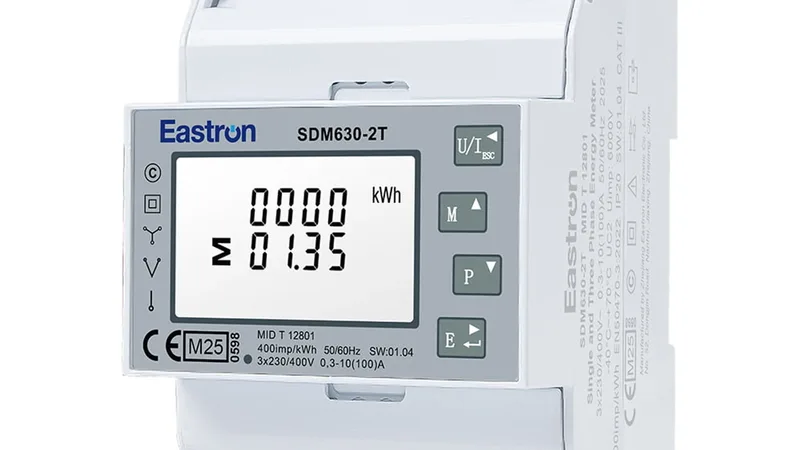

SATEC PM130 PLUS IEC 60870-5 and DNP3 setup
IEC 60870-5 and DNP3 protocol settings for the SATEC PM130 PLUS power meter.
This template covers the IEC 60870-5 and DNP3 settings of the SATEC PM130 PLUS power meter: frame and address lengths, class 2 ranges, mapped event points and DNP class 0 points. Use it next to the PM130 PLUS measurement template when the meter also reports to a SCADA master and you want to check or change those settings from ModbusCloud.
- Protocol
- Modbus RTU
- Connection
- RS485, 19200 baud
- Registers
- 423, read and write
- Brand
- SATEC
- Key readings
- IEC frame settings · Class 2 ranges · Mapped event points · DNP object variations · DNP class 0 points · Time sync period
- Available commands
- Pulse durations · Event deadbands · Engineering units · Counter scaling · Class 0 point ranges · Select before operate timeout
- Compatible models
- PM130 PLUS · PM130P PLUS · PM130E PLUS · PM130EH PLUS
- Last updated
Registers (423)
423 read, 423 write
| Name | Unit | Access | Address (Hidden until you enter your email) | Function (hidden) | Type (hidden) |
|---|---|---|---|---|---|
| IEC Max Variable Frame Length | Read and write | 49460 | FC03 / FC06 | uint16 | |
| IEC Link Address Length | Read and write | 49461 | FC03 / FC06 | uint16 | |
| IEC Cause of Transmission Length | Read and write | 49462 | FC03 / FC06 | uint16 | |
| IEC Common Address Length | Read and write | 49463 | FC03 / FC06 | uint16 | |
| IEC Information Object Address Length | Read and write | 49464 | FC03 / FC06 | uint16 | |
| IEC Select Before Operate Timeout | s | Read and write | |||
| IEC Short Pulse Duration | ms | Read and write | |||
| IEC Long Pulse Duration | ms | Read and write | |||
| IEC Time Sync Period | s | Read and write | |||
| IEC Local Counter Freeze Period | min | Read and write | |||
| IEC Cyclic Transmission Period | ms | Read and write | |||
| IEC Cyclic Client IP Address | Read and write | ||||
| IEC Spontaneous Client IP Address | Read and write | ||||
| IEC Class 1 Data on Class 2 Request | Read and write | ||||
| IEC Single Point Start Address | Read and write | ||||
| IEC Single Point Static Object Type | Read and write | ||||
| IEC Single Point Event Object Type | Read and write | ||||
| IEC Double Point Start Address | Read and write | ||||
| IEC Double Point Static Object Type | Read and write | ||||
| IEC Double Point Event Object Type | Read and write | ||||
| IEC Measured Value Start Address | Read and write | ||||
| IEC Measured Value Static Object Type | Read and write | ||||
| IEC Measured Value Event Object Type | Read and write | ||||
| IEC Integrated Totals Start Address | Read and write | ||||
| IEC Integrated Totals Static Object Type | Read and write | ||||
| IEC Integrated Totals Event Object Type | Read and write | ||||
| IEC Voltage Units | Read and write | ||||
| IEC Current Units | Read and write | ||||
| IEC Power Units | Read and write | ||||
| IEC IP Redundancy Mode | Read and write | ||||
| IEC Class 2 Range 1 Type and Flags | Read and write | ||||
| IEC Class 2 Range 1 Start Address | Read and write | ||||
| IEC Class 2 Range 1 Elements | Read and write | ||||
| IEC Class 2 Range 2 Type and Flags | Read and write | ||||
| IEC Class 2 Range 2 Start Address | Read and write | ||||
| IEC Class 2 Range 2 Elements | Read and write | ||||
| IEC Class 2 Range 3 Type and Flags | Read and write | ||||
| IEC Class 2 Range 3 Start Address | Read and write | ||||
| IEC Class 2 Range 3 Elements | Read and write | ||||
| IEC Class 2 Range 4 Type and Flags | Read and write | ||||
| IEC Class 2 Range 4 Start Address | Read and write | ||||
| IEC Class 2 Range 4 Elements | Read and write | ||||
| IEC Class 2 Range 5 Type and Flags | Read and write | ||||
| IEC Class 2 Range 5 Start Address | Read and write | ||||
| IEC Class 2 Range 5 Elements | Read and write | ||||
| IEC Class 2 Range 6 Type and Flags | Read and write | ||||
| IEC Class 2 Range 6 Start Address | Read and write | ||||
| IEC Class 2 Range 6 Elements | Read and write | ||||
| IEC Class 2 Range 7 Type and Flags | Read and write | ||||
| IEC Class 2 Range 7 Start Address | Read and write | ||||
| IEC Class 2 Range 7 Elements | Read and write | ||||
| IEC Class 2 Range 8 Type and Flags | Read and write | ||||
| IEC Class 2 Range 8 Start Address | Read and write | ||||
| IEC Class 2 Range 8 Elements | Read and write | ||||
| IEC Class 2 Range 9 Type and Flags | Read and write | ||||
| IEC Class 2 Range 9 Start Address | Read and write | ||||
| IEC Class 2 Range 9 Elements | Read and write | ||||
| IEC Class 2 Range 10 Type and Flags | Read and write | ||||
| IEC Class 2 Range 10 Start Address | Read and write | ||||
| IEC Class 2 Range 10 Elements | Read and write | ||||
| IEC Class 2 Range 11 Type and Flags | Read and write | ||||
| IEC Class 2 Range 11 Start Address | Read and write | ||||
| IEC Class 2 Range 11 Elements | Read and write | ||||
| IEC Class 2 Range 12 Type and Flags | Read and write | ||||
| IEC Class 2 Range 12 Start Address | Read and write | ||||
| IEC Class 2 Range 12 Elements | Read and write | ||||
| IEC Class 2 Range 13 Type and Flags | Read and write | ||||
| IEC Class 2 Range 13 Start Address | Read and write | ||||
| IEC Class 2 Range 13 Elements | Read and write | ||||
| IEC Class 2 Range 14 Type and Flags | Read and write | ||||
| IEC Class 2 Range 14 Start Address | Read and write | ||||
| IEC Class 2 Range 14 Elements | Read and write | ||||
| IEC Class 2 Range 15 Type and Flags | Read and write | ||||
| IEC Class 2 Range 15 Start Address | Read and write | ||||
| IEC Class 2 Range 15 Elements | Read and write | ||||
| IEC Class 2 Range 16 Type and Flags | Read and write | ||||
| IEC Class 2 Range 16 Start Address | Read and write | ||||
| IEC Class 2 Range 16 Elements | Read and write | ||||
| IEC Class 2 Range 17 Type and Flags | Read and write | ||||
| IEC Class 2 Range 17 Start Address | Read and write | ||||
| IEC Class 2 Range 17 Elements | Read and write | ||||
| IEC Class 2 Range 18 Type and Flags | Read and write | ||||
| IEC Class 2 Range 18 Start Address | Read and write | ||||
| IEC Class 2 Range 18 Elements | Read and write | ||||
| IEC Class 2 Range 19 Type and Flags | Read and write | ||||
| IEC Class 2 Range 19 Start Address | Read and write | ||||
| IEC Class 2 Range 19 Elements | Read and write | ||||
| IEC Class 2 Range 20 Type and Flags | Read and write | ||||
| IEC Class 2 Range 20 Start Address | Read and write | ||||
| IEC Class 2 Range 20 Elements | Read and write | ||||
| IEC Class 2 Range 21 Type and Flags | Read and write | ||||
| IEC Class 2 Range 21 Start Address | Read and write | ||||
| IEC Class 2 Range 21 Elements | Read and write | ||||
| IEC Class 2 Range 22 Type and Flags | Read and write | ||||
| IEC Class 2 Range 22 Start Address | Read and write | ||||
| IEC Class 2 Range 22 Elements | Read and write | ||||
| IEC Class 2 Range 23 Type and Flags | Read and write | ||||
| IEC Class 2 Range 23 Start Address | Read and write | ||||
| IEC Class 2 Range 23 Elements | Read and write | ||||
| IEC Class 2 Range 24 Type and Flags | Read and write | ||||
| IEC Class 2 Range 24 Start Address | Read and write | ||||
| IEC Class 2 Range 24 Elements | Read and write | ||||
| IEC Class 2 Range 25 Type and Flags | Read and write | ||||
| IEC Class 2 Range 25 Start Address | Read and write | ||||
| IEC Class 2 Range 25 Elements | Read and write | ||||
| IEC Class 2 Range 26 Type and Flags | Read and write | ||||
| IEC Class 2 Range 26 Start Address | Read and write | ||||
| IEC Class 2 Range 26 Elements | Read and write | ||||
| IEC Class 2 Range 27 Type and Flags | Read and write | ||||
| IEC Class 2 Range 27 Start Address | Read and write | ||||
| IEC Class 2 Range 27 Elements | Read and write | ||||
| IEC Class 2 Range 28 Type and Flags | Read and write | ||||
| IEC Class 2 Range 28 Start Address | Read and write | ||||
| IEC Class 2 Range 28 Elements | Read and write | ||||
| IEC Class 2 Range 29 Type and Flags | Read and write | ||||
| IEC Class 2 Range 29 Start Address | Read and write | ||||
| IEC Class 2 Range 29 Elements | Read and write | ||||
| IEC Class 2 Range 30 Type and Flags | Read and write | ||||
| IEC Class 2 Range 30 Start Address | Read and write | ||||
| IEC Class 2 Range 30 Elements | Read and write | ||||
| IEC Class 2 Range 31 Type and Flags | Read and write | ||||
| IEC Class 2 Range 31 Start Address | Read and write | ||||
| IEC Class 2 Range 31 Elements | Read and write | ||||
| IEC Class 2 Range 32 Type and Flags | Read and write | ||||
| IEC Class 2 Range 32 Start Address | Read and write | ||||
| IEC Class 2 Range 32 Elements | Read and write | ||||
| IEC Mapped Point 1 ID | Read and write | ||||
| IEC Mapped Point 1 Type and Flags | Read and write | ||||
| IEC Mapped Point 1 Deadband | Read and write | ||||
| IEC Mapped Point 2 ID | Read and write | ||||
| IEC Mapped Point 2 Type and Flags | Read and write | ||||
| IEC Mapped Point 2 Deadband | Read and write | ||||
| IEC Mapped Point 3 ID | Read and write | ||||
| IEC Mapped Point 3 Type and Flags | Read and write | ||||
| IEC Mapped Point 3 Deadband | Read and write | ||||
| IEC Mapped Point 4 ID | Read and write | ||||
| IEC Mapped Point 4 Type and Flags | Read and write | ||||
| IEC Mapped Point 4 Deadband | Read and write | ||||
| IEC Mapped Point 5 ID | Read and write | ||||
| IEC Mapped Point 5 Type and Flags | Read and write | ||||
| IEC Mapped Point 5 Deadband | Read and write | ||||
| IEC Mapped Point 6 ID | Read and write | ||||
| IEC Mapped Point 6 Type and Flags | Read and write | ||||
| IEC Mapped Point 6 Deadband | Read and write | ||||
| IEC Mapped Point 7 ID | Read and write | ||||
| IEC Mapped Point 7 Type and Flags | Read and write | ||||
| IEC Mapped Point 7 Deadband | Read and write | ||||
| IEC Mapped Point 8 ID | Read and write | ||||
| IEC Mapped Point 8 Type and Flags | Read and write | ||||
| IEC Mapped Point 8 Deadband | Read and write | ||||
| IEC Mapped Point 9 ID | Read and write | ||||
| IEC Mapped Point 9 Type and Flags | Read and write | ||||
| IEC Mapped Point 9 Deadband | Read and write | ||||
| IEC Mapped Point 10 ID | Read and write | ||||
| IEC Mapped Point 10 Type and Flags | Read and write | ||||
| IEC Mapped Point 10 Deadband | Read and write | ||||
| IEC Mapped Point 11 ID | Read and write | ||||
| IEC Mapped Point 11 Type and Flags | Read and write | ||||
| IEC Mapped Point 11 Deadband | Read and write | ||||
| IEC Mapped Point 12 ID | Read and write | ||||
| IEC Mapped Point 12 Type and Flags | Read and write | ||||
| IEC Mapped Point 12 Deadband | Read and write | ||||
| IEC Mapped Point 13 ID | Read and write | ||||
| IEC Mapped Point 13 Type and Flags | Read and write | ||||
| IEC Mapped Point 13 Deadband | Read and write | ||||
| IEC Mapped Point 14 ID | Read and write | ||||
| IEC Mapped Point 14 Type and Flags | Read and write | ||||
| IEC Mapped Point 14 Deadband | Read and write | ||||
| IEC Mapped Point 15 ID | Read and write | ||||
| IEC Mapped Point 15 Type and Flags | Read and write | ||||
| IEC Mapped Point 15 Deadband | Read and write | ||||
| IEC Mapped Point 16 ID | Read and write | ||||
| IEC Mapped Point 16 Type and Flags | Read and write | ||||
| IEC Mapped Point 16 Deadband | Read and write | ||||
| IEC Mapped Point 17 ID | Read and write | ||||
| IEC Mapped Point 17 Type and Flags | Read and write | ||||
| IEC Mapped Point 17 Deadband | Read and write | ||||
| IEC Mapped Point 18 ID | Read and write | ||||
| IEC Mapped Point 18 Type and Flags | Read and write | ||||
| IEC Mapped Point 18 Deadband | Read and write | ||||
| IEC Mapped Point 19 ID | Read and write | ||||
| IEC Mapped Point 19 Type and Flags | Read and write | ||||
| IEC Mapped Point 19 Deadband | Read and write | ||||
| IEC Mapped Point 20 ID | Read and write | ||||
| IEC Mapped Point 20 Type and Flags | Read and write | ||||
| IEC Mapped Point 20 Deadband | Read and write | ||||
| IEC Mapped Point 21 ID | Read and write | ||||
| IEC Mapped Point 21 Type and Flags | Read and write | ||||
| IEC Mapped Point 21 Deadband | Read and write | ||||
| IEC Mapped Point 22 ID | Read and write | ||||
| IEC Mapped Point 22 Type and Flags | Read and write | ||||
| IEC Mapped Point 22 Deadband | Read and write | ||||
| IEC Mapped Point 23 ID | Read and write | ||||
| IEC Mapped Point 23 Type and Flags | Read and write | ||||
| IEC Mapped Point 23 Deadband | Read and write | ||||
| IEC Mapped Point 24 ID | Read and write | ||||
| IEC Mapped Point 24 Type and Flags | Read and write | ||||
| IEC Mapped Point 24 Deadband | Read and write | ||||
| IEC Mapped Point 25 ID | Read and write | ||||
| IEC Mapped Point 25 Type and Flags | Read and write | ||||
| IEC Mapped Point 25 Deadband | Read and write | ||||
| IEC Mapped Point 26 ID | Read and write | ||||
| IEC Mapped Point 26 Type and Flags | Read and write | ||||
| IEC Mapped Point 26 Deadband | Read and write | ||||
| IEC Mapped Point 27 ID | Read and write | ||||
| IEC Mapped Point 27 Type and Flags | Read and write | ||||
| IEC Mapped Point 27 Deadband | Read and write | ||||
| IEC Mapped Point 28 ID | Read and write | ||||
| IEC Mapped Point 28 Type and Flags | Read and write | ||||
| IEC Mapped Point 28 Deadband | Read and write | ||||
| IEC Mapped Point 29 ID | Read and write | ||||
| IEC Mapped Point 29 Type and Flags | Read and write | ||||
| IEC Mapped Point 29 Deadband | Read and write | ||||
| IEC Mapped Point 30 ID | Read and write | ||||
| IEC Mapped Point 30 Type and Flags | Read and write | ||||
| IEC Mapped Point 30 Deadband | Read and write | ||||
| IEC Mapped Point 31 ID | Read and write | ||||
| IEC Mapped Point 31 Type and Flags | Read and write | ||||
| IEC Mapped Point 31 Deadband | Read and write | ||||
| IEC Mapped Point 32 ID | Read and write | ||||
| IEC Mapped Point 32 Type and Flags | Read and write | ||||
| IEC Mapped Point 32 Deadband | Read and write | ||||
| IEC Mapped Point 33 ID | Read and write | ||||
| IEC Mapped Point 33 Type and Flags | Read and write | ||||
| IEC Mapped Point 33 Deadband | Read and write | ||||
| IEC Mapped Point 34 ID | Read and write | ||||
| IEC Mapped Point 34 Type and Flags | Read and write | ||||
| IEC Mapped Point 34 Deadband | Read and write | ||||
| IEC Mapped Point 35 ID | Read and write | ||||
| IEC Mapped Point 35 Type and Flags | Read and write | ||||
| IEC Mapped Point 35 Deadband | Read and write | ||||
| IEC Mapped Point 36 ID | Read and write | ||||
| IEC Mapped Point 36 Type and Flags | Read and write | ||||
| IEC Mapped Point 36 Deadband | Read and write | ||||
| IEC Mapped Point 37 ID | Read and write | ||||
| IEC Mapped Point 37 Type and Flags | Read and write | ||||
| IEC Mapped Point 37 Deadband | Read and write | ||||
| IEC Mapped Point 38 ID | Read and write | ||||
| IEC Mapped Point 38 Type and Flags | Read and write | ||||
| IEC Mapped Point 38 Deadband | Read and write | ||||
| IEC Mapped Point 39 ID | Read and write | ||||
| IEC Mapped Point 39 Type and Flags | Read and write | ||||
| IEC Mapped Point 39 Deadband | Read and write | ||||
| IEC Mapped Point 40 ID | Read and write | ||||
| IEC Mapped Point 40 Type and Flags | Read and write | ||||
| IEC Mapped Point 40 Deadband | Read and write | ||||
| IEC Mapped Point 41 ID | Read and write | ||||
| IEC Mapped Point 41 Type and Flags | Read and write | ||||
| IEC Mapped Point 41 Deadband | Read and write | ||||
| IEC Mapped Point 42 ID | Read and write | ||||
| IEC Mapped Point 42 Type and Flags | Read and write | ||||
| IEC Mapped Point 42 Deadband | Read and write | ||||
| IEC Mapped Point 43 ID | Read and write | ||||
| IEC Mapped Point 43 Type and Flags | Read and write | ||||
| IEC Mapped Point 43 Deadband | Read and write | ||||
| IEC Mapped Point 44 ID | Read and write | ||||
| IEC Mapped Point 44 Type and Flags | Read and write | ||||
| IEC Mapped Point 44 Deadband | Read and write | ||||
| IEC Mapped Point 45 ID | Read and write | ||||
| IEC Mapped Point 45 Type and Flags | Read and write | ||||
| IEC Mapped Point 45 Deadband | Read and write | ||||
| IEC Mapped Point 46 ID | Read and write | ||||
| IEC Mapped Point 46 Type and Flags | Read and write | ||||
| IEC Mapped Point 46 Deadband | Read and write | ||||
| IEC Mapped Point 47 ID | Read and write | ||||
| IEC Mapped Point 47 Type and Flags | Read and write | ||||
| IEC Mapped Point 47 Deadband | Read and write | ||||
| IEC Mapped Point 48 ID | Read and write | ||||
| IEC Mapped Point 48 Type and Flags | Read and write | ||||
| IEC Mapped Point 48 Deadband | Read and write | ||||
| IEC Mapped Point 49 ID | Read and write | ||||
| IEC Mapped Point 49 Type and Flags | Read and write | ||||
| IEC Mapped Point 49 Deadband | Read and write | ||||
| IEC Mapped Point 50 ID | Read and write | ||||
| IEC Mapped Point 50 Type and Flags | Read and write | ||||
| IEC Mapped Point 50 Deadband | Read and write | ||||
| IEC Mapped Point 51 ID | Read and write | ||||
| IEC Mapped Point 51 Type and Flags | Read and write | ||||
| IEC Mapped Point 51 Deadband | Read and write | ||||
| IEC Mapped Point 52 ID | Read and write | ||||
| IEC Mapped Point 52 Type and Flags | Read and write | ||||
| IEC Mapped Point 52 Deadband | Read and write | ||||
| IEC Mapped Point 53 ID | Read and write | ||||
| IEC Mapped Point 53 Type and Flags | Read and write | ||||
| IEC Mapped Point 53 Deadband | Read and write | ||||
| IEC Mapped Point 54 ID | Read and write | ||||
| IEC Mapped Point 54 Type and Flags | Read and write | ||||
| IEC Mapped Point 54 Deadband | Read and write | ||||
| IEC Mapped Point 55 ID | Read and write | ||||
| IEC Mapped Point 55 Type and Flags | Read and write | ||||
| IEC Mapped Point 55 Deadband | Read and write | ||||
| IEC Mapped Point 56 ID | Read and write | ||||
| IEC Mapped Point 56 Type and Flags | Read and write | ||||
| IEC Mapped Point 56 Deadband | Read and write | ||||
| IEC Mapped Point 57 ID | Read and write | ||||
| IEC Mapped Point 57 Type and Flags | Read and write | ||||
| IEC Mapped Point 57 Deadband | Read and write | ||||
| IEC Mapped Point 58 ID | Read and write | ||||
| IEC Mapped Point 58 Type and Flags | Read and write | ||||
| IEC Mapped Point 58 Deadband | Read and write | ||||
| IEC Mapped Point 59 ID | Read and write | ||||
| IEC Mapped Point 59 Type and Flags | Read and write | ||||
| IEC Mapped Point 59 Deadband | Read and write | ||||
| IEC Mapped Point 60 ID | Read and write | ||||
| IEC Mapped Point 60 Type and Flags | Read and write | ||||
| IEC Mapped Point 60 Deadband | Read and write | ||||
| IEC Mapped Point 61 ID | Read and write | ||||
| IEC Mapped Point 61 Type and Flags | Read and write | ||||
| IEC Mapped Point 61 Deadband | Read and write | ||||
| IEC Mapped Point 62 ID | Read and write | ||||
| IEC Mapped Point 62 Type and Flags | Read and write | ||||
| IEC Mapped Point 62 Deadband | Read and write | ||||
| IEC Mapped Point 63 ID | Read and write | ||||
| IEC Mapped Point 63 Type and Flags | Read and write | ||||
| IEC Mapped Point 63 Deadband | Read and write | ||||
| IEC Mapped Point 64 ID | Read and write | ||||
| IEC Mapped Point 64 Type and Flags | Read and write | ||||
| IEC Mapped Point 64 Deadband | Read and write | ||||
| DNP Binary Input Static Variation | Read and write | ||||
| DNP Binary Counter Variation | Read and write | ||||
| DNP Frozen Binary Counter Variation | Read and write | ||||
| DNP Analog Input Variation | Read and write | ||||
| DNP 16-bit Counter Scaling | Read and write | ||||
| DNP 16-bit Analog Scaling | Read and write | ||||
| DNP Select Operate Timeout | s | Read and write | |||
| DNP Multi Fragment Interval | ms | Read and write | |||
| DNP Time Sync Period | s | Read and write | |||
| DNP Class 0 Range 1 Object | Read and write | ||||
| DNP Class 0 Range 1 Start Point | Read and write | ||||
| DNP Class 0 Range 1 Points | Read and write | ||||
| DNP Class 0 Range 2 Object | Read and write | ||||
| DNP Class 0 Range 2 Start Point | Read and write | ||||
| DNP Class 0 Range 2 Points | Read and write | ||||
| DNP Class 0 Range 3 Object | Read and write | ||||
| DNP Class 0 Range 3 Start Point | Read and write | ||||
| DNP Class 0 Range 3 Points | Read and write | ||||
| DNP Class 0 Range 4 Object | Read and write | ||||
| DNP Class 0 Range 4 Start Point | Read and write | ||||
| DNP Class 0 Range 4 Points | Read and write | ||||
| DNP Class 0 Range 5 Object | Read and write | ||||
| DNP Class 0 Range 5 Start Point | Read and write | ||||
| DNP Class 0 Range 5 Points | Read and write | ||||
| DNP Class 0 Range 6 Object | Read and write | ||||
| DNP Class 0 Range 6 Start Point | Read and write | ||||
| DNP Class 0 Range 6 Points | Read and write | ||||
| DNP Class 0 Range 7 Object | Read and write | ||||
| DNP Class 0 Range 7 Start Point | Read and write | ||||
| DNP Class 0 Range 7 Points | Read and write | ||||
| DNP Class 0 Range 8 Object | Read and write | ||||
| DNP Class 0 Range 8 Start Point | Read and write | ||||
| DNP Class 0 Range 8 Points | Read and write | ||||
| DNP Class 0 Range 9 Object | Read and write | ||||
| DNP Class 0 Range 9 Start Point | Read and write | ||||
| DNP Class 0 Range 9 Points | Read and write | ||||
| DNP Class 0 Range 10 Object | Read and write | ||||
| DNP Class 0 Range 10 Start Point | Read and write | ||||
| DNP Class 0 Range 10 Points | Read and write | ||||
| DNP Class 0 Range 11 Object | Read and write | ||||
| DNP Class 0 Range 11 Start Point | Read and write | ||||
| DNP Class 0 Range 11 Points | Read and write | ||||
| DNP Class 0 Range 12 Object | Read and write | ||||
| DNP Class 0 Range 12 Start Point | Read and write | ||||
| DNP Class 0 Range 12 Points | Read and write | ||||
| DNP Class 0 Range 13 Object | Read and write | ||||
| DNP Class 0 Range 13 Start Point | Read and write | ||||
| DNP Class 0 Range 13 Points | Read and write | ||||
| DNP Class 0 Range 14 Object | Read and write | ||||
| DNP Class 0 Range 14 Start Point | Read and write | ||||
| DNP Class 0 Range 14 Points | Read and write | ||||
| DNP Class 0 Range 15 Object | Read and write | ||||
| DNP Class 0 Range 15 Start Point | Read and write | ||||
| DNP Class 0 Range 15 Points | Read and write | ||||
| DNP Class 0 Range 16 Object | Read and write | ||||
| DNP Class 0 Range 16 Start Point | Read and write | ||||
| DNP Class 0 Range 16 Points | Read and write | ||||
| DNP Class 0 Range 17 Object | Read and write | ||||
| DNP Class 0 Range 17 Start Point | Read and write | ||||
| DNP Class 0 Range 17 Points | Read and write | ||||
| DNP Class 0 Range 18 Object | Read and write | ||||
| DNP Class 0 Range 18 Start Point | Read and write | ||||
| DNP Class 0 Range 18 Points | Read and write | ||||
| DNP Class 0 Range 19 Object | Read and write | ||||
| DNP Class 0 Range 19 Start Point | Read and write | ||||
| DNP Class 0 Range 19 Points | Read and write | ||||
| DNP Class 0 Range 20 Object | Read and write | ||||
| DNP Class 0 Range 20 Start Point | Read and write | ||||
| DNP Class 0 Range 20 Points | Read and write | ||||
| DNP Class 0 Range 21 Object | Read and write | ||||
| DNP Class 0 Range 21 Start Point | Read and write | ||||
| DNP Class 0 Range 21 Points | Read and write | ||||
| DNP Class 0 Range 22 Object | Read and write | ||||
| DNP Class 0 Range 22 Start Point | Read and write | ||||
| DNP Class 0 Range 22 Points | Read and write | ||||
| DNP Class 0 Range 23 Object | Read and write | ||||
| DNP Class 0 Range 23 Start Point | Read and write | ||||
| DNP Class 0 Range 23 Points | Read and write | ||||
| DNP Class 0 Range 24 Object | Read and write | ||||
| DNP Class 0 Range 24 Start Point | Read and write | ||||
| DNP Class 0 Range 24 Points | Read and write | ||||
| DNP Class 0 Range 25 Object | Read and write | ||||
| DNP Class 0 Range 25 Start Point | Read and write | ||||
| DNP Class 0 Range 25 Points | Read and write | ||||
| DNP Class 0 Range 26 Object | Read and write | ||||
| DNP Class 0 Range 26 Start Point | Read and write | ||||
| DNP Class 0 Range 26 Points | Read and write | ||||
| DNP Class 0 Range 27 Object | Read and write | ||||
| DNP Class 0 Range 27 Start Point | Read and write | ||||
| DNP Class 0 Range 27 Points | Read and write | ||||
| DNP Class 0 Range 28 Object | Read and write | ||||
| DNP Class 0 Range 28 Start Point | Read and write | ||||
| DNP Class 0 Range 28 Points | Read and write | ||||
| DNP Class 0 Range 29 Object | Read and write | ||||
| DNP Class 0 Range 29 Start Point | Read and write | ||||
| DNP Class 0 Range 29 Points | Read and write | ||||
| DNP Class 0 Range 30 Object | Read and write | ||||
| DNP Class 0 Range 30 Start Point | Read and write | ||||
| DNP Class 0 Range 30 Points | Read and write | ||||
| DNP Class 0 Range 31 Object | Read and write | ||||
| DNP Class 0 Range 31 Start Point | Read and write | ||||
| DNP Class 0 Range 31 Points | Read and write | ||||
| DNP Class 0 Range 32 Object | Read and write | ||||
| DNP Class 0 Range 32 Start Point | Read and write | ||||
| DNP Class 0 Range 32 Points | Read and write |
Loading registers…
Send your device list
If a device is not in the library yet, we build the template for free as soon as we have the register data.
Use cases
- Check that every PM130 PLUS on a site uses the same IEC 60870-5 address lengths as the SCADA master.
- Compare the DNP class 0 point list of a new meter with a meter that already works.
- Change an event deadband after the control room reports too many or too few events.
- Read the time sync period to explain a clock difference between the meter and the SCADA system.
- Keep a copy of the protocol settings before someone replaces or resets the meter.
Installation
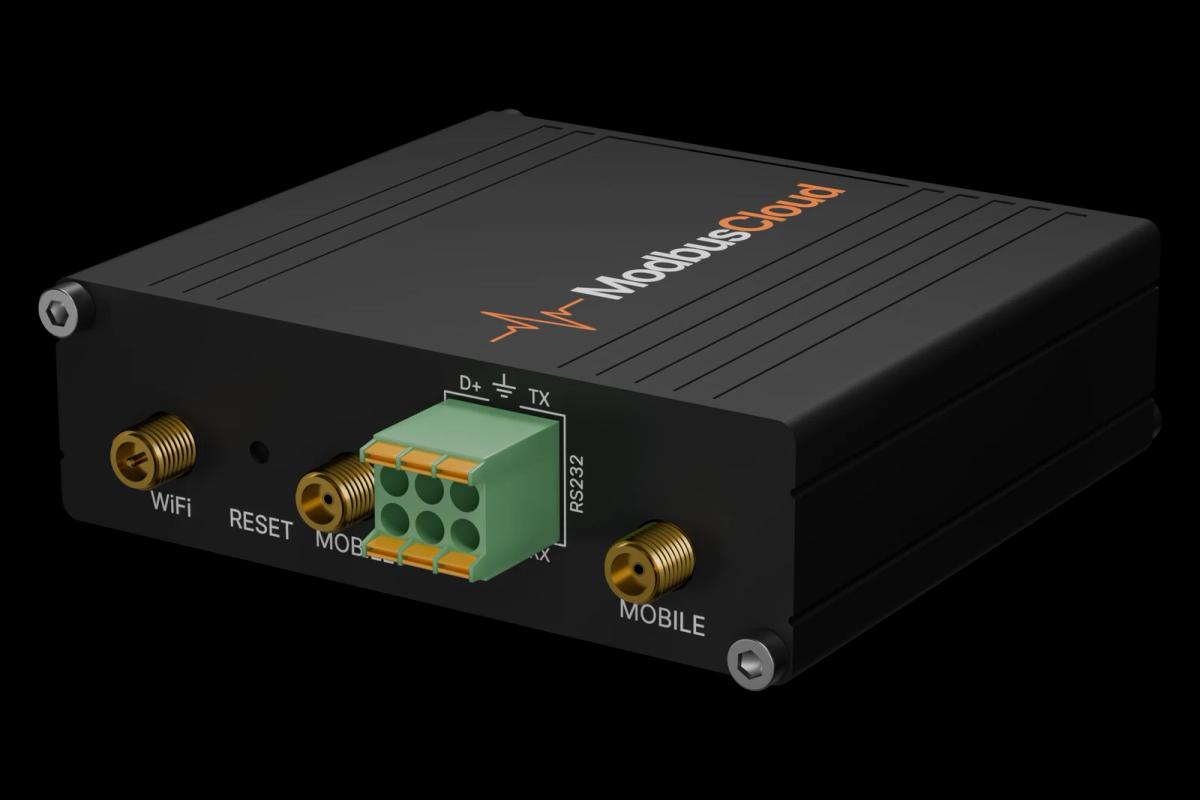
Connect COM1 of the meter (RS485) to the ModbusCloud Gateway, as for the main PM130 PLUS template.
In ModbusCloud, add a Modbus device (RTU) with the address and port settings of the meter and import this template.
Read the template first and save the values before you change anything.
Change settings while the SCADA master is offline, one block at a time.
Check on the SCADA master that it still receives the expected points and events.
Things to watch for
Why does the meter refuse my writes with exception code 01?
Password protection is on. Write the user password to the device authorization register (2575, in the PM130 PLUS setup template) first, make your changes, and clear that register again afterwards to switch the protection back on.
The SCADA master no longer understands the meter after a change. What should I check?
Compare the link address, cause of transmission, common address and information object address lengths with the settings of the master. All four must match exactly.
Why do 32-bit values such as the time sync period look wrong?
The PM130 PLUS sends the low word first. This template already uses that order; if you read the registers with another tool, swap the two words.
What does an object type code such as F30 mean?
It is the IEC 60870-5 object type the meter uses for that point. The Modbus guide refers to these codes but does not list their values, so take them from the IEC 60870-5 documentation of the meter or leave them at their factory values.
Does changing these registers affect what ModbusCloud reads?
No. These settings only change how the meter answers an IEC 60870-5 or DNP3 master. The measurements you read over Modbus stay the same.


Want to see how it works?