









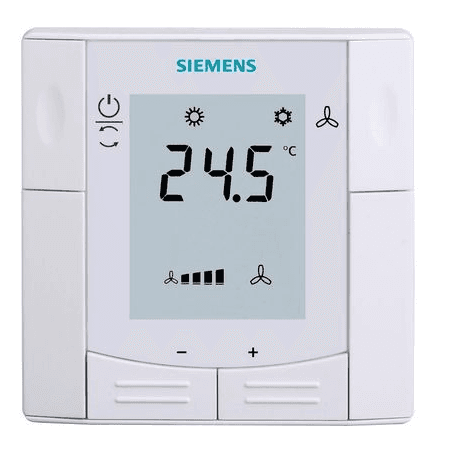
Siemens RDF302
Controls a Siemens room thermostat via Modbus RTU
Template for the Siemens RDF302 room thermostat over Modbus RTU. It reads room temperature and room setpoint, and allows remote writing of the room setpoint for climate control.
- Protocol
- Modbus RTU
- Connection
- RS485, 19200 baud
- Registers
- 2, read and write
- Brand
- Siemens
- Key readings
- Room Temperature · Room Setpoint
- Available commands
- Room Setpoint
- Compatible models
- RDF302
- Last updated
Registers (2)
2 read, 1 write
| Name | Unit | Access | Address (Hidden until you enter your email) | Function (hidden) | Type (hidden) |
|---|---|---|---|---|---|
| Room Temperature | °C | Read | |||
| Room Setpoint | Read and write |
Loading registers…
Send your device list
If a device is not in the library yet, we build the template for free as soon as we have the register data.
Use cases
- Monitor room temperature across multiple Siemens RDF302 thermostats on a single cloud dashboard.
- Adjust room setpoints remotely without sending a technician to the building.
- Create an alert when room temperature deviates more than 2 degrees from the active setpoint.
- Schedule setpoint changes for office zones based on working hours and occupancy.
- Log historical room temperature data for energy audits and comfort reporting.
Installation
Wire the Siemens RDF302 to the Modbus RTU bus using a twisted pair cable connected to the A and B terminals on the thermostat.
Set a unique Modbus slave address on each RDF302 using the on-device configuration menu.
Configure the serial port on the ModbusCloud Gateway to 19200 baud, even parity (8E1).
Import the Siemens RDF302 template from the ModbusCloud template library and assign the correct slave address.
Verify communication by checking that room temperature and setpoint values appear on the ModbusCloud dashboard.
Things to watch for
The gateway cannot communicate with the RDF302. What should I check first?
Verify that the baud rate is set to 19200 and parity is configured as even (8E1) on both the gateway and the thermostat. Also confirm that the A and B wiring is not swapped.
Can I connect multiple RDF302 thermostats on the same Modbus RTU bus?
Yes. Each thermostat must have a unique slave address. Assign addresses through the RDF302 on-device menu before connecting them to the bus.
The room temperature reading shows an unexpected value. What could be wrong?
Check that the register scaling in the template matches the firmware version on your RDF302. Some firmware revisions use a different decimal factor. Also ensure there are no address conflicts on the bus.
Can I write the setpoint while someone is also adjusting it locally on the thermostat?
Yes, but the last written value wins. A local change on the thermostat will override a remote setpoint, and vice versa. Coordinate with occupants if both methods are used.




Want to see how it works?
