

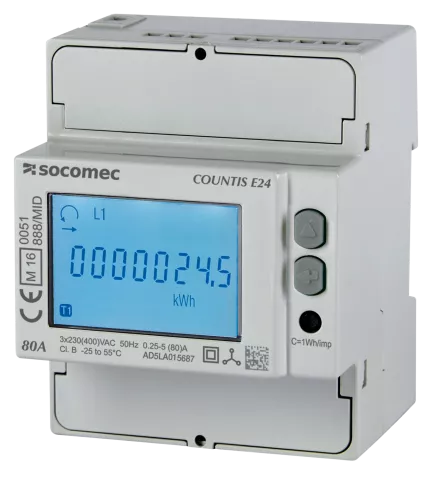
Socomec Threephase
The Socomec Threephase template targets Socomec three-phase energy meters, including Countis and DIRIS series models, used for grid metering in commercial buildings, industrial facilities, and energy management systems. Over Modbus TCP, this template reads per-phase voltage, current, active power, and reactive power for all three phases, plus aggregate current and voltage, grid frequency, and cumulative consumption and production energy across three register variants (A, B, and C) that cover different meter firmware generations. Connecting one template to your ModbusCloud Gateway gives you a complete electrical picture of the monitored circuit without manual register lookup.
- Protocol
- Modbus TCP
- Connection
- Ethernet, Modbus TCP
- Registers
- 37, read only
- Brand
- Socomec
- Last updated
Registers (37)
37 read, 0 write
| Name | Unit | Access | Address (Hidden until you enter your email) | Function (hidden) | Type (hidden) |
|---|---|---|---|---|---|
| voltage_l1_a | V | Read | 50520 | FC03 | uint32 |
| voltage_l2_a | V | Read | 50522 | FC03 | uint32 |
| voltage_l3_a | V | Read | 50524 | FC03 | uint32 |
| frequency | Hz | Read | 50526 | FC03 | uint32 |
| current_l1_a | A | Read | 50528 | FC03 | uint32 |
| current_l2_a | A | Read | |||
| current_l3_a | A | Read | |||
| active_power_a | W | Read | |||
| reactive_power_a | var | Read | |||
| active_power_l1_a | W | Read | |||
| active_power_l2_a | W | Read | |||
| active_power_l3_a | W | Read | |||
| reactive_power_l1_a | W | Read | |||
| reactive_power_l2_a | W | Read | |||
| reactive_power_l3_a | W | Read | |||
| current | A | Read | |||
| voltage | V | Read | |||
| active_consumption_energy_a | Wh | Read | |||
| active_production_energy_a | Wh | Read | |||
| active_consumption_energy_b | Wh | Read | |||
| active_production_energy_b | Wh | Read | |||
| voltage_l1_b | V | Read | |||
| voltage_l2_b | V | Read | |||
| voltage_l3_b | V | Read | |||
| current_l1_b | A | Read | |||
| current_l2_b | A | Read | |||
| current_l3_b | A | Read | |||
| active_power_b | W | Read | |||
| reactive_power_b | var | Read | |||
| active_power_l1_b | W | Read | |||
| active_power_l2_b | W | Read | |||
| active_power_l3_b | W | Read | |||
| reactive_power_l1_b | W | Read | |||
| reactive_power_l2_b | W | Read | |||
| reactive_power_l3_b | W | Read | |||
| active_consumption_energy_c | Wh | Read | |||
| active_production_energy_c | Wh | Read |
Loading registers…
Send your device list
If a device is not in the library yet, we build the template for free as soon as we have the register data.
Use cases
- Monitor per-phase active power on L1, L2, and L3 to detect unbalanced load conditions across three-phase circuits.
- Track cumulative consumption and production energy totals to verify billing data against utility invoices each month.
- Alert on grid frequency deviations to catch upstream supply problems before they affect sensitive equipment.
- Compare reactive power readings per phase to identify power factor issues and target capacitor bank corrections.
- Report historical per-phase voltage and current trends to support periodic electrical inspection reports for facility managers.
Installation
Enable Modbus TCP on the meter under its communication or network settings menu, noting the assigned IP address and confirming port 502 is accessible on your LAN.
Connect the Socomec meter to the same Ethernet network as the ModbusCloud Gateway, ensuring no firewall rule blocks port 502 between the two devices.
In the ModbusCloud portal, add a new gateway entry, then import the Socomec Threephase template and assign the correct Modbus unit ID (typically 1) matching the meter configuration.
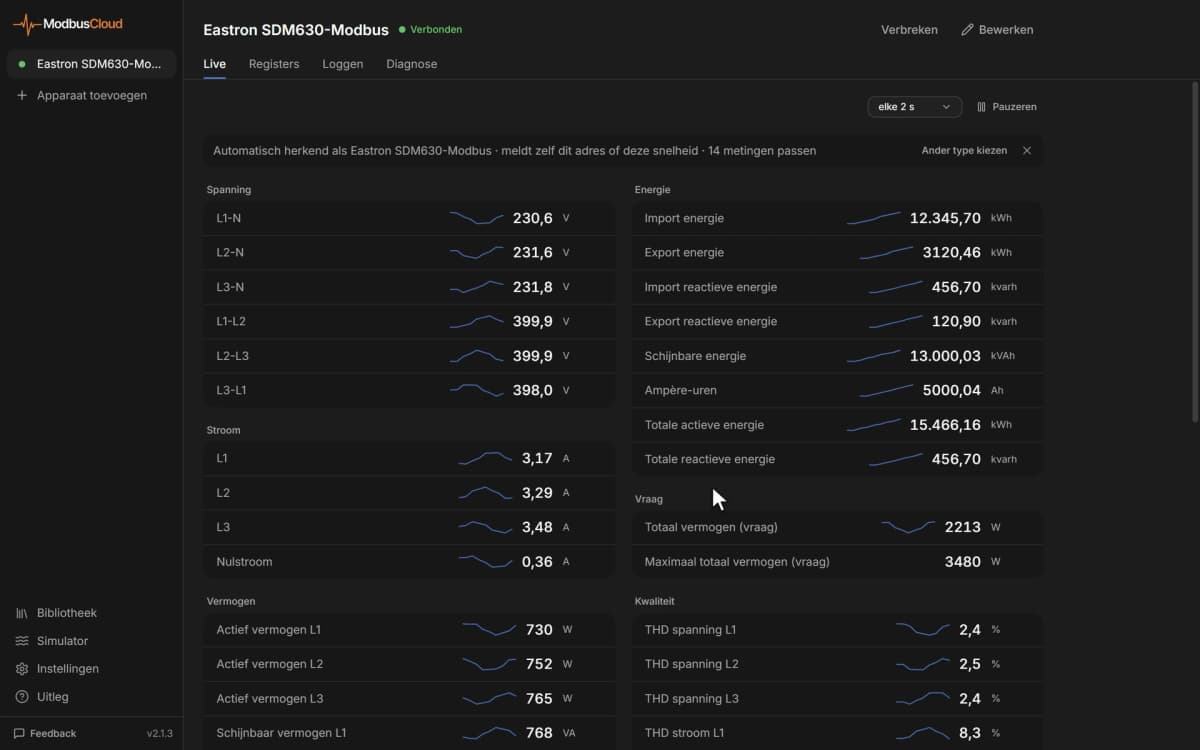
Verify the connection by checking live values for voltage_l1_a, active_power_a, and frequency in the portal dashboard; non-zero readings confirm successful polling.
Things to watch for
Why do all register readings show zero or garbage values?
Socomec meters publish their register map in JBus addressing. Depending on your Modbus client configuration, a +1 offset may apply. Confirm the ModbusCloud Gateway is using zero-based addressing, which matches the addresses in this template. Also verify the unit ID set on the meter matches the ID configured in the portal.
32-bit values look wrong or byte-swapped. What is the cause?
Socomec DIRIS and Countis meters encode 32-bit registers in Big Endian word order: the most significant word occupies the lower address. If your integration layer swaps words, disable any word-swap option in the ModbusCloud Gateway settings to restore correct values.
The gateway connects but no data appears for variant B or C registers. Why?
This template covers three register address groups (A, B, C) that correspond to different meter models or firmware generations auto-detected by OpenEMS. If your specific meter only populates one group, the other address ranges will return exceptions or zeros. Check which Socomec model you have and confirm its documented register base address matches the active group.
Meter is reachable by ping but Modbus TCP polling times out. How do I fix this?
Check that Modbus TCP is explicitly enabled in the meter's communication settings, not just the Ethernet interface. Some Socomec models require Modbus TCP to be activated separately from the network configuration. Also confirm no switch ACL or VLAN separation exists between the Gateway and the meter on port 502.


Want to see how it works?