

SolarEdge StorEdge Battery
Battery on a SolarEdge hybrid inverter: reads charge, power and health and sets storage control and limits.
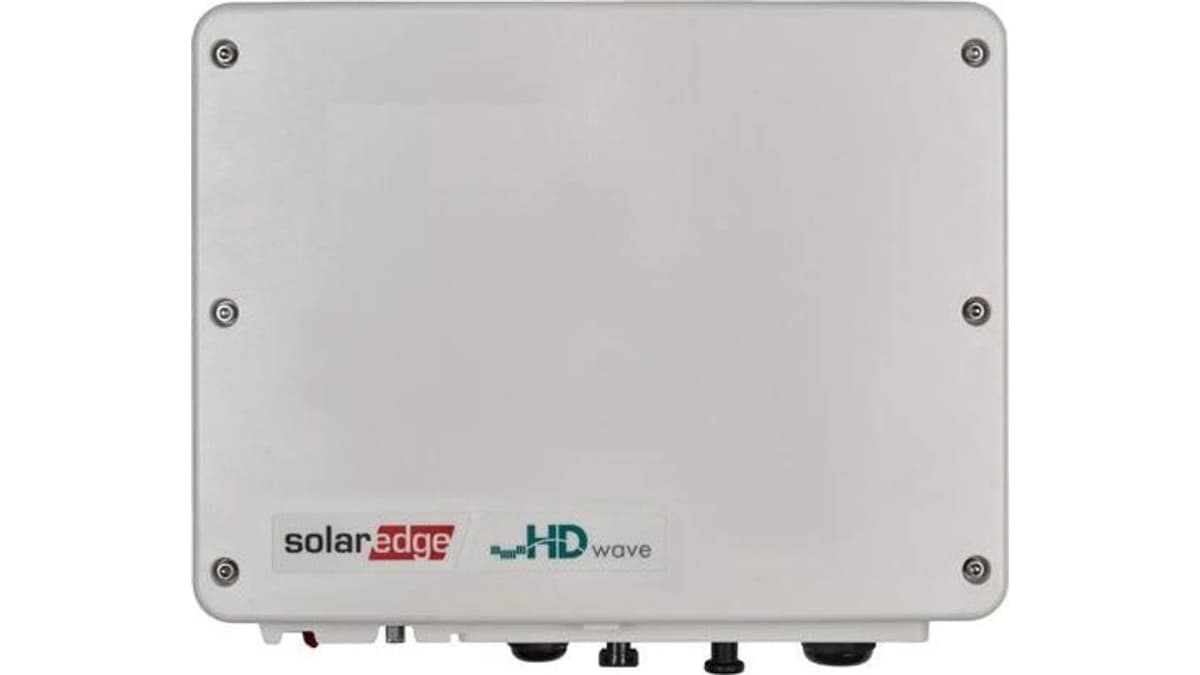
The SolarEdge StorEdge battery is a home and business battery that stores solar energy behind a SolarEdge hybrid inverter. This Modbus TCP template reads state of energy, power, health and energy counters for up to three batteries, and sets the storage mode, backup reserve and export limit from ModbusCloud.
- Protocol
- Modbus TCP
- Connection
- Ethernet, Modbus TCP
- Registers
- 133, read and write
- Brand
- SolarEdge
- Key readings
- State of energy · Battery power · State of health · Battery status · Charged and discharged energy · Battery temperature
- Available commands
- Storage control mode · Backup reserve · Remote charge and discharge · Site export limit
- Compatible models
- SolarEdge Home Battery and StorEdge batteries on a SolarEdge hybrid inverter (battery 1 to 3) · SolarEdge Energy Hub inverter with battery · SolarEdge StorEdge inverter with battery
- Last updated
Registers (133)
133 read, 13 write
| Name | Unit | Access | Address (Hidden until you enter your email) | Function (hidden) | Type (hidden) |
|---|---|---|---|---|---|
| Storage Control Mode | Read and write | 57348 | FC03 / FC06 | uint16 | |
| Storage AC Charge Policy | Read and write | 57349 | FC03 / FC06 | uint16 | |
| Storage AC Charge Limit | Read and write | 57350 | FC03 / FC16 | float32 | |
| Storage Backup Reserve | % | Read and write | 57352 | FC03 / FC16 | float32 |
| Storage Default Mode | Read and write | 57354 | FC03 / FC06 | uint16 | |
| Remote Command Timeout | s | Read and write | |||
| Remote Command Mode | Read and write | ||||
| Remote Charge Limit | W | Read and write | |||
| Remote Discharge Limit | W | Read and write | |||
| Limit Control Mode | Read and write | ||||
| Limit Control Type | Read and write | ||||
| Site Limit | W | Read and write | |||
| External Production Max | W | Read and write | |||
| Battery 1 State of Energy | % | Read | |||
| Battery 1 Power | W | Read | |||
| Battery 1 Voltage | V | Read | |||
| Battery 1 Current | A | Read | |||
| Battery 1 Status | Read | ||||
| Battery 1 State of Health | % | Read | |||
| Battery 1 Average Temperature | °C | Read | |||
| Battery 1 Max Temperature | °C | Read | |||
| Battery 1 Exported Energy | Wh | Read | |||
| Battery 1 Imported Energy | Wh | Read | |||
| Battery 1 Max Energy | Wh | Read | |||
| Battery 1 Available Energy | Wh | Read | |||
| Battery 1 Rated Energy | Wh | Read | |||
| Battery 1 Max Charge Power | W | Read | |||
| Battery 1 Max Discharge Power | W | Read | |||
| Battery 1 Max Charge Peak Power | W | Read | |||
| Battery 1 Max Discharge Peak Power | W | Read | |||
| Battery 1 Status Vendor | Read | ||||
| Battery 1 Event Log 1 | Read | ||||
| Battery 1 Event Log 2 | Read | ||||
| Battery 1 Event Log 3 | Read | ||||
| Battery 1 Event Log 4 | Read | ||||
| Battery 1 Event Log 5 | Read | ||||
| Battery 1 Event Log 6 | Read | ||||
| Battery 1 Event Log 7 | Read | ||||
| Battery 1 Event Log 8 | Read | ||||
| Battery 1 Vendor Event Log 1 | Read | ||||
| Battery 1 Vendor Event Log 2 | Read | ||||
| Battery 1 Vendor Event Log 3 | Read | ||||
| Battery 1 Vendor Event Log 4 | Read | ||||
| Battery 1 Vendor Event Log 5 | Read | ||||
| Battery 1 Vendor Event Log 6 | Read | ||||
| Battery 1 Vendor Event Log 7 | Read | ||||
| Battery 1 Vendor Event Log 8 | Read | ||||
| Battery 1 Manufacturer | Read | ||||
| Battery 1 Model | Read | ||||
| Battery 1 Firmware Version | Read | ||||
| Battery 1 Serial Number | Read | ||||
| Battery 1 Device Address | Read | ||||
| Battery 1 SunSpec DID | Read | ||||
| Battery 2 State of Energy | % | Read | |||
| Battery 2 Power | W | Read | |||
| Battery 2 Voltage | V | Read | |||
| Battery 2 Current | A | Read | |||
| Battery 2 Status | Read | ||||
| Battery 2 State of Health | % | Read | |||
| Battery 2 Average Temperature | °C | Read | |||
| Battery 2 Max Temperature | °C | Read | |||
| Battery 2 Exported Energy | Wh | Read | |||
| Battery 2 Imported Energy | Wh | Read | |||
| Battery 2 Max Energy | Wh | Read | |||
| Battery 2 Available Energy | Wh | Read | |||
| Battery 2 Rated Energy | Wh | Read | |||
| Battery 2 Max Charge Power | W | Read | |||
| Battery 2 Max Discharge Power | W | Read | |||
| Battery 2 Max Charge Peak Power | W | Read | |||
| Battery 2 Max Discharge Peak Power | W | Read | |||
| Battery 2 Status Vendor | Read | ||||
| Battery 2 Event Log 1 | Read | ||||
| Battery 2 Event Log 2 | Read | ||||
| Battery 2 Event Log 3 | Read | ||||
| Battery 2 Event Log 4 | Read | ||||
| Battery 2 Event Log 5 | Read | ||||
| Battery 2 Event Log 6 | Read | ||||
| Battery 2 Event Log 7 | Read | ||||
| Battery 2 Event Log 8 | Read | ||||
| Battery 2 Vendor Event Log 1 | Read | ||||
| Battery 2 Vendor Event Log 2 | Read | ||||
| Battery 2 Vendor Event Log 3 | Read | ||||
| Battery 2 Vendor Event Log 4 | Read | ||||
| Battery 2 Vendor Event Log 5 | Read | ||||
| Battery 2 Vendor Event Log 6 | Read | ||||
| Battery 2 Vendor Event Log 7 | Read | ||||
| Battery 2 Vendor Event Log 8 | Read | ||||
| Battery 2 Manufacturer | Read | ||||
| Battery 2 Model | Read | ||||
| Battery 2 Firmware Version | Read | ||||
| Battery 2 Serial Number | Read | ||||
| Battery 2 Device Address | Read | ||||
| Battery 2 SunSpec DID | Read | ||||
| Battery 3 State of Energy | % | Read | |||
| Battery 3 Power | W | Read | |||
| Battery 3 Voltage | V | Read | |||
| Battery 3 Current | A | Read | |||
| Battery 3 Status | Read | ||||
| Battery 3 State of Health | % | Read | |||
| Battery 3 Average Temperature | °C | Read | |||
| Battery 3 Max Temperature | °C | Read | |||
| Battery 3 Exported Energy | Wh | Read | |||
| Battery 3 Imported Energy | Wh | Read | |||
| Battery 3 Max Energy | Wh | Read | |||
| Battery 3 Available Energy | Wh | Read | |||
| Battery 3 Rated Energy | Wh | Read | |||
| Battery 3 Max Charge Power | W | Read | |||
| Battery 3 Max Discharge Power | W | Read | |||
| Battery 3 Max Charge Peak Power | W | Read | |||
| Battery 3 Max Discharge Peak Power | W | Read | |||
| Battery 3 Status Vendor | Read | ||||
| Battery 3 Event Log 1 | Read | ||||
| Battery 3 Event Log 2 | Read | ||||
| Battery 3 Event Log 3 | Read | ||||
| Battery 3 Event Log 4 | Read | ||||
| Battery 3 Event Log 5 | Read | ||||
| Battery 3 Event Log 6 | Read | ||||
| Battery 3 Event Log 7 | Read | ||||
| Battery 3 Event Log 8 | Read | ||||
| Battery 3 Vendor Event Log 1 | Read | ||||
| Battery 3 Vendor Event Log 2 | Read | ||||
| Battery 3 Vendor Event Log 3 | Read | ||||
| Battery 3 Vendor Event Log 4 | Read | ||||
| Battery 3 Vendor Event Log 5 | Read | ||||
| Battery 3 Vendor Event Log 6 | Read | ||||
| Battery 3 Vendor Event Log 7 | Read | ||||
| Battery 3 Vendor Event Log 8 | Read | ||||
| Battery 3 Manufacturer | Read | ||||
| Battery 3 Model | Read | ||||
| Battery 3 Firmware Version | Read | ||||
| Battery 3 Serial Number | Read | ||||
| Battery 3 Device Address | Read | ||||
| Battery 3 SunSpec DID | Read |
Loading registers…
Send your device list
If a device is not in the library yet, we build the template for free as soon as we have the register data.
Use cases
- Show battery state of energy and power next to solar production on a ModbusCloud dashboard.
- Send an email when the battery status changes to fault or the state of health drops below a threshold.
- Follow charged and discharged energy per day in the history to see how much the battery covers.
- Raise the backup reserve from the portal before a planned grid outage.
- Switch the storage control mode to time of use or remote control from an automation in ModbusCloud.
Installation
Connect the SolarEdge inverter to the same network as the ModbusCloud Gateway with an Ethernet cable.
Enable Modbus TCP on the inverter in SetApp (Site Communication, Modbus TCP) and note the port (1502 by default).
In ModbusCloud, add a Modbus TCP device with the IP address of the inverter, port 1502 and unit ID 1, and import the SolarEdge StorEdge Battery template.
Check that Battery 1 State of Energy and Battery 1 Power come in and match the SolarEdge app.
Things to watch for
Battery 2 and battery 3 show no values or errors.
Only batteries that are connected return values. An empty battery slot answers with an error or a not implemented value, so remove those registers or ignore them if you have one battery.
Why does the storage control mode jump back after I change it?
The inverter keeps control mode, charge policy and backup reserve, but remote commands, their timeout and the charge and discharge limits are not stored and expire after the timeout. Set Storage Control Mode to remote control first, then write the command and a timeout, and repeat the command before it runs out.
The values look like random large numbers.
Battery values are 32-bit floats and 64-bit counters with the low word first. Keep the word order from the template; if you build registers yourself, use the same low word first order.
The connection drops when another system also reads the inverter.
The SolarEdge inverter accepts one Modbus TCP client at a time. If a home energy manager already polls it, one of the two loses the connection. Let one system read the inverter.

Knowledge base articles for this device
Want to see how it works?