








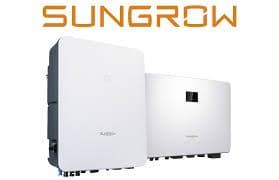
SUNGROW Hybrid Inverter
Reads energy, battery, and power data from Sungrow hybrid inverters via Modbus TCP.
This template connects to Sungrow hybrid inverters via Modbus TCP and reads 14 registers covering PV generation, battery status, grid import/export, and power values. It supports a wide range of SH-series models and provides read-only monitoring data for energy management dashboards.
- Protocol
- Modbus TCP
- Connection
- Ethernet, Modbus TCP
- Registers
- 14, read only
- Brand
- Sungrow
- Key readings
- Total PV Generation · Total DC Power · Battery Level and Health · Total Import and Export Energy · Total Active Power · Self-consumption Today
- Compatible models
- SH5K-20 · SH3K6 · SH5K-V13 · SH5K-30 · SH3K-30 · SH4K6-30 · SH5.0RS · SH3.6RS · SH6.0RS · SH10RT · SH8.0RT · SH6.0RT · SH5.0RT
- Last updated
Registers (14)
14 read, 0 write
| Name | Unit | Access | Address (Hidden until you enter your email) | Function (hidden) | Type (hidden) |
|---|---|---|---|---|---|
| Total Output Energy | kWh | Read | |||
| Total DC power | kW | Read | |||
| Total PV Generation | kWh | Read | |||
| Total Export Energy from PV | kWh | Read | |||
| Total direct energy consumption | kWh | Read | |||
| Battery power | kW | Read | |||
| Battery state of healthy | % | Read | |||
| Self-consumption of today in percent | % | Read | |||
| Total active power | kW | Read | |||
| Total Import Energy | kWh | Read | |||
| Total Export Energy | kWh | Read | |||
| Battery level | % | Read | |||
| Running state | Read | ||||
| Export Power | kW | Read |
Loading registers…
Send your device list
If a device is not in the library yet, we build the template for free as soon as we have the register data.
Use cases
- Monitor total PV generation and battery state of charge on a live cloud dashboard for each customer site.
- Create an alert when battery health drops below a defined threshold to schedule proactive maintenance.
- Track daily self-consumption rates to help customers optimize their energy usage patterns.
- Compare total import and export energy over time to evaluate the effectiveness of a battery storage installation.
- Generate monthly energy reports showing PV production, grid exchange, and self-consumption for your customer portfolio.
- Detect abnormal active power readings remotely to troubleshoot inverter issues without a site visit.
Installation
Connect the ModbusCloud Gateway to the same local network as the Sungrow hybrid inverter, ensuring both devices can communicate over TCP.
Enable Modbus TCP on the Sungrow inverter via its local interface or the iSolarCloud app, and note the IP address and Modbus TCP port (default is typically 502).
Set the Modbus slave address on the inverter if it differs from the default, and ensure it matches the address configured in the template.
Import the Sungrow Hybrid Inverter template from the ModbusCloud template library and assign it to your gateway.
Verify that data appears correctly on the ModbusCloud dashboard, paying special attention to signed int32 registers such as Export Power and Total Active Power.
Things to watch for
Why do some registers show double the expected value or appear corrupted?
Several registers use uint32 or int32 spanning two consecutive Modbus addresses. If the gateway reads only one address instead of two, or uses the wrong byte order, values will be incorrect. Ensure the template is applied without manual register modifications.
What does a negative value for Total Active Power mean?
Total Active Power and Export Power use signed int32. A negative value indicates power is being exported to the grid. This is expected behavior during periods of excess PV production.
My Sungrow inverter does not respond to Modbus TCP requests. What should I check?
Confirm that Modbus TCP is enabled in the inverter settings. Check that the gateway and inverter are on the same subnet and that no firewall rules block port 502. Also verify the correct slave address is configured.
Is my Sungrow model compatible if it is not listed?
The template is verified for SH5K-20, SH3K6, SH5K-V13, SH5K-30, SH3K-30, SH4K6-30, SH5.0RS, SH3.6RS, SH6.0RS, SH10RT, SH8.0RT, SH6.0RT, and SH5.0RT. Other SH-series models sharing the same register map may work, but readings should be verified after setup.


Want to see how it works?
