









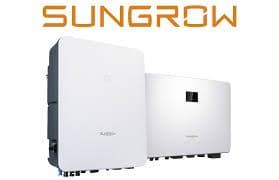
Sungrow SH Series Hybrid Inverter (grid)
The Sungrow SH Series Hybrid Inverter is a residential and light-commercial hybrid PV inverter with integrated battery management, designed for grid-connected solar-plus-storage installations. This ModbusCloud template connects over Modbus TCP to read grid-side data from the inverter's internal smart meter: total grid exchange power (register 13009, signed), cumulative import energy (register 13036), and per-phase active power and voltage pairs used to derive per-phase currents. Monitoring these registers lets operators track import and export balance across all three phases in real time.
- Protocol
- Modbus TCP
- Connection
- Ethernet, Modbus TCP
- Registers
- 8, read only
- Brand
- Sungrow
- Last updated
Registers (8)
8 read, 0 write
| Name | Unit | Access | Address (Hidden until you enter your email) | Function (hidden) | Type (hidden) |
|---|---|---|---|---|---|
| power | W | Read | |||
| energy | kWh | Read | |||
| currents_div_a | W | Read | |||
| currents_div_b | Read | ||||
| currents_div_c | W | Read | |||
| currents_div_d | Read | ||||
| currents_div_e | W | Read | |||
| currents_div_f | Read |
Loading registers…
Send your device list
If a device is not in the library yet, we build the template for free as soon as we have the register data.
Use cases
- Monitor signed grid exchange power to verify that PV and battery are covering household load before peak tariff periods.
- Track cumulative import energy over time to calculate monthly grid costs and validate billing against the utility meter.
- Compare per-phase active power registers to detect load imbalance across phases in three-phase SH Series installations.
- Alert on sustained positive export power during battery full conditions to identify oversized PV generation or missed self-consumption opportunities.
- Report daily and monthly import energy totals to building owners for energy audit and regulatory compliance documentation.
Installation
Enable Modbus TCP on the Sungrow SH Series inverter: connect to the inverter via the iSolarCloud local access portal, navigate to the communication or Modbus section, and confirm Modbus TCP is active on port 502.
Connect the inverter's LAN port (or WiNet-S Ethernet port) to the same network segment as the ModbusCloud Gateway, ensuring the inverter has a reachable static or reserved IP address.
In the ModbusCloud portal, add a new device, import the Sungrow SH Series Hybrid Inverter (grid) template, and enter the inverter's IP address and unit ID (default unit ID is 1, as per Sungrow documentation).
Verify the connection by checking that the portal displays a live, non-zero reading on the power register (13009); a value near zero at night or a negative value during grid import confirms correct communication.
Things to watch for
Register 13009 always reads zero even when the system is running.
Register 13009 reports smart meter data, not inverter output directly. If the Sungrow DTSU666 energy meter is not wired correctly or its Modbus address conflicts, the inverter cannot relay meter values. Check the meter's RS485 wiring and confirm the meter is communicating with the inverter in the iSolarCloud app before polling over Modbus TCP.
The gateway connects but per-phase current values look wrong.
Per-phase currents are derived by dividing per-phase active power (5602, 5604, 5606) by the corresponding phase voltage (5018, 5019, 5020). If voltage registers return scaled raw counts rather than volts, check that your client applies the 0.1 V scaling factor documented for those uint16 registers. A missing scaling step produces currents that are 10 times too high.
Why do I get intermittent timeouts when polling the inverter over the WiNet-S dongle?
The WiNet-S Wi-Fi and Ethernet bridge introduces additional latency compared to a direct LAN connection to the inverter's built-in port. Increase the Modbus inter-message delay to at least 20 ms when using WiNet-S. For stable polling, use the inverter's internal LAN port directly where available.
Energy values at register 13036 appear to reset or jump unexpectedly after a firmware update.
Sungrow has modified register content and data types across firmware versions; version 1.0.15 of the communication protocol changed registers 13008 and 13009 from U32 to S32. After a firmware update, verify the register data type and scaling still match the template. If values are implausible, reconnect and cross-check against the iSolarCloud app readout.

Want to see how it works?
