









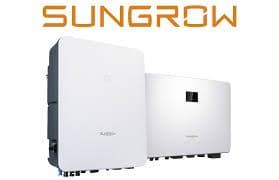
Sungrow SH Series Hybrid Inverter (pv)
The Sungrow SH Series Hybrid Inverter is a residential hybrid PV inverter combining solar generation with battery storage management. This ModbusCloud template connects via Modbus TCP and reads two core PV registers: total DC power from the PV strings and the daily PV generation figure. Monitoring these values lets installers and building owners verify real-time solar output and track how much energy the Sungrow SH Series has produced each day, supporting yield verification and performance reporting without manual log-ins to the iSolarCloud portal.
- Protocol
- Modbus TCP
- Connection
- Ethernet, Modbus TCP
- Registers
- 2, read only
- Brand
- Sungrow
- Last updated
Registers (2)
2 read, 0 write
| Name | Unit | Access | Address (Hidden until you enter your email) | Function (hidden) | Type (hidden) |
|---|---|---|---|---|---|
| power | W | Read | |||
| energy | Wh | Read |
Loading registers…
Send your device list
If a device is not in the library yet, we build the template for free as soon as we have the register data.
Use cases
- Monitor total DC power in real time to confirm the Sungrow SH Series is producing at expected levels during peak sun hours.
- Track daily PV generation to compare actual yield against forecast and flag underperforming days automatically.
- Alert on sudden drops in DC power to detect shading events, string faults, or MPPT failures before they persist.
- Report cumulative daily PV generation across multiple sites from a single ModbusCloud dashboard for energy audits.
- Verify inverter startup behaviour each morning by checking when DC power first rises above zero after sunrise.
Installation
Enable Modbus TCP on the Sungrow SH Series: connect the inverter's LAN port or the WiNet-S communication module to your local network, then confirm Modbus TCP is active (default port 502, DHCP on) under the communication or Modbus section of the WiNet-S web interface.
Connect the ModbusCloud Gateway to the same LAN segment as the inverter or WiNet-S module, ensuring the Gateway can reach the inverter's IP address on port 502.
In the ModbusCloud portal, add a new device, import the Sungrow SH Series Hybrid Inverter (pv) template, and set the unit ID to 1 (the inverter's default Modbus slave address).
Verify the connection by checking that register 5016 (power) returns a plausible DC watt figure during daylight and that register 13002 (energy) increments across the day.
Things to watch for
DC power register reads zero even when the sun is shining. Why?
Confirm Modbus TCP is enabled on the WiNet-S or the inverter's LAN port, not just on the RS485 interface. Also check that the polling unit ID matches the inverter's configured Modbus slave address (default 1). If Modbus was recently enabled, a restart of the WiNet-S module may be required before readings appear.
The gateway connects but the energy register shows an unexpected value.
Register 13002 reports daily PV generation and resets to zero at midnight local inverter time. If the value looks scaled incorrectly, note that Sungrow documents this register with a 0.1 kWh coefficient. The input template stores the raw uint32 value; apply the 0.1 scaling factor in your dashboard formula if you need kWh display.
Modbus connection drops intermittently when using WiNet-S. What helps?
WiNet-S introduces slightly higher latency than a direct LAN connection. Increase the ModbusCloud Gateway poll interval or inter-request delay to at least 20 ms between requests when connecting through WiNet-S. A direct LAN cable from the inverter's own Ethernet port is more stable and allows shorter intervals of around 5 ms.
The power register returns large implausible values instead of watts.
The Sungrow SH Series stores uint32 values for DC power with the low word first (little-endian double-word, big-endian byte within each word). If your tool uses the wrong word order, the result will be a large garbage number. Verify your Modbus client is combining the two 16-bit registers in low-word-first order as specified in the Sungrow communication protocol.

Want to see how it works?
