









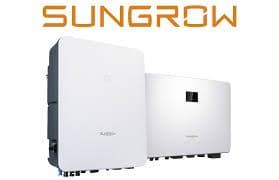
Sungrow SH Series Hybrid Inverter (battery)
The Sungrow SH Series Hybrid Inverter is a residential PV hybrid inverter with integrated battery management, available in single-phase (SH-RS) and three-phase (SH-RT) variants. This ModbusCloud template communicates over Modbus TCP and reads battery state of charge, current, power, and cumulative discharge energy from the inverter's input registers. It also exposes write registers for EMS mode selection and forced charge or discharge commands, enabling active control of the battery. Installers and energy managers gain real-time battery visibility and remote dispatch capability without additional hardware.
- Protocol
- Modbus TCP
- Connection
- Ethernet, Modbus TCP
- Registers
- 9, read and write
- Brand
- Sungrow
- Last updated
Registers (9)
5 read, 4 write
| Name | Unit | Access | Address (Hidden until you enter your email) | Function (hidden) | Type (hidden) |
|---|---|---|---|---|---|
| power_in_config_a | Read | ||||
| power_in_config_b | A | Read | |||
| power_in_config_c | W | Read | |||
| energy | kWh | Read | |||
| soc | % | Read | |||
| batterymode_a | Write | ||||
| batterymode_b | Write | ||||
| batterymode_c | Write | ||||
| batterymode_i | W | Write |
Loading registers…
Send your device list
If a device is not in the library yet, we build the template for free as soon as we have the register data.
Use cases
- Monitor battery state of charge continuously to detect gradual capacity decline across seasons.
- Track cumulative discharge energy to verify battery throughput against the manufacturer's cycle warranty.
- Alert on unexpected battery power readings that may indicate a firmware datatype change after an inverter update.
- Compare battery current and power registers to confirm scaling and sign convention match site energy-flow expectations.
- Verify EMS mode register values after a forced charge or discharge command to confirm the inverter accepted the setpoint.
Installation
Enable Modbus TCP on the inverter: connect to the WiNet-S dongle or the inverter's built-in LAN port, open the web interface, and activate Modbus TCP under the communication or Modbus settings section.
Connect the Sungrow SH Series inverter to the same local network as the ModbusCloud Gateway using an Ethernet cable to either the inverter's LAN port or the WiNet-S dongle.
In your ModbusCloud portal, add the Gateway, import the Sungrow SH Series Hybrid Inverter (battery) template, and set the unit ID to 1 (the Sungrow default) and the TCP port to 502.
Spot-check the SOC register (address 13022) and the battery running state register (address 13000) in the live data view to confirm values are being read correctly before enabling write registers.
Things to watch for
Register 13021 always shows large positive values. Why?
Older Sungrow SH Series firmware returns battery power at address 13021 as an always-positive uint16. After firmware updates released around late 2024, the value became a signed int16 indicating direction. Ensure the template data type matches your firmware version. If in doubt, read the battery running state register (13000) to determine charge or discharge direction independently.
Modbus TCP connects but no register values appear in the portal.
Verify that Modbus TCP is explicitly enabled in the WiNet-S or inverter web interface. Even though some units ship with Modbus TCP active, the setting can reset after a firmware update. Confirm the device IP address is reachable from the ModbusCloud Gateway, and that the unit ID is set to 1. Sungrow uses big-endian word order; mismatched byte order will produce nonsense values rather than no values.
Write commands to battery mode registers have no effect. What is wrong?
Forced charge or discharge via the batterymode registers only takes effect when the EMS mode register (address 13049, batterymode_b) is first set to 2 (force mode). Sending a charge or discharge command to address 13050 while the EMS is still in normal mode (0) will be silently ignored by the inverter.
Is it safe to write charge or discharge setpoints remotely without restrictions?
Use caution when writing to the batterymode registers. Setting power setpoints beyond the inverter's or battery's rated limits can trigger protection faults and may affect warranty compliance. Always confirm the maximum charge and discharge power for your specific SH Series model and battery combination before sending setpoints via the portal, and include safeguard checks in any automation that writes to these registers.


Want to see how it works?
