









Sungrow SG CX
Commercial three-phase PV string inverter with string current monitoring and power limitation.
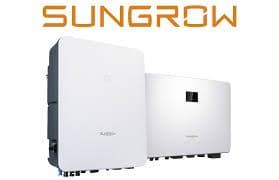
The Sungrow SG CX is a three-phase string inverter that converts solar power into grid power on commercial roofs and carports, from 25 to 125 kW. This Modbus RTU template reads power, yield, grid values, MPPT and string currents and fault codes, and lets you set the power limit, power factor and reactive power mode from ModbusCloud.
- Protocol
- Modbus RTU
- Connection
- RS485, 9600 baud
- Registers
- 158, read and write
- Brand
- Sungrow
- Key readings
- AC active power · Daily energy yield · Total energy yield · Grid voltage and current · MPPT voltage and current · String currents · Work state · Fault code
- Available commands
- Start and stop · Active power limit · Power factor · Reactive power mode
- Compatible models
- SG25CX-SA · SG30CX · SG33CX · SG36CX-US · SG40CX · SG50CX · SG60CX-US · SG49.5CX-JP · SG75CX · SG100CX · SG100CX-JP · SG110CX · SG25CX-P2 · SG30CX-P2 · SG33CX-P2 · SG36CX-P2 · SG40CX-P2 · SG50CX-P2 · SG75CX-P2 · SG110CX-P2 · SG125CX-P2
- Last updated
Registers (158)
158 read, 45 write
| Name | Unit | Access | Address (Hidden until you enter your email) | Function (hidden) | Type (hidden) |
|---|---|---|---|---|---|
| Total Active Power | W | Read | |||
| Daily Power Yield | kWh | Read | |||
| Total Power Yield | kWh | Read | |||
| Total Power Yield kWh | kWh | Read | |||
| Monthly Power Yield | kWh | Read | |||
| Total DC Power | W | Read | |||
| Total Reactive Power | var | Read | |||
| Total Apparent Power | VA | Read | |||
| Power Factor | Read | ||||
| Grid Frequency | Hz | Read | |||
| Grid Frequency 0.1 Hz | Hz | Read | |||
| Phase A Voltage | V | Read | |||
| Phase B Voltage | V | Read | |||
| Phase C Voltage | V | Read | |||
| Phase A Current | A | Read | |||
| Phase B Current | A | Read | |||
| Phase C Current | A | Read | |||
| Internal Temperature | °C | Read | |||
| Array Insulation Resistance | kΩ | Read | |||
| Negative Voltage To Ground | V | Read | |||
| Bus Voltage | V | Read | |||
| MPPT 1 Voltage | V | Read | |||
| MPPT 1 Current | A | Read | |||
| MPPT 2 Voltage | V | Read | |||
| MPPT 2 Current | A | Read | |||
| MPPT 3 Voltage | V | Read | |||
| MPPT 3 Current | A | Read | |||
| MPPT 4 Voltage | V | Read | |||
| MPPT 4 Current | A | Read | |||
| MPPT 5 Voltage | V | Read | |||
| MPPT 5 Current | A | Read | |||
| MPPT 6 Voltage | V | Read | |||
| MPPT 6 Current | A | Read | |||
| MPPT 7 Voltage | V | Read | |||
| MPPT 7 Current | A | Read | |||
| MPPT 8 Voltage | V | Read | |||
| MPPT 8 Current | A | Read | |||
| MPPT 9 Voltage | V | Read | |||
| MPPT 9 Current | A | Read | |||
| MPPT 10 Voltage | V | Read | |||
| MPPT 10 Current | A | Read | |||
| MPPT 11 Voltage | V | Read | |||
| MPPT 11 Current | A | Read | |||
| MPPT 12 Voltage | V | Read | |||
| MPPT 12 Current | A | Read | |||
| MPPT 13 Voltage | V | Read | |||
| MPPT 13 Current | A | Read | |||
| MPPT 14 Voltage | V | Read | |||
| MPPT 14 Current | A | Read | |||
| MPPT 15 Voltage | V | Read | |||
| MPPT 15 Current | A | Read | |||
| MPPT 16 Voltage | V | Read | |||
| MPPT 16 Current | A | Read | |||
| String 1 Current | A | Read | |||
| String 2 Current | A | Read | |||
| String 3 Current | A | Read | |||
| String 4 Current | A | Read | |||
| String 5 Current | A | Read | |||
| String 6 Current | A | Read | |||
| String 7 Current | A | Read | |||
| String 8 Current | A | Read | |||
| String 9 Current | A | Read | |||
| String 10 Current | A | Read | |||
| String 11 Current | A | Read | |||
| String 12 Current | A | Read | |||
| String 13 Current | A | Read | |||
| String 14 Current | A | Read | |||
| String 15 Current | A | Read | |||
| String 16 Current | A | Read | |||
| String 17 Current | A | Read | |||
| String 18 Current | A | Read | |||
| String 19 Current | A | Read | |||
| String 20 Current | A | Read | |||
| String 21 Current | A | Read | |||
| String 22 Current | A | Read | |||
| String 23 Current | A | Read | |||
| String 24 Current | A | Read | |||
| String 25 Current | A | Read | |||
| String 26 Current | A | Read | |||
| String 27 Current | A | Read | |||
| String 28 Current | A | Read | |||
| String 29 Current | A | Read | |||
| String 30 Current | A | Read | |||
| String 31 Current | A | Read | |||
| String 32 Current | A | Read | |||
| Work State | Read | ||||
| Work State Bits | Read | ||||
| Fault Alarm Code | Read | ||||
| Fault Time Year | Read | ||||
| Fault Time Month | Read | ||||
| Fault Time Day | Read | ||||
| Fault Time Hour | Read | ||||
| Fault Time Minute | Read | ||||
| Fault Time Second | Read | ||||
| Work Status 1 | Read | ||||
| Work Status 2 | Read | ||||
| PID Work State | Read | ||||
| PID Alarm Code | Read | ||||
| Active Power Regulation Setpoint | W | Read | |||
| Reactive Power Regulation Setpoint | var | Read | |||
| Heart Beat | Read | ||||
| Start Stop | Read and write | ||||
| Power Limitation Switch | Read and write | ||||
| Power Limitation Setting | % | Read and write | |||
| Power Limitation Adjustment | kW | Read and write | |||
| Active Power Overload | Read and write | ||||
| Reactive Power Adjustment Mode | Read and write | ||||
| Power Factor Setting | Read and write | ||||
| Reactive Power Percentage Setting | % | Read and write | |||
| Reactive Power Adjustment | kvar | Read and write | |||
| Night SVG Switch | Read and write | ||||
| PID Recovery | Read and write | ||||
| Anti PID | Read and write | ||||
| Local Remote Control | Read and write | ||||
| Installed PV Power | kW | Read and write | |||
| System Clock Year | Read and write | ||||
| System Clock Month | Read and write | ||||
| System Clock Day | Read and write | ||||
| System Clock Hour | Read and write | ||||
| System Clock Minute | Read and write | ||||
| System Clock Second | Read and write | ||||
| QP Curve | Read and write | ||||
| QP P1 | % | Read and write | |||
| QP P2 | % | Read and write | |||
| QP P3 | % | Read and write | |||
| QP K1 | Read and write | ||||
| QP K2 | Read and write | ||||
| QP K3 | Read and write | ||||
| QP Enter Voltage Ratio | % | Read and write | |||
| QP Exit Voltage Ratio | % | Read and write | |||
| QP Exit Power Ratio | % | Read and write | |||
| QP Enable Mode | Read and write | ||||
| QU Curve | Read and write | ||||
| QU Hysteresis Ratio | % | Read and write | |||
| QU V1 | % | Read and write | |||
| QU Q1 | % | Read and write | |||
| QU V2 | % | Read and write | |||
| QU Q2 | % | Read and write | |||
| QU V3 | % | Read and write | |||
| QU Q3 | % | Read and write | |||
| QU V4 | % | Read and write | |||
| QU Q4 | % | Read and write | |||
| QU Enter Power | % | Read and write | |||
| QU Exit Power | % | Read and write | |||
| QU Enable Mode | Read and write | ||||
| QU Limit PF Value | Read and write | ||||
| Device Type Code | Read | ||||
| Nominal Active Power | kW | Read | |||
| Nominal Reactive Power | kvar | Read | |||
| Output Type | Read | ||||
| Total Running Time | h | Read | |||
| Daily Running Time | min | Read | |||
| Present Country | Read | ||||
| Serial Number | Read | ||||
| Protocol Number | Read | ||||
| Protocol Version | Read | ||||
| ARM Software Version | Read | ||||
| DSP Software Version | Read |
Loading registers…
Send your device list
If a device is not in the library yet, we build the template for free as soon as we have the register data.
Use cases
- Show AC power and daily yield of every inverter on one dashboard to compare roofs or inverters.
- Get an email alert when the fault code is not 0 or the work state switches to fault.
- Compare string currents over months to find a shaded, soiled or disconnected string.
- Watch insulation resistance and get an alert when it drops toward the trip level.
- Lower the active power limit from ModbusCloud when the grid connection is constrained.
Installation
Connect RS485 A and B of the inverter to the RS485 port of the ModbusCloud Gateway, with a 120 ohm terminator at both ends of the bus.
Give each inverter its own Modbus address in the iSolarCloud app and use 9600 baud, 8 data bits, no parity, 1 stop bit.
In ModbusCloud, add a Modbus device with that address and import this template.
Check that Device Type Code shows your model and that Total Active Power follows the inverter display.
Things to watch for
The inverter does not answer on RS485. What should I check?
Check address, baud rate and parity against the settings in the iSolarCloud app, then swap A and B. Every inverter on the bus needs a unique address, and the bus needs a terminator at both ends. Some installations already have a data logger as master on the same RS485 port; two masters on one bus do not work.
Why do some MPPT or string registers show 6553.5 or 655.35?
Those inputs do not exist on your model, or the hardware does not measure that string. The inverter returns 65535 for them. Remove those registers from the device in ModbusCloud or ignore them on the dashboard.
Total power and energy look far too large. Why?
The 32-bit values send the low word first. The template already sets that word order. If you entered registers by hand, set the same word order, otherwise a few kW reads as millions.
What should I know before writing the power limit or start and stop?
The power limit only works after Power Limitation Switch is set to enable (170). Writing 206 to Start Stop stops the inverter and it stays off until you write 207. Agree changes with the owner and the grid operator, because a wrong limit or reactive power setting can cost yield or break grid rules.


Want to see how it works?
