









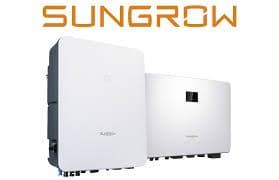
Sungrow iHomeManager (iHM) (grid)
The Sungrow iHomeManager (iHM) is a residential home energy management system with a built-in grid meter, replacing any separate metering device at the grid connection point. When the iHM is installed, grid import and export data is no longer available through the inverter's own Modbus interface, so the iHM must be queried directly. This template reads the iHM's grid registers over Modbus TCP: total active power, cumulative energy, and per-phase voltages and active power for phases A, B, and C. It gives installers and asset managers accurate, real-time grid data without any additional hardware.
- Protocol
- Modbus TCP
- Connection
- Ethernet, Modbus TCP
- Registers
- 8, read only
- Brand
- Sungrow
- Last updated
Registers (8)
8 read, 0 write
| Name | Unit | Access | Address (Hidden until you enter your email) | Function (hidden) | Type (hidden) |
|---|---|---|---|---|---|
| power | W | Read | |||
| energy | Wh | Read | |||
| voltages_a | V | Read | |||
| voltages_b | V | Read | |||
| voltages_c | V | Read | |||
| powers_a | W | Read | |||
| powers_b | W | Read | |||
| powers_c | W | Read |
Loading registers…
Send your device list
If a device is not in the library yet, we build the template for free as soon as we have the register data.
Use cases
- Monitor total active grid power to verify import and export balance across the full installation.
- Track cumulative grid energy to produce monthly billing reconciliation reports for building owners.
- Compare per-phase active powers on phases A, B, and C to detect load imbalances across circuits.
- Alert on unexpected spikes in total grid power to identify unplanned consumption events quickly.
- Verify per-phase voltages on all three phases to confirm grid quality within acceptable operating limits.
Installation
Enable Modbus TCP on the Sungrow iHomeManager via the iSolarCloud app or local web interface, under the communication or Modbus section, and note the assigned IP address.
Connect the iHomeManager to the same LAN segment as the ModbusCloud Gateway using the device's Ethernet port, and confirm network reachability with a ping.
In the ModbusCloud portal, add the ModbusCloud Gateway, import this template, set the target IP to the iHomeManager's address, use port 502, and assign the correct Modbus unit ID (commonly 247).
Spot-check the power register (address 8156) in the portal's live data view and compare the reading against the iSolarCloud app display to confirm the template is polling correctly.
Things to watch for
The gateway connects but all register reads return errors. Why?
The iHomeManager uses Sungrow's one-based register addressing convention. The protocol document lists register numbers starting at 1, which means the zero-based address polled over Modbus is always one less than the documented number. The register addresses in this template already apply that offset, so if you see errors, confirm you are targeting the correct unit ID (commonly 247) and port 502.
Grid power and energy values disappeared after the iHM was installed.
This is expected behavior. When a Sungrow iHomeManager is added, the inverter stops exposing grid metering data through its own Modbus registers. You must poll the iHM directly using this template. Do not query the inverter's grid registers in parallel; the iHM is now the authoritative meter source.
Only one Modbus client can read the iHM at a time. How do I share access?
The iHomeManager Modbus TCP interface allows only a single active connection per port. If another tool such as Home Assistant or iSolarCloud is already connected, the ModbusCloud Gateway will be refused. Close or disable other Modbus polling clients, or stagger poll schedules so connections do not overlap.
Per-phase voltage or power reads return zero on one or more phases.
Zero readings on individual phases are most often caused by single-phase or two-phase installations where unused phase registers return zero by design, or by a short polling timeout. Verify that the physical installation is three-phase. If it is, increase the read timeout in the portal gateway settings and re-poll. If only one phase is wired, zero on the unused channels is correct.

Want to see how it works?
